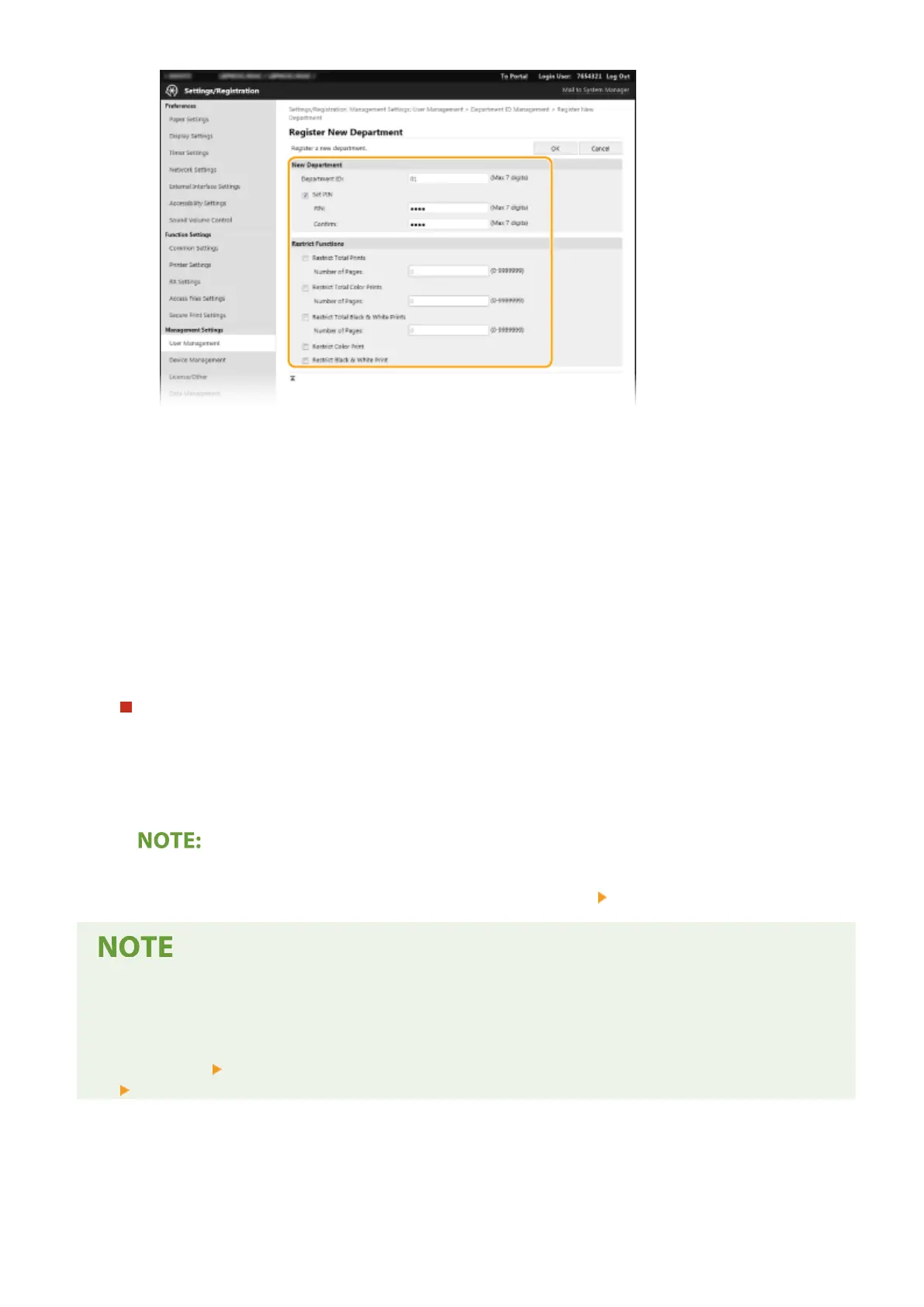
[Department ID]
Enter the Department ID number to be registered.
[Set PIN]
To set a PIN, select the check box and enter the same number both in the [PIN] and [Conrm] text boxes.
[Restrict Functions]
You can restrict the number of pages to print and the available functions for departments to be
registered. To restrict the number of pages to print, select the check box for the target type, and enter
the appropriate number of pages in [Number of Pages]. Select the check box for the target functions to
restrict functions.
3
Click [OK].
Editing the settings of the registered Department ID
1
Click the corresponding text link under [Department ID] to edit.
2
Change the settings as necessary and click [OK].
Deleting a Department ID
● Click [Delete] on the right of the Department ID you want to delete
click [OK].
[Department ID Page Total]
● You can check the total number of pages for jobs that have been executed to date on a department ID basis.
● If you want to return the counts to zero, click the corresponding text link under [Department ID] and click
[Clear Count]
[OK]. If you want to return the counts of all Department IDs to zero, click [Clear All Counts]
[OK].
Managing the Machine
227













 To Next Page