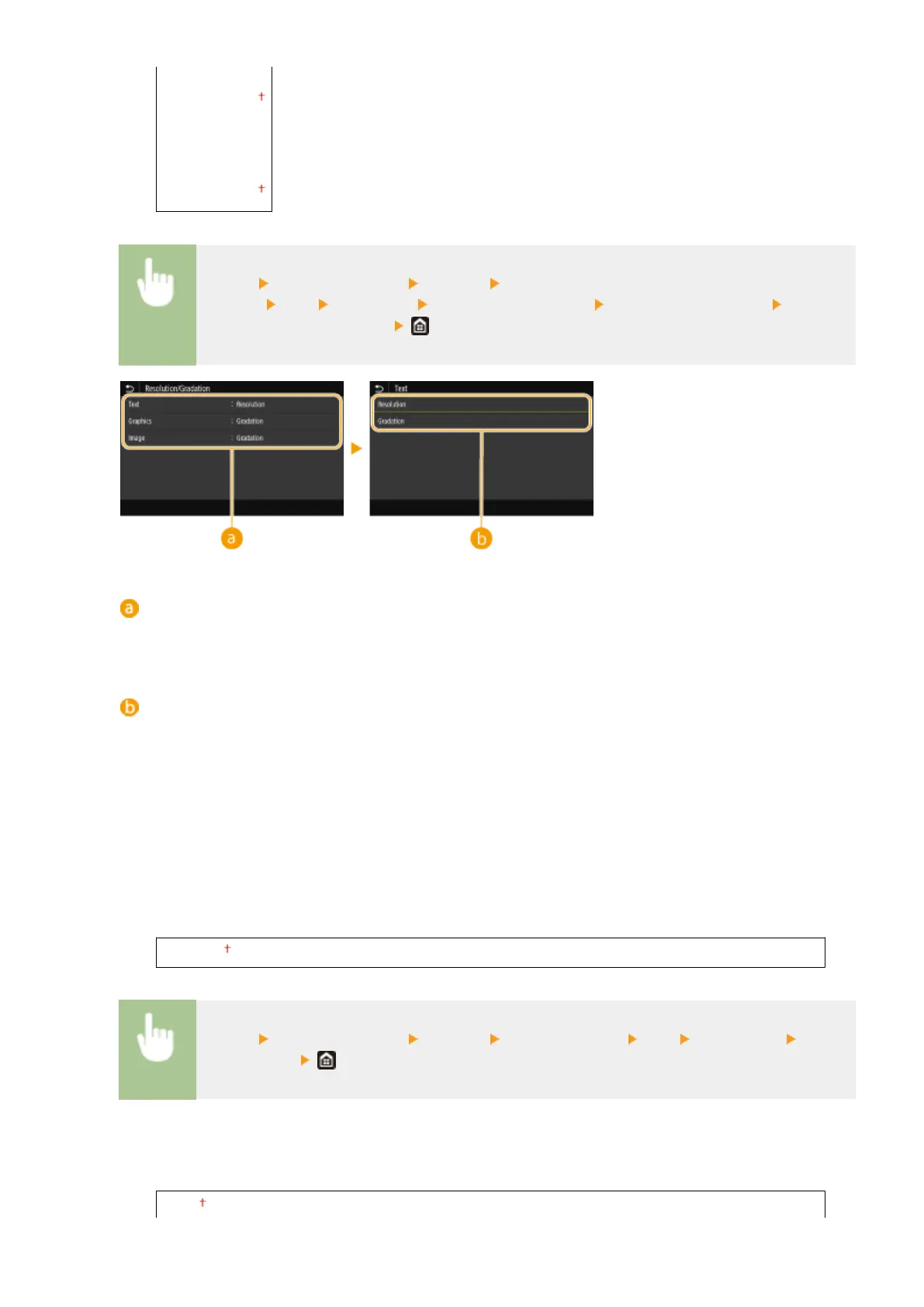
<Resolution>
<Gradation>
<Image>
<Resolution>
<Gradation>
<Menu> <Function Settings> <Printer> <Printer
Settings> <PS> <Halftones> <Resolution/Gradation> Select the type of image Select
<Resolution> or <Gradation>
Type of image
Select the object for which to change the setting. <Text> represents letters and characters, <Graphics>
represents lines and gures, and <Image> represents photos and images.
Setting value
<Resolution>
Produces a ne print with clear edges of text. It is suitable for printing characters and ne lines.
<Gradation>
Produces a print with smooth gradation or smooth edges. It is suitable for printing gures or graphs
containing gradation areas.
<Brightness>
*1
Adjust the brightness of the entire image in increments of 5%. The lower the setting value is, the brighter the
image or text becomes. The greater the setting value is, the darker the image or text becomes.
85 to 100 to 115 (%)
<Menu> <Function Settings> <Printer> <Printer Settings> <PS> <Brightness> Adjust
the brightness
<Composite Overprint>
Specify whether to overprint CMYK data, with overprint specied, as composite output.
<Off>
Setting Menu List
381













 To Next Page