112
Contents
Preparation/
Setup
Print Using a
Computer
Appendix
IndexPrint/SaveInput/Edit
Names of
Components
Maintenance/
Printer Settings
Trouble-
shooting
3
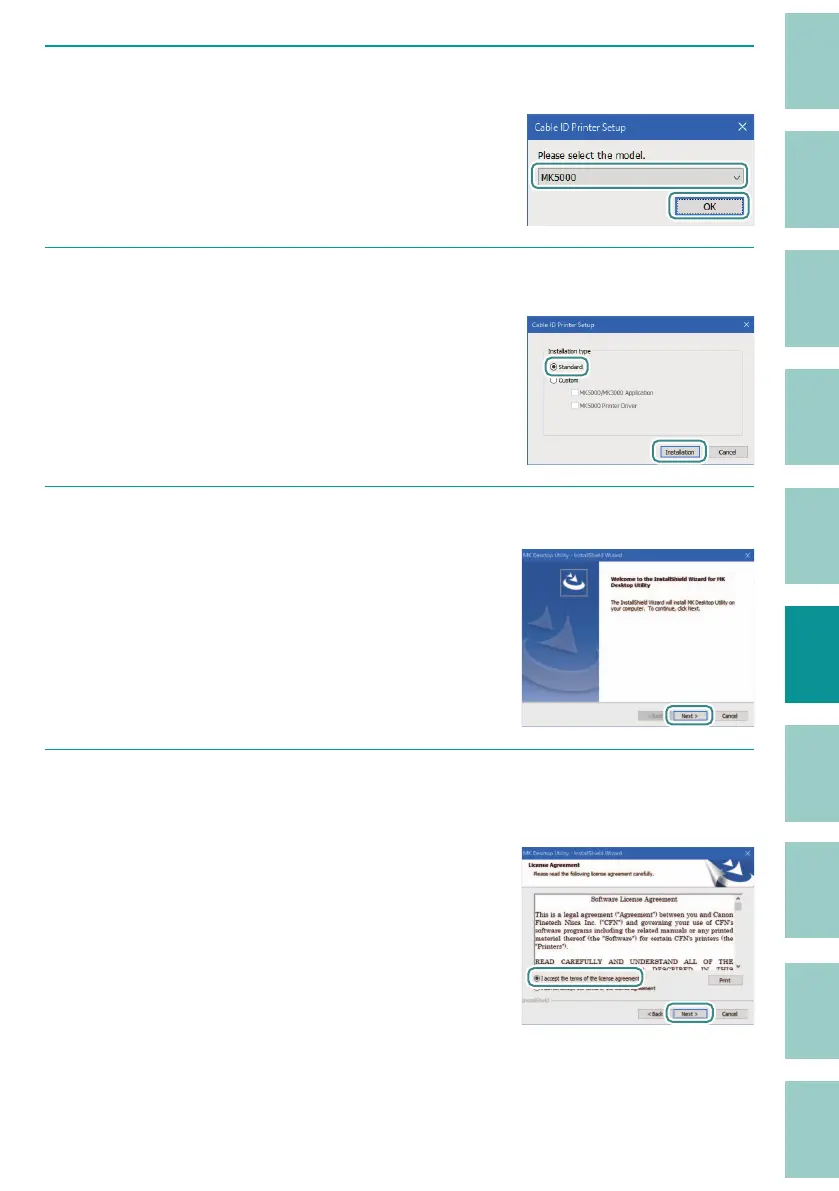
Select the model, and then click [OK].
4
Select the installation type, and then click [Installation].
When installing either the MK Desktop Utility or
the printer driver, select "Custom."
When you click [Installation], the screen for
star
ting the installation of the MK Desktop Utility
will appear.
5
Click [Next].
6
Read the license agreement carefully, select [I accept the terms of the license
agreement], and then click [Next].
The license agreement for the MK Desktop Utility
is displayed.



 To Next Page