113
Contents
Preparation/
Setup
Print Using a
Computer
Appendix
IndexPrint/SaveInput/Edit
Names of
Components
Maintenance/
Printer Settings
Trouble-
shooting
7
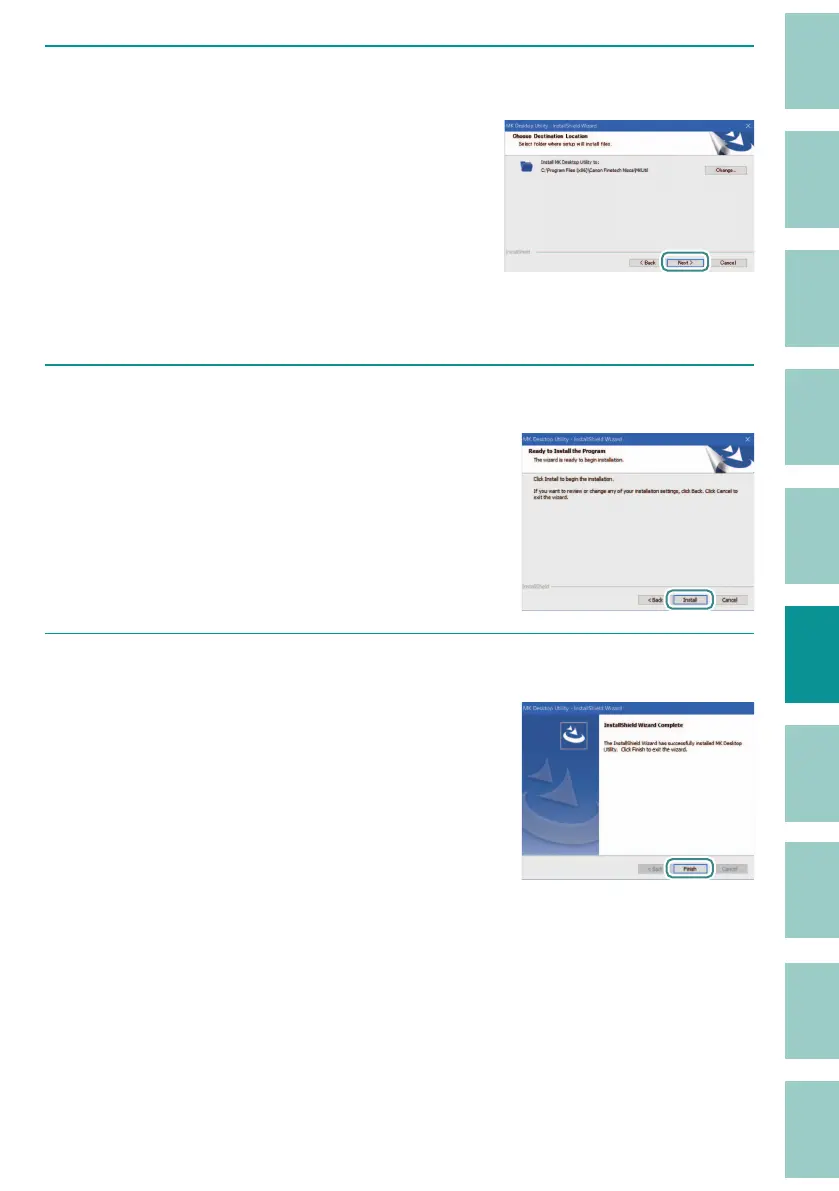
Select the destination folder.
If you want to install the software in the
displayed folder, click [Next].
If you want to change the destination folder,
click [Change] and specify the f
older to be
installed.
8
Click [Install].
The installation of "MK Desktop Utility" will start.
9
Click [Finish].
The installation of "MK Desktop Utility" is
completed.
When you click [Finish], the printer driver
installation star
t screen appears.


 To Next Page