162
Contents
Preparation/
Setup
Print Using a
Computer
Appendix
IndexPrint/SaveInput/Edit
Names of
Components
Maintenance/
Printer Settings
Trouble-
shooting
8
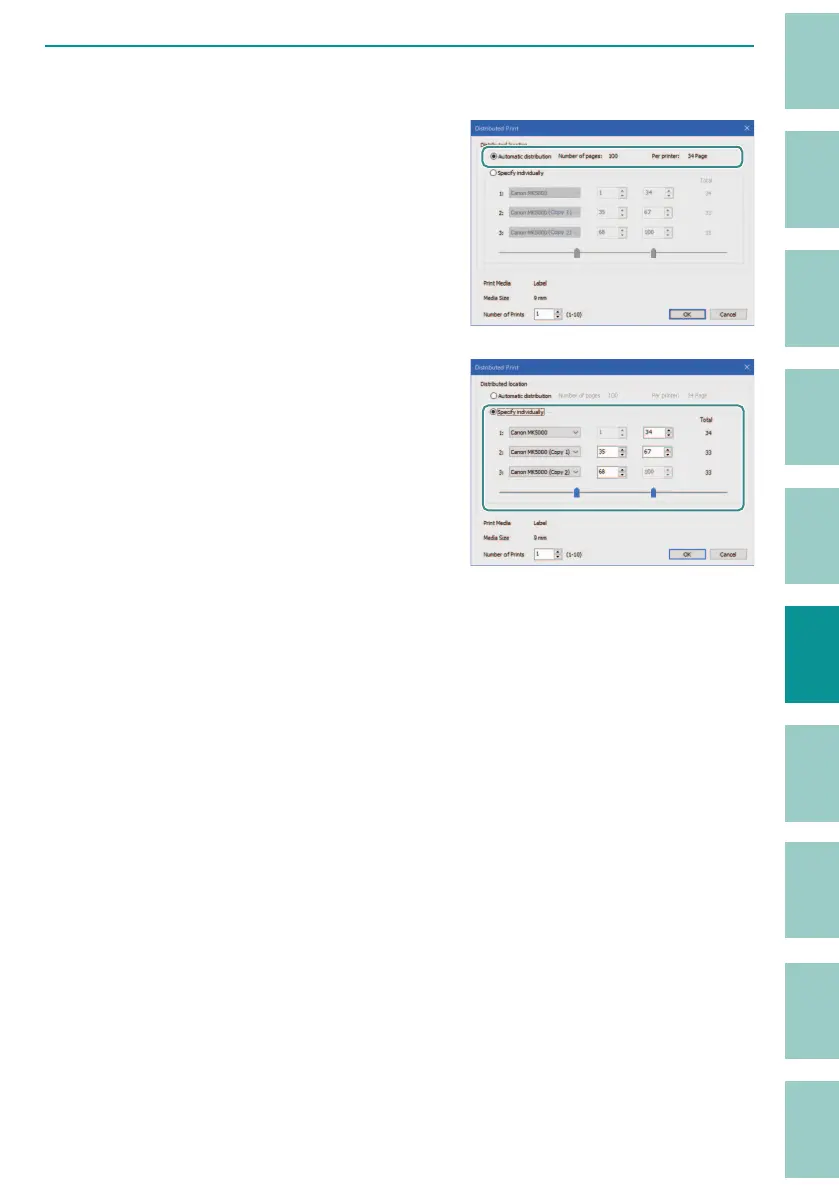
Specify the method of page division.
[Automatic distribution]
The print data is divided into pages evenly and
pr
inted.
[Specify individually]
Manually specify the page range of the print
data and pr
int it.
Select the printer to be used for printing from
the dr
op-down list and specify the page range
for each printer.
The page range can also be speci ed by
moving the slider
. If you have two printers,
one slider will be displayed; if you have three
printers, two sliders will be displayed.
If you want to reset the page range
speci
cation, click [Automatic distribution]
once.



 To Next Page