163
Contents
Preparation/
Setup
Print Using a
Computer
Appendix
IndexPrint/SaveInput/Edit
Names of
Components
Maintenance/
Printer Settings
Trouble-
shooting
9
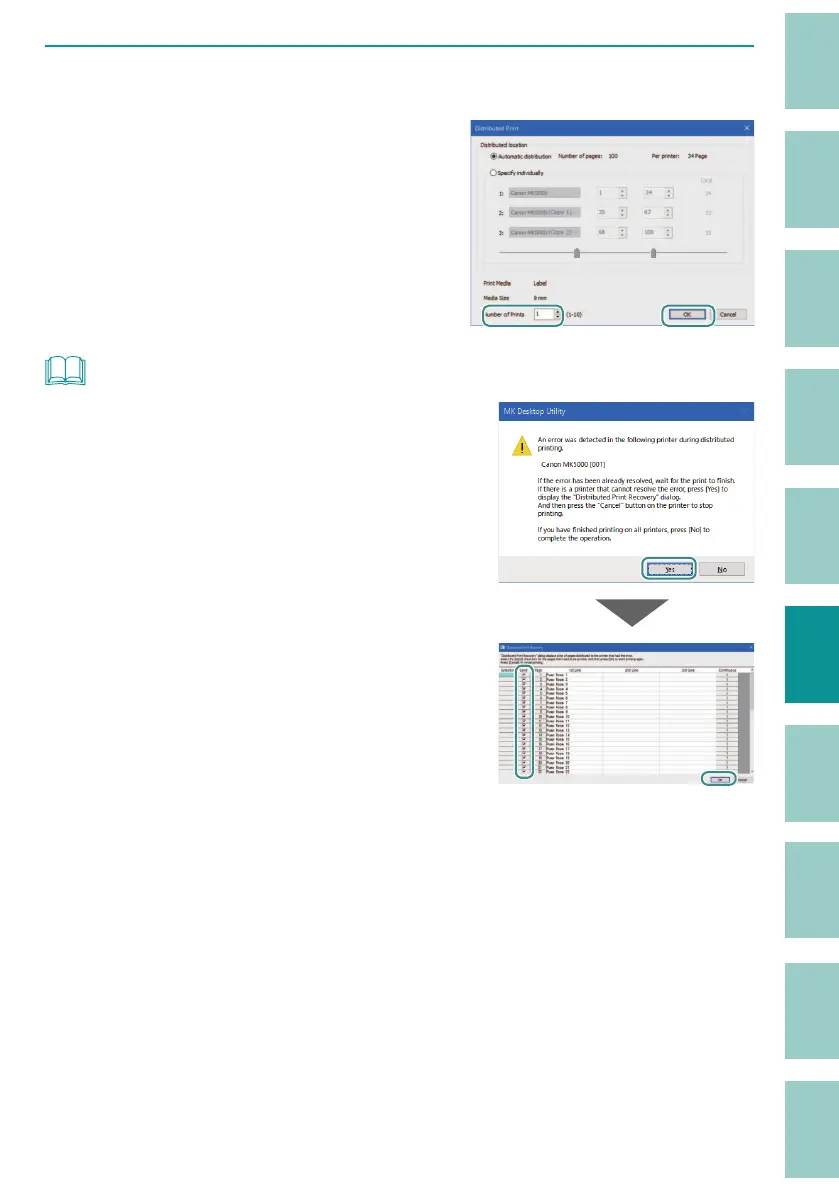
Specify the number of tubes (or labels) to be printed, and click [OK].
Specify the number of tubes (or labels) to be
printed in the range of 1 to 10.
Click [OK] to start distributed printing.
NOT
• If an error occurs in distributed printing, a message will be
displayed. Check the status of the printer and deal with
the error.
If there are any pages that could not be printed due to the
error, click [Yes]. The page list of the printer where the error
occurred (the [Distributed Print Recovery] dialog box) will
be displayed. Select the pages you want to reprint and
click [OK] to reprint them on the printer that is online.



 To Next Page