29
Contents
Preparation/
Setup
Print Using a
Computer
Appendix
IndexPrint/SaveInput/Edit
Names of
Components
Maintenance/
Printer Settings
Trouble-
shooting
6
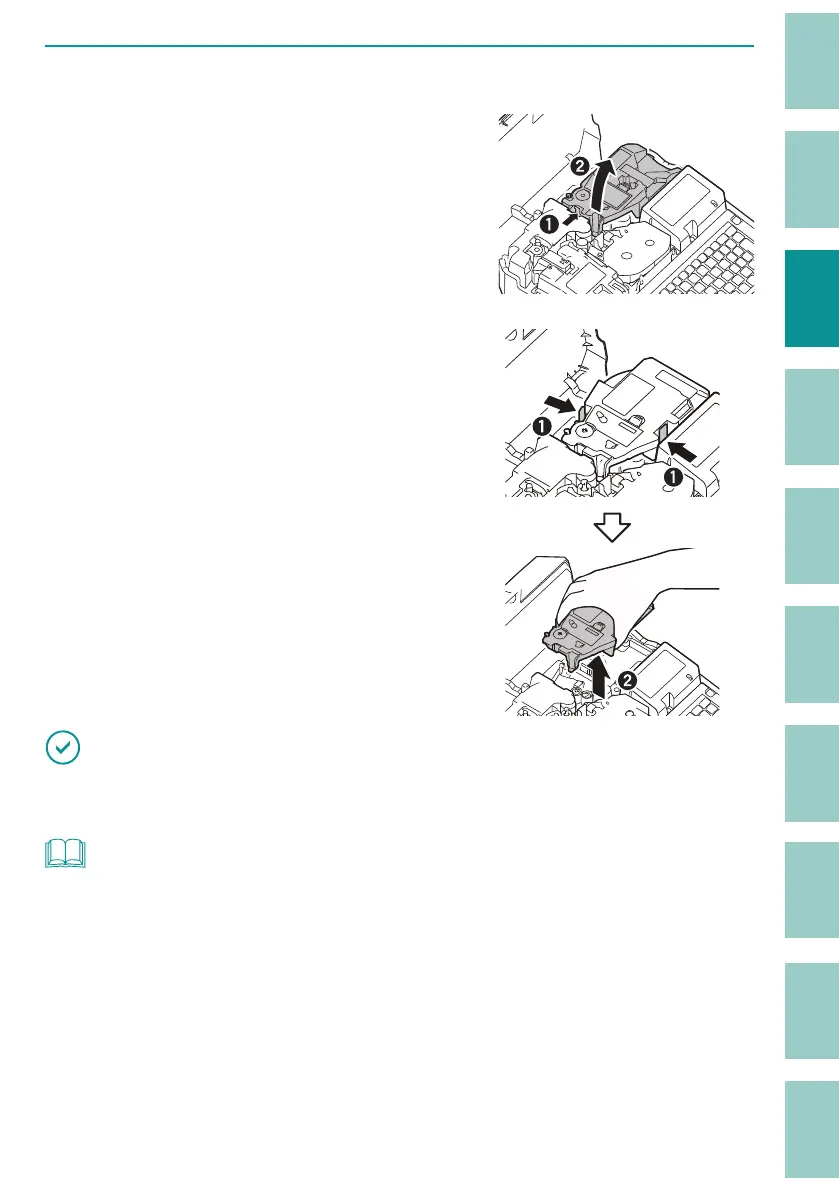
Remove the attachment (or media cassette, tube warmer).
When using the attachment or media cassette.
While pulling the lever to the right, lift it upward
to remove it.
When using the tube warmer.
Grasp the tube warmer while pushing its two
stoppers and pull it straight upward.
IMPORTANT
• Do not lift the tube warmer diagonally. It may damage the connector on the bottom of the tube
warmer.
NOT
• Keep the media cassette with the slack of the tape removed.



 To Next Page