32
Contents
Preparation/
Setup
Print Using a
Computer
Appendix
IndexPrint/SaveInput/Edit
Names of
Components
Maintenance/
Printer Settings
Trouble-
shooting
1
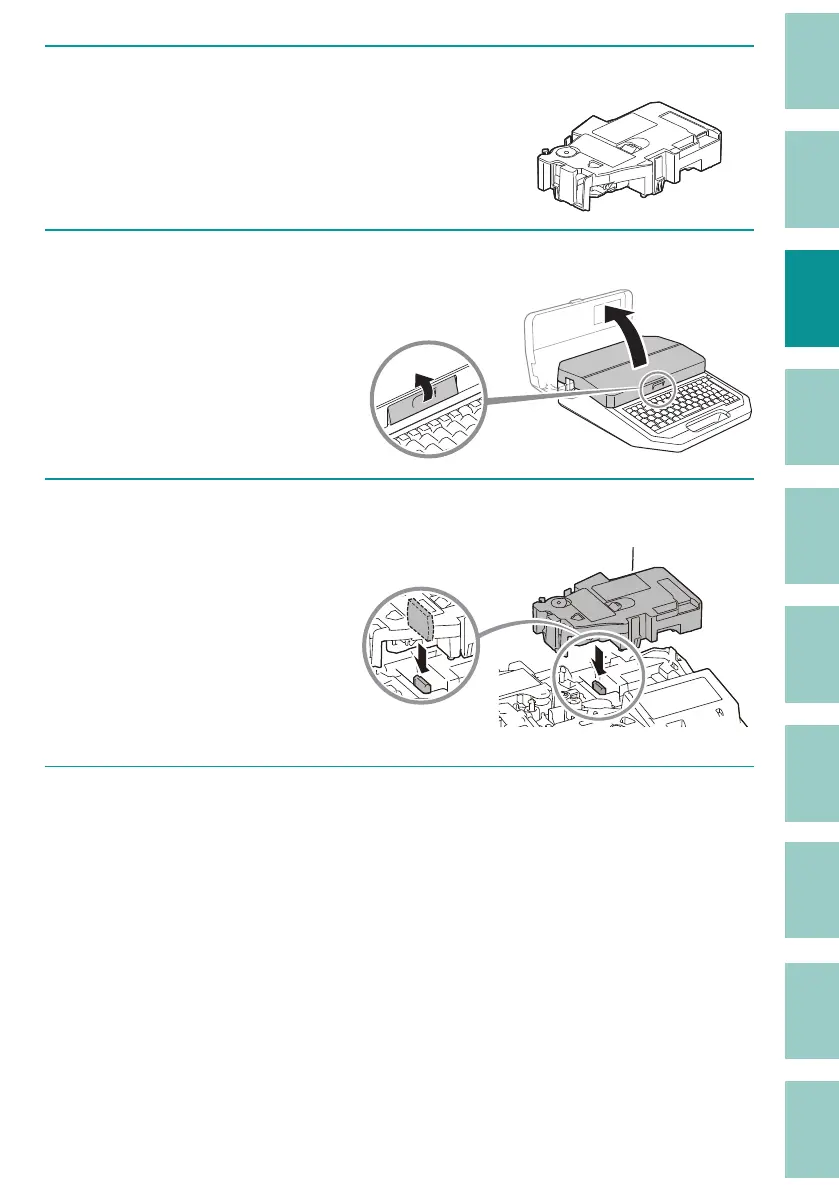
Prepare the tube warmer.
2
Open the cover.
3
Set the tube warmer in place.
Insert the connector of
the tube warmer into the
connector for the tube
warmer on the printer and
push down on it vertically
until it clicks into place.
4
Set the size switch lever to match the size of the tube, and set the tube.
(P.22)
Set the tube in the same way as when using the tube attachment.



 To Next Page