33
Contents
Preparation/
Setup
Print Using a
Computer
Appendix
IndexPrint/SaveInput/Edit
Names of
Components
Maintenance/
Printer Settings
Trouble-
shooting
5
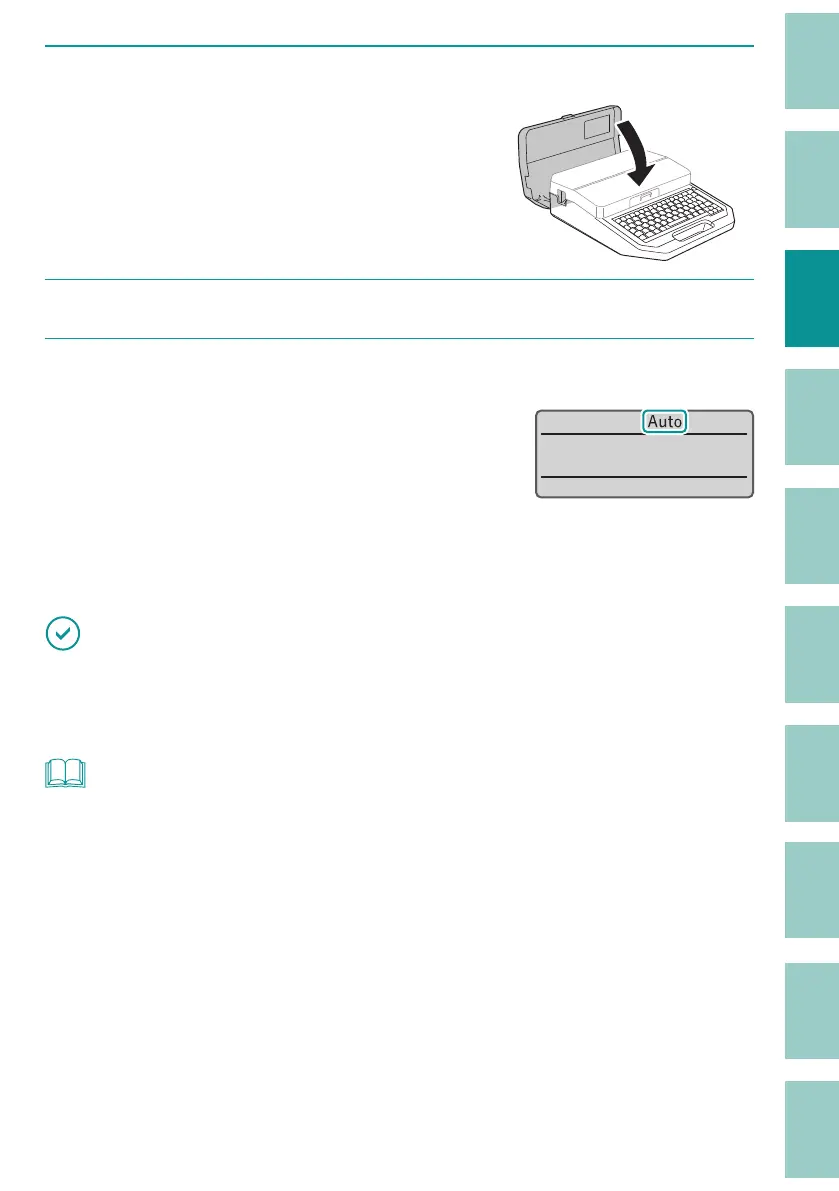
Close the cover.
6
Turn on the printer.
(P.15)
7
Check the control settings of the tube warmer.
The current control settings of the warmer will
be shown on the display.
The control settings of the warmer can be
swit
ched between Auto (automatic), WAI or
RDY (ON), and OFF (OFF). These options can be
cycled through in that order be pressing the
[Warmer] key.
(P.7)
˛
IMPORTANT
• When the tube warmer is not set, the tube warmer control settings are disabled.
• If you cannot print correctly even with the tube warmer (for example, printing is blurred), change the
temperature setting of the tube warmer.
(P.34)
NOT
• When "Label," "Plate," or "Wrap Around" is selected for the print media in the print settings, and "ON" is
selected, "OFF" will appear on the display. To change the print media, press the [Print] key.
(P.77)



 To Next Page