78
Contents
Preparation/
Setup
Print Using a
Computer
Appendix
IndexPrint/SaveInput/Edit
Names of
Components
Maintenance/
Printer Settings
Trouble-
shooting
5
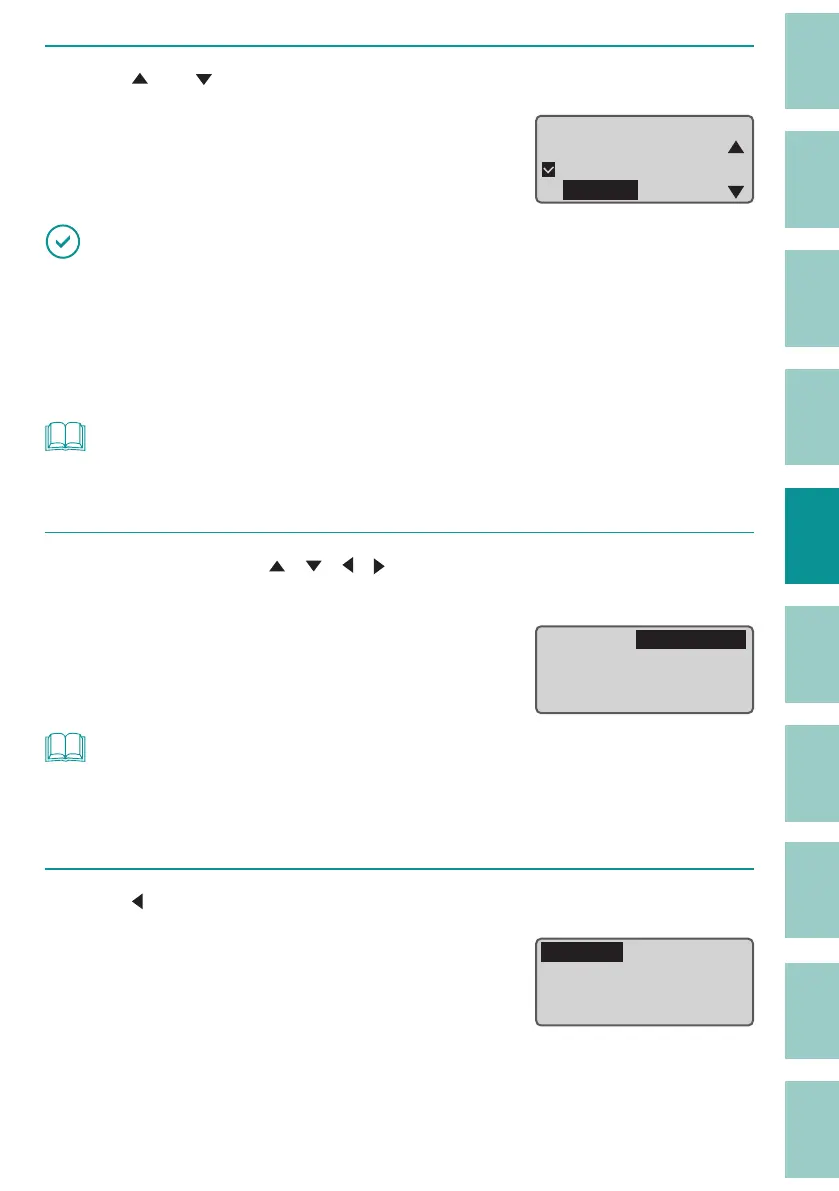
Use [ ] or [ ] to select "ø4.0mm," and then press the [Enter] key.
You will then be returned to the printing
preference display.
Tube sizeɻ
ɻɻ
ɻοϣʖϔ
ɻЉ3. 0ᶳ
ɻЉ2. 5ᶳ
ɻЉᶳ
IMPORTANT
• In the following cases, the printer will not be able to detect that the tube has run out during printing,
and may print on the transport roller. Make sure that the tube is long enough not to be lost during
printing before starting printing.
- When the tube size is ø1.5 mm
- When the print media is set to "Clear Tube."
NOT
• For setting a tube of a size that is not on the selection list, refer to
"Tube Size Selection
(Recommended) (P.80)"
.
6
Use the arrow keys ([ ][ ][ ][ ]) to select "Preview," and press the [Enter]
key.
Check the print preview.
For more information on the print preview, refer to
"Checking the Print Preview (P.81)"
.
Print Preview
ɻɻ
Sets to print: 2
Tube
Range:
All
Љ4. 0ᶳ
NOT
• No error message will be displayed even if the print data extends beyond the width (top and bottom)
of the print media. It is recommended to refer to the preview to make sure that no characters are
missing before printing.
7
Use [ ] to select "Print" and press the [Enter] key.
Printing will be started.
Print Preview
ɻɻ
Sets to print: 2
Tube
Range:
All
Љ4. 0ᶳ



 To Next Page