79
Contents
Preparation/
Setup
Print Using a
Computer
Appendix
IndexPrint/SaveInput/Edit
Names of
Components
Maintenance/
Printer Settings
Trouble-
shooting
8
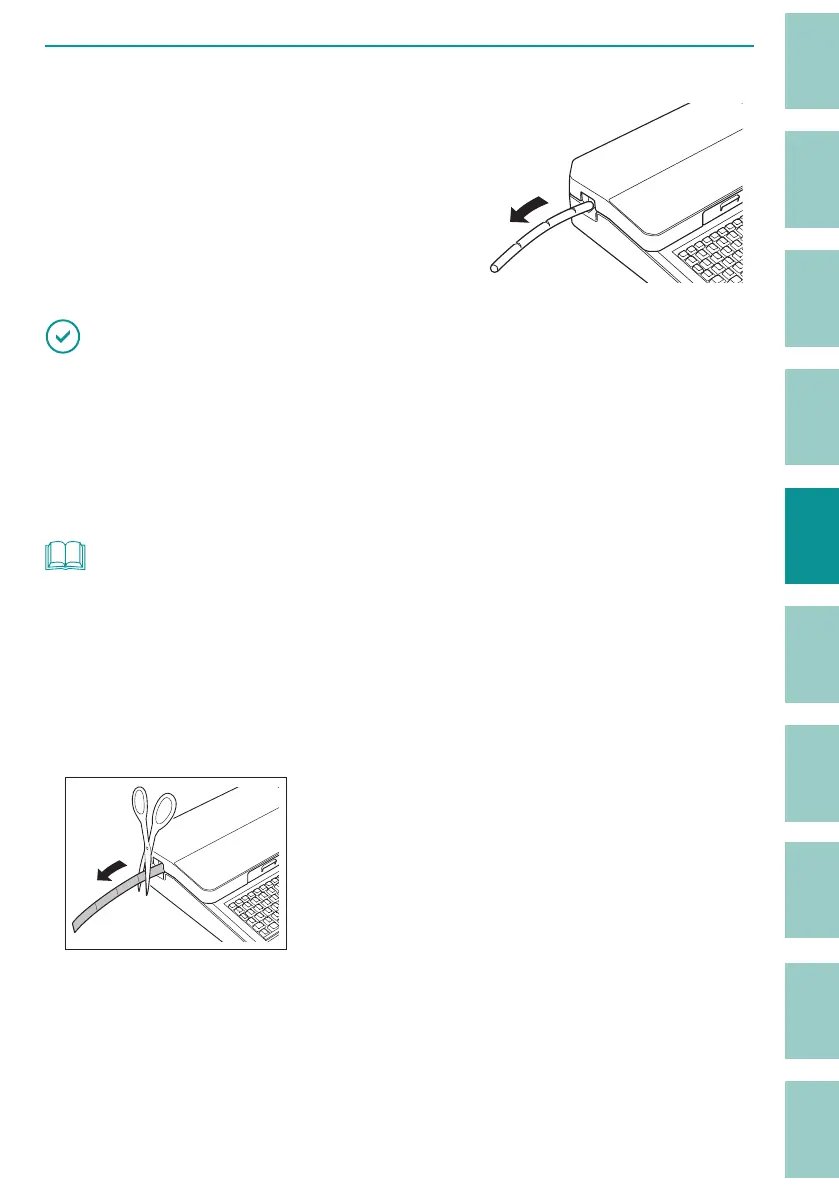
Removing the tube.
When printing is nished, the tube will be
automatically cut (Full cut). Also, a cut (Half cut)
can be made between the tubes.
IMPORTANT
• After printing, remove the print media from the printer to prevent warping or deformation of the print
media.
• Do not place any objects around the outlet of this product. If there is an object blocking the outlet,
the tube or label tape may not be ejected straight and may be cut in a bent shape.
• Do not pull the tube or label tape forcibly during printing. Doing so may result in printing failure or
malfunction.
NOT
• To cancel printing, press the [Canc] key. The printer will stop printing and cut the print media, then
stop. If you press and hold the key for two seconds or more, the printer will stop without cutting.
• The plate will not be half cut. If you set the number of prints when printing a plate, a cut line (dotted
line) will be printed for each sheet printed.
• In the default setting, "Plate Full cut" is set to "No," so if you print a plate, it will not be cut after printing.
Use scissors to cut it. For more information about the "Plate Full cut" setting, refer to
"Changing the
Plate Full Cut (P.95)"
.



 To Next Page