86
Contents
Preparation/
Setup
Print Using a
Computer
Appendix
IndexPrint/SaveInput/Edit
Names of
Components
Maintenance/
Printer Settings
Trouble-
shooting
■
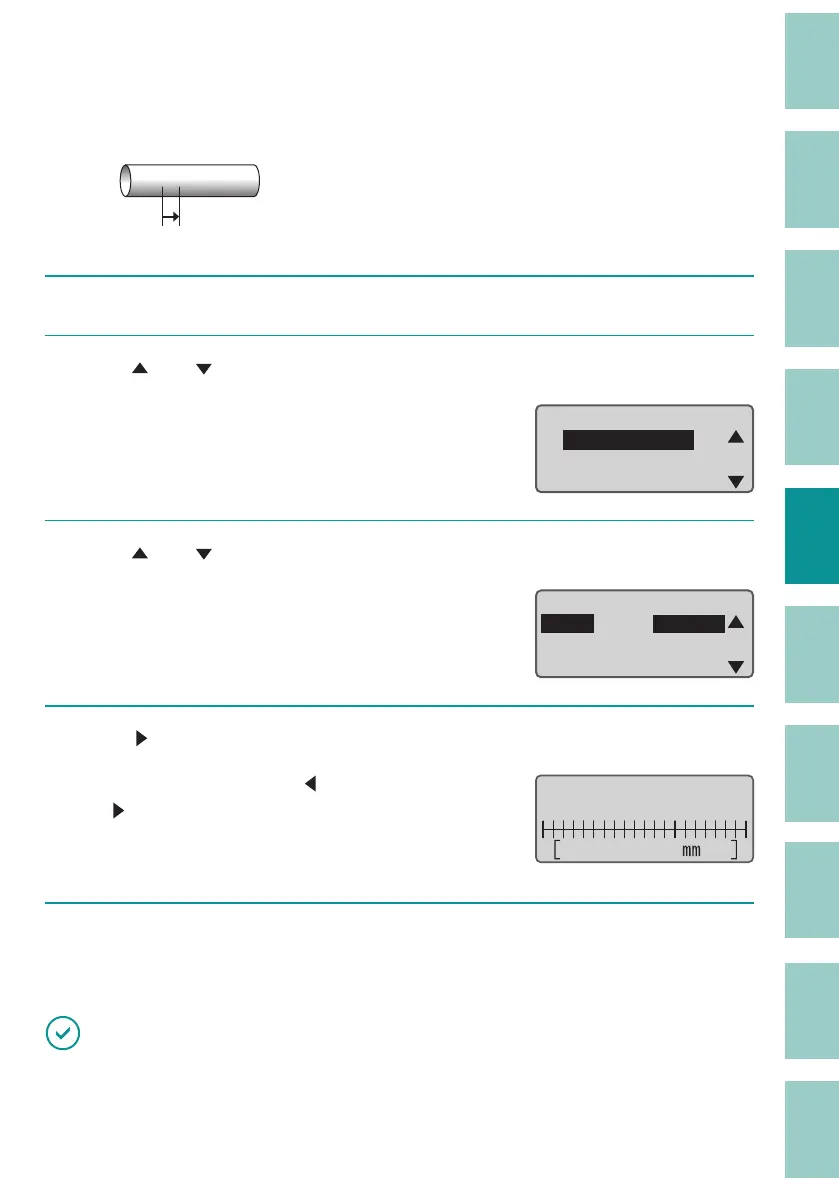
Fine-tuning of the Print Start Position ( Top Adjust)
[Example] When printing on a tube in the "Centered" position, the text is shifted to the left,
so move the print start position 2.0 mm to the right.
ABCDABCD
Move the print start position
2.0 mm to the right.
1
Press the [Adjust] key.
2
Use [ ] or [ ] to select "Top position" and press the [Enter] key.
$GMXVWPHQWV
Top position
VerticalPosition
Length
ɻ
3
Use [ ] or [ ] to select "Tube," and press the [Enter] key.
Top adjust
ShrinkTube
Label
Normal
Normal
Normal
Tube
4
Use [ ] to display "R 2.0 mm" and press the [Enter] key.
Input the adjust value by [ ] (left direction) or [
] (right direction).
You can adjust the range from Left 2.5 mm to
R
ight 2.5 mm in 0.1 mm steps.
A
ɻ
Top position adjust
Right 2. 0
5
Press the [Shift]+[Canc] keys.
The display returns to the character input display.
IMPORTANT
• Top adjust is not available for plates.



 To Next Page