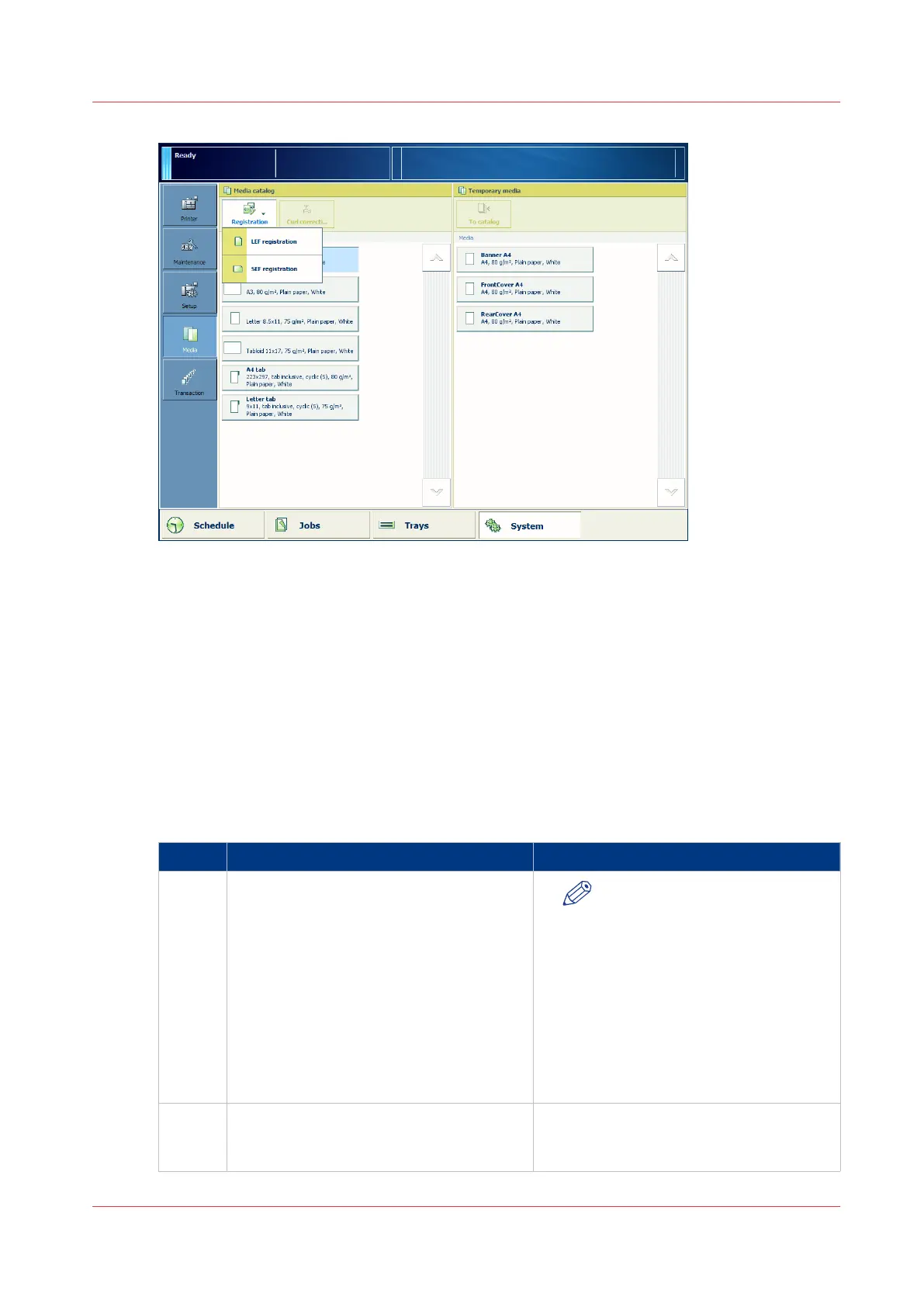
2. Select the media for which you want to perform the media registration.
3. Press [Registration].
When the media is larger than 420 mm (16.5") in X direction (feed direction) you get a
reminder to enter the actual sheet size via the manual adjustment.
4. Select the feed direction for which you want to perform the media registration ([LEF
registration] or [SEF registration])
5. At [Automatic adjustment], touch [Start].
When a maintenance PIN is defined in the Settings Editor, a numerical keyboard appears.
6. Enter the maintenance PIN to start the wizard.
7. Press [Next].
Actions for Media-Specific Registration
Step Action Remark
1 Place the registration sheet with number
1 face down on the glass plate, and touch
[OK] to scan.
NOTE
Make sure that the registration
sheets are placed correctly in
the left-hand upper corner of
the glass plate. Make sure that
the registration sheet on the
glass plate is not curled or has
dog ears. You can use a stack of
paper to reduce the curl.
You must close the ADF / cover
for each scan.
2 Place the registration sheet with number
2 face down on the glass plate, and touch
[OK] to scan.
4
Actions for Media-Specific Registration
Chapter 5 - Media Handling
93
Canon varioPRINT 135 Series














 To Next Page