ASXPRESS PLUS Rapid Sample Introduction System Operator’s Manual
Chapter 11: Maintaining the ASXpress Plus Rapid Sample Introduction System
125
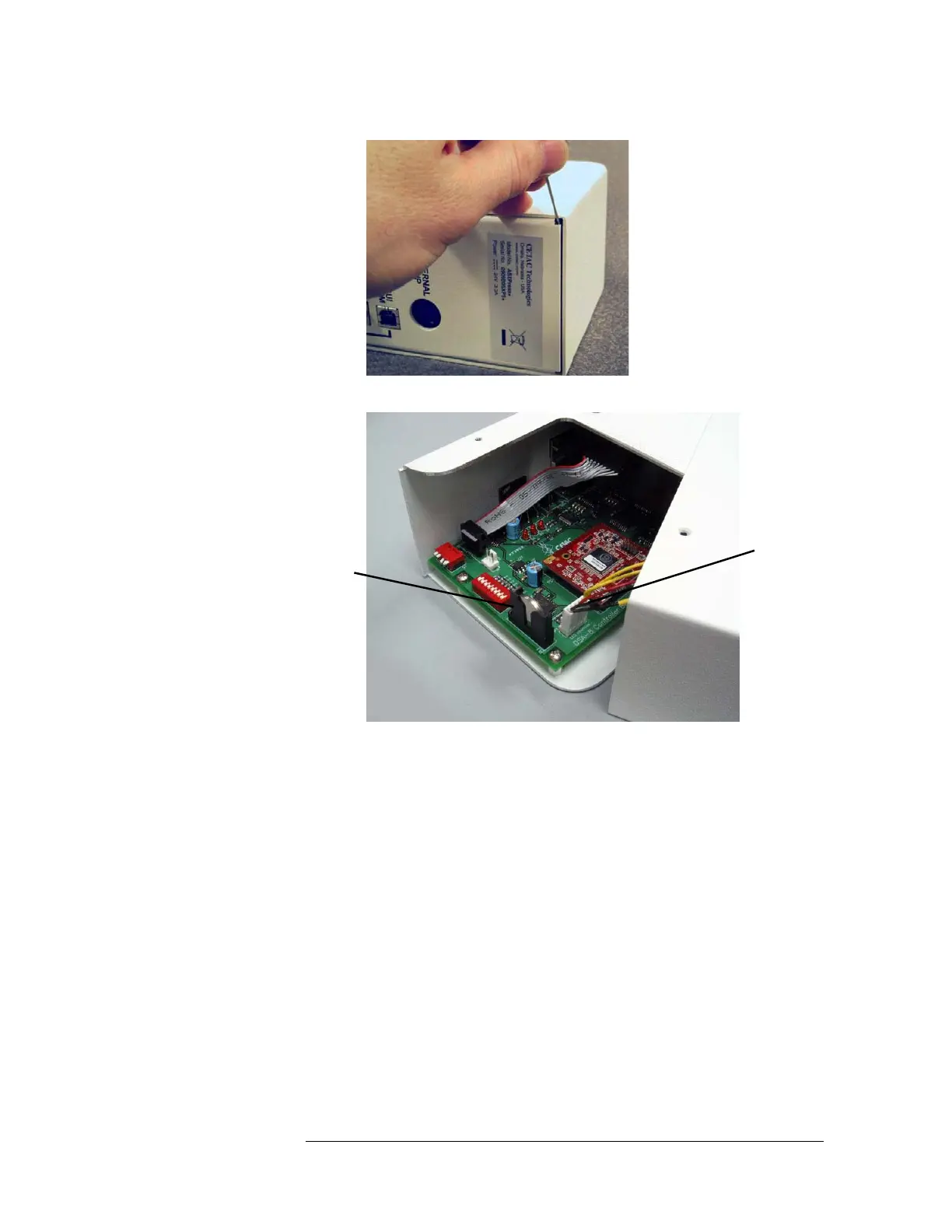
Figure 11-9 Separating the Cover
Figure 11-10 Location of the Battery
6 Note the orientation of the battery, then pull it out.
7 Insert the new battery.
8 Replace the cover.
9 Reconnect the power cord and turn on the power switch.
10 Run the Xpress Configuration Tool.
A low battery message will be displayed the first time you run the software.
11 Check the method settings then click the “Save Configuration to ASXpress+”
button.
12 Recycle or dispose of the battery in accordance with local regulations.
Be careful not to
break or strain
these wires
Battery



 To Next Page