ASXPRESS PLUS Rapid Sample Introduction System Operator’s Manual
Chapter 13: Operating a CETAC Autosampler Using a Terminal Program
138
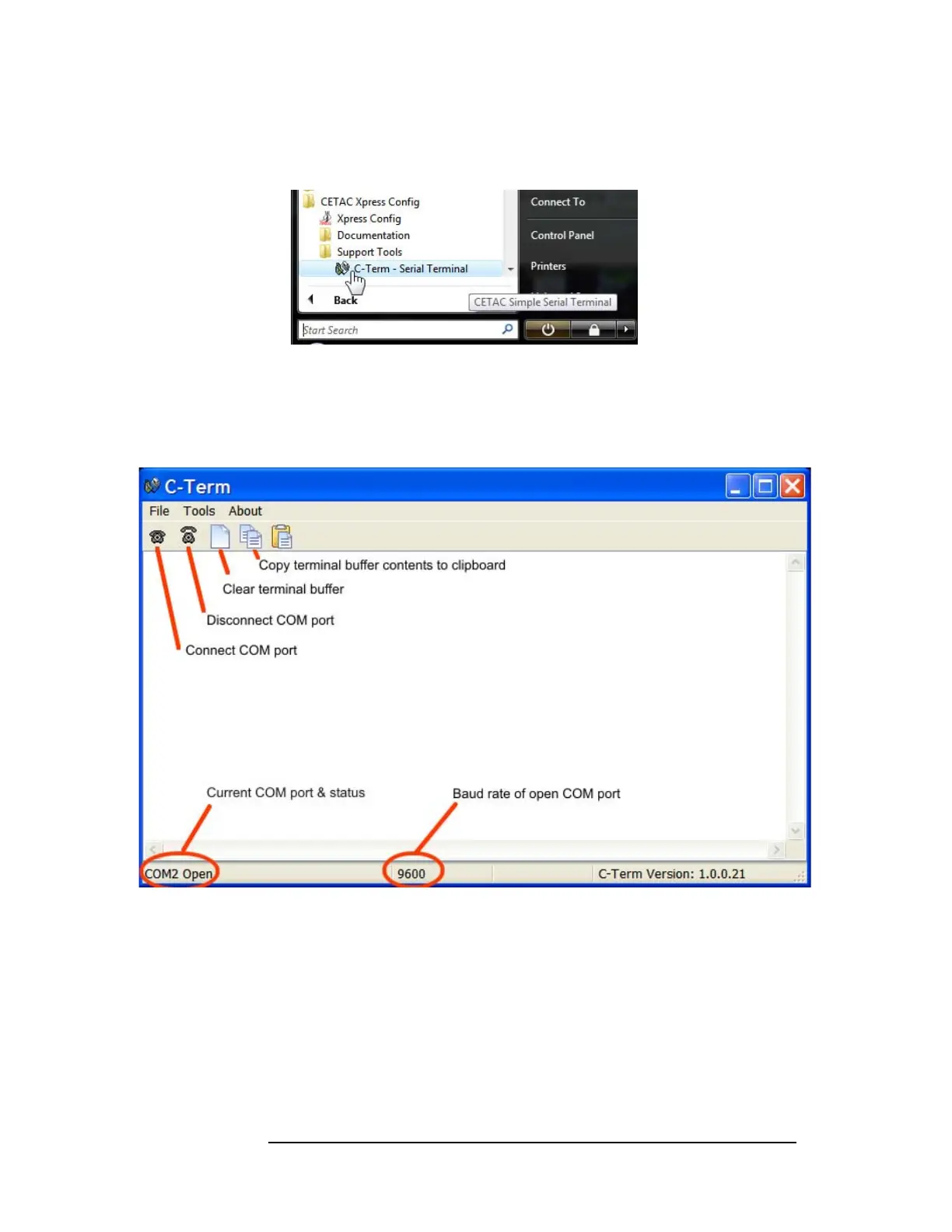
2 On the Start Menu, click All Programs, then CETAC Xpress Config, then Support
Tools, then C-Term.
Figure 13-1 Starting C-Term
Overview of the C-Term Window
Once C-Term is loaded, the window shown in Figure 13-2 will open. The
majority of C-Term’s functions are available from this window.
Figure 13-2 C-Term Window
By default, typed commands are sent to the CETAC device connected to the
opened port. The typed commands will appear in light green in the terminal
buffer. Responses from the device will appear in red. Non-printing characters
such as carriage returns will appear as ASCII hexadecimal numbers
surrounded by square brackets, for example, [0D] is the carriage return
character.



 To Next Page