ASXPRESS PLUS Rapid Sample Introduction System Operator’s Manual
Chapter 7: Installing the Electronics Module
80
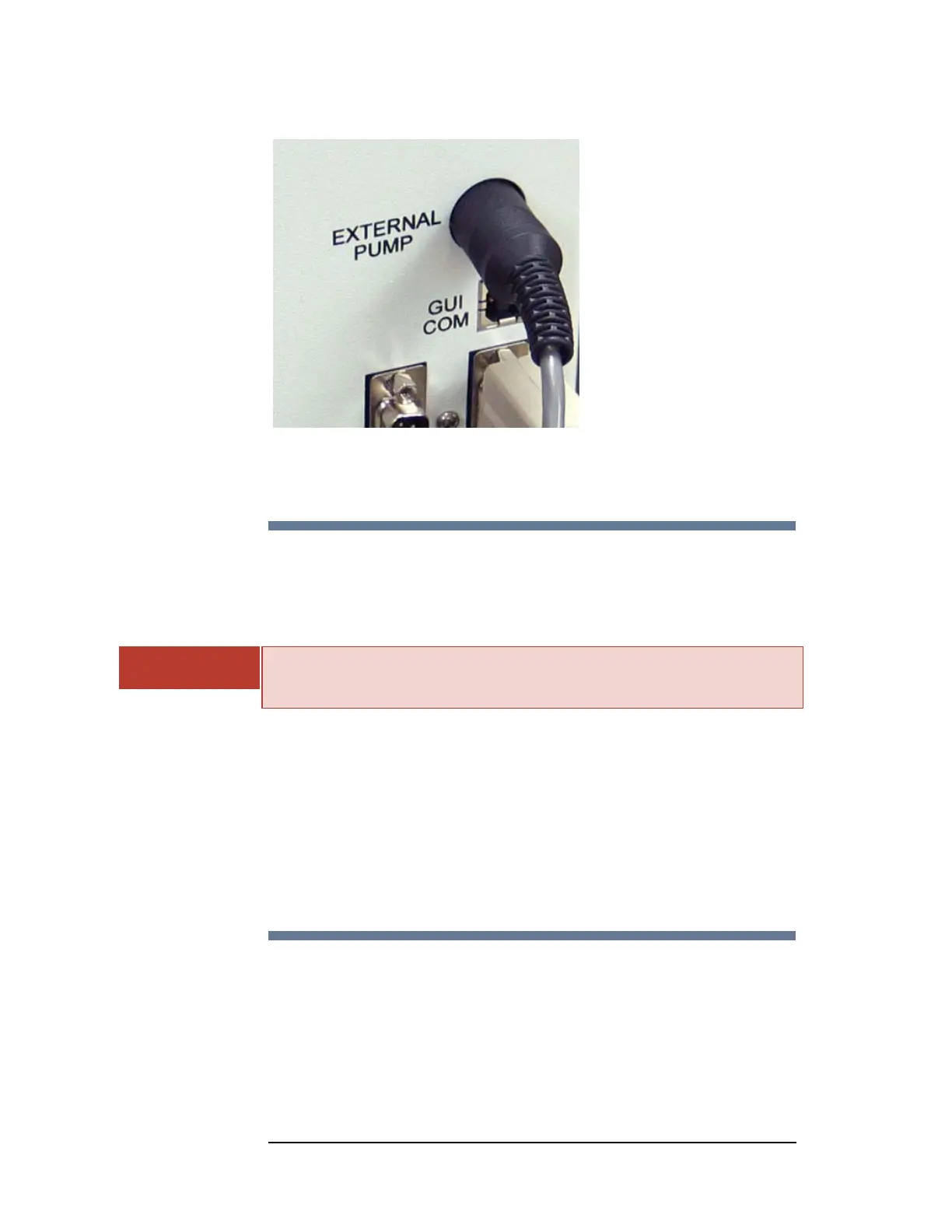
Figure 7-3 Connecting the External Pump to the Electronics Module
Connecting the Electronics Module to the
Autosampler
The ASXPRESS PLUS electronics module connects to the autosampler via an RS-
232C serial connection.
INJURY HAZARD FROM UNEXPECTED MOTION
Ensure that AC power to the autosampler is off before proceeding with
installation.
1 Locate the appropriate port on the autosampler.
Use the port to which the host PC would normally connect; for most
autosamplers, this is the COM 1 port.
2 Plug the serial cable into the autosampler.
3 Plug the serial cable into the electronics module.
4 Secure the connections with the integrated jackscrews.
Connecting the Electronics Module to the Host
Computer
A host computer is used to configure and direct the operation of the
autosampler and ASX
PRESS PLUS system. An "OEM COM" connection controls the
autosampler and a "GUI COM" connection controls the ASX
PRESS PLUS system.
WARNING



 To Next Page