ASXPRESS PLUS Rapid Sample Introduction System Operator’s Manual
Chapter 13: Operating a CETAC Autosampler Using a Terminal Program
140
The window will close and the settings will be saved. These new settings
will be applied immediately and used thereafter unless changed again.
NOTE
Except for the ASX-8x00, all CETAC devices communicate at 9600 baud (which
is the default.)
NOTE
Only installed COM ports, including USB virtual COM ports, will appear in the
Comm Port menu.
Setting Preferences
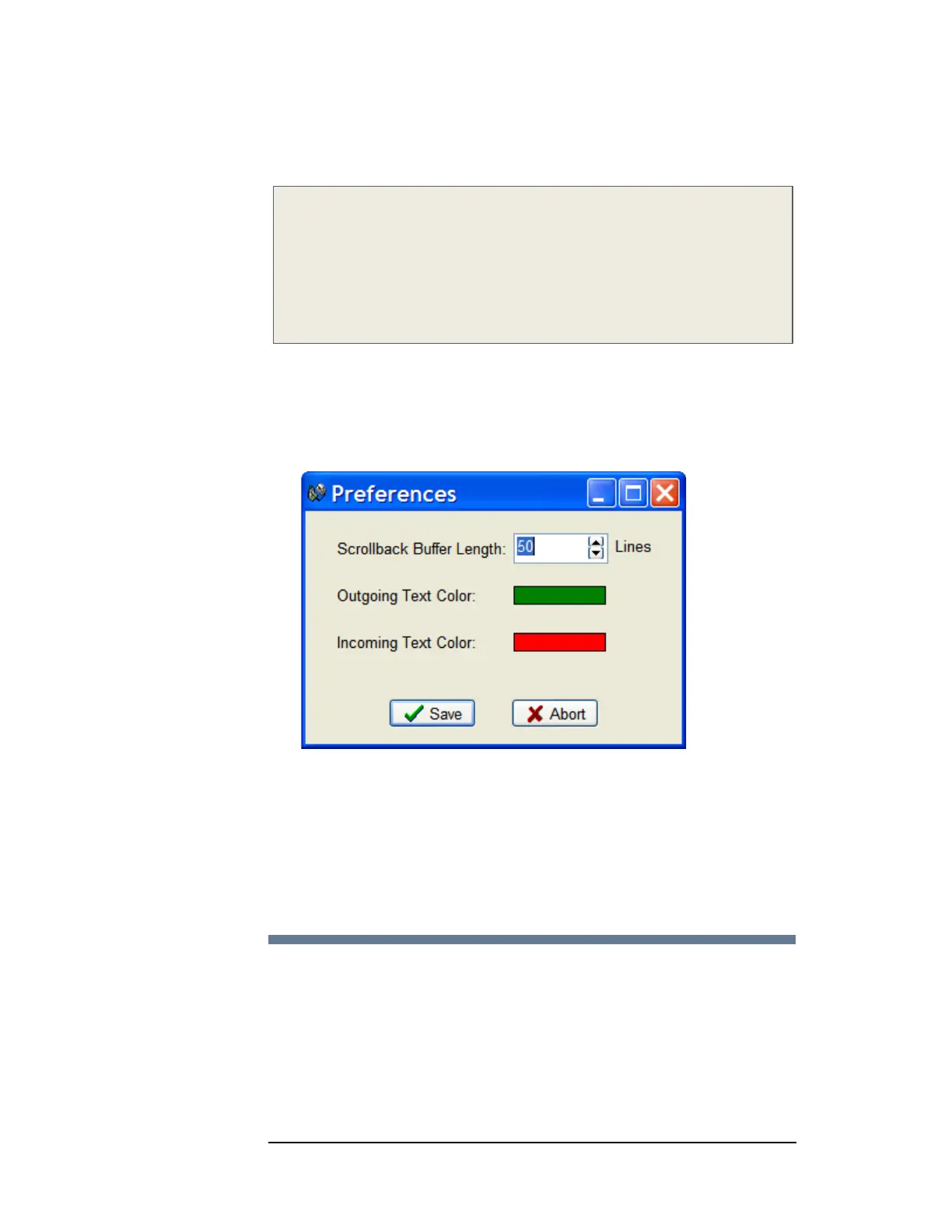
If desired, the size of the scrollback buffer or the color of the outgoing and
incoming texts can be changed (to work around color blindness, for example).
1 On the Tools menu, click Preferences.
Figure 13-5 Preferences Window
To change the Scrollback Buffer Length, either type the new value in the
field or use the arrows adjust the value up or down.
To change text color, click on the color bar and a color selection dialog box
will appear. Select the new color and click OK.
2 Click Save to apply your settings and close the window.
Using HyperTerminal
1 Using a serial cable, connect the CETAC autosampler with the computer. Plug
each end of the serial cable into the COM 1 port of the autosampler and the
computer, respectively.
2 Turn on the computer and select the Accessories folder. Select the
HyperTerminal folder and then the HyperTerminal program.



 To Next Page