ASXPRESS PLUS Rapid Sample Introduction System Operator’s Manual
Chapter 4: Preparing an ASX-260 or ASX-520 Autosampler
48
12 Fill in each of the three fields by selecting the “browse” button to the right of
each field (denoted by […], Figure 4-28), and then selecting the correct file
from the CD as depicted in Figure 3-65. The correlating file names for each
field will be:
Cold Loader: (drive letter where CD is loaded):\ASX Firmware for
ASXpress\COLDLOAD.BIN
Pilot BIOS: (drive letter where CD is loaded):\ASX Firmware for
ASXpress\pilot.bin
Flash table: (drive letter where CD is loaded):\ASX Firmware for
ASXpress\flash.ini
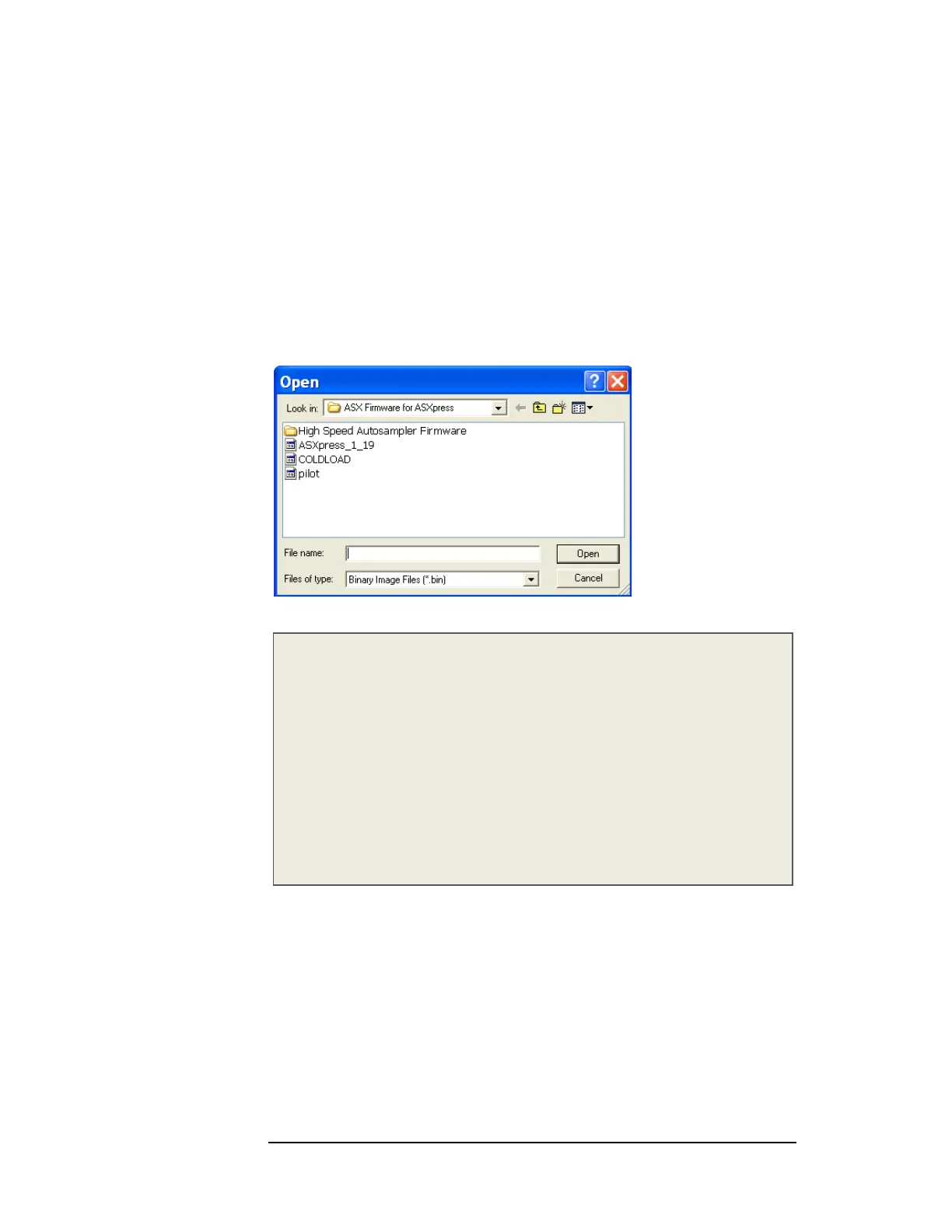
Figure 4-29 “Open” Window
Note:
The .bin file name in Figure 4-29 (i.e. ASXpress_1_19) will vary depending on
which era ASXpress FW is being loaded. CETAC Technologies makes every
effort to update the firmware as needed to ensure that the most beneficial
functionality is provided to the customer.
As of December 2009, the most current firmware version file name for
standard speed autosamplers is “ASXpress_1_19” and for high speed
autosamplers is “ASXpress_HS_1_19.
Also note that firmware is not the same for standard and high speed
autosampler models. Be sure to load the correct firmware for your
autosampler. Contact CETAC Technologies with any questions.
13 Click OK. Leave the “Rabbit Field Utility” open.
Upgrading (loading) the Firmware
1 Ensure that the autosampler is still powered on.
2 In the Rabbit Field Utility, select “File”, and then “Load Flash Image”.
3 The “Choose Flash Image” window will appear.



 To Next Page