ASXPRESS PLUS Rapid Sample Introduction System Operator’s Manual
Chapter 4: Preparing an ASX-260 or ASX-520 Autosampler
47
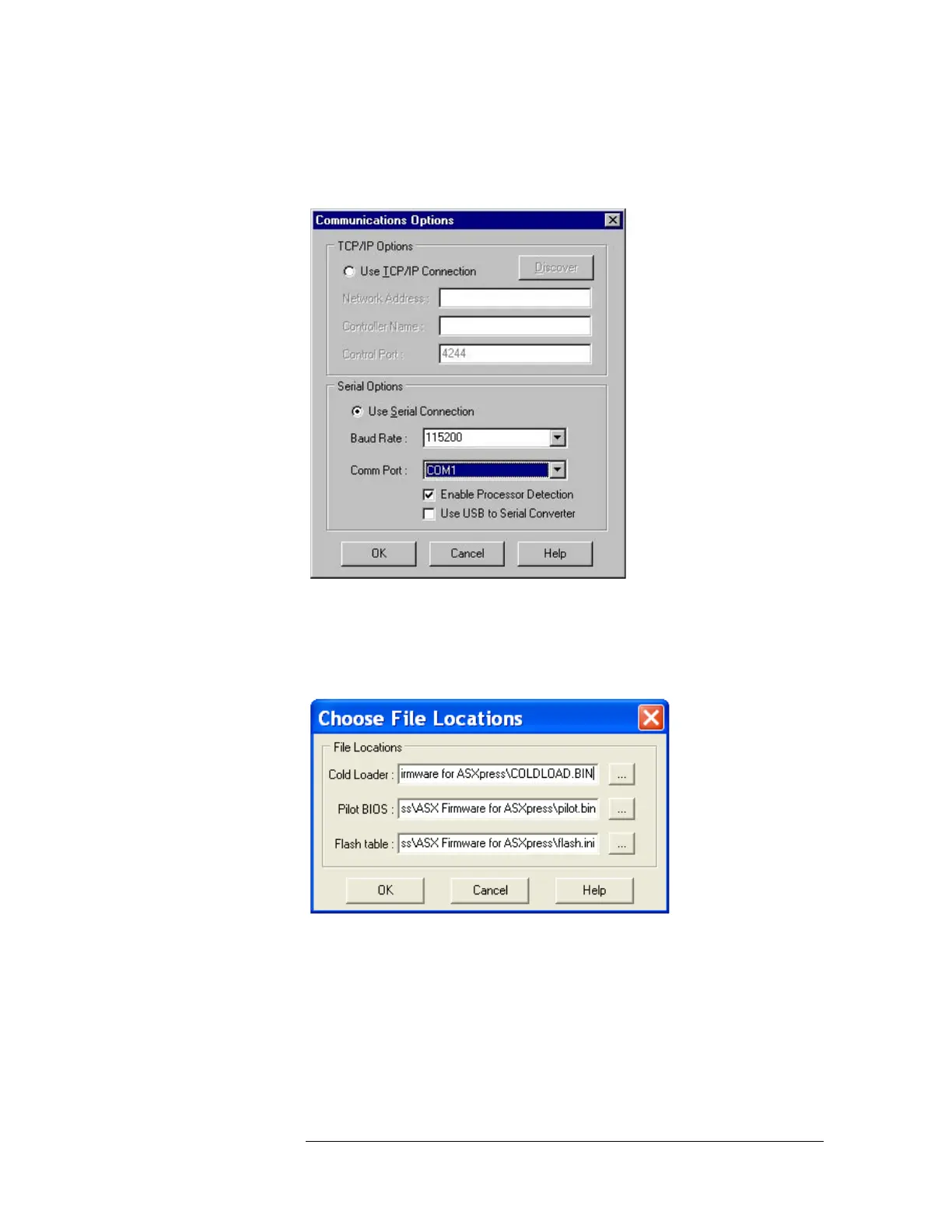
9 In the Communications Options window, in the “Comm Port” field, select the
COM port on the computer that is connected to the autosampler. Click the OK
button.
Figure 4-27 “Communications Options Window”
10 From the Rabbit Field Utility main window, select “Setup” again, and then “File
Locations”.
11 The “Choose File Locations” window will appear.
Figure 4-28 “Choose File Locations” Window



 To Next Page