ASXPRESS PLUS Rapid Sample Introduction System Operator’s Manual
Chapter 8: Installing the Software
96
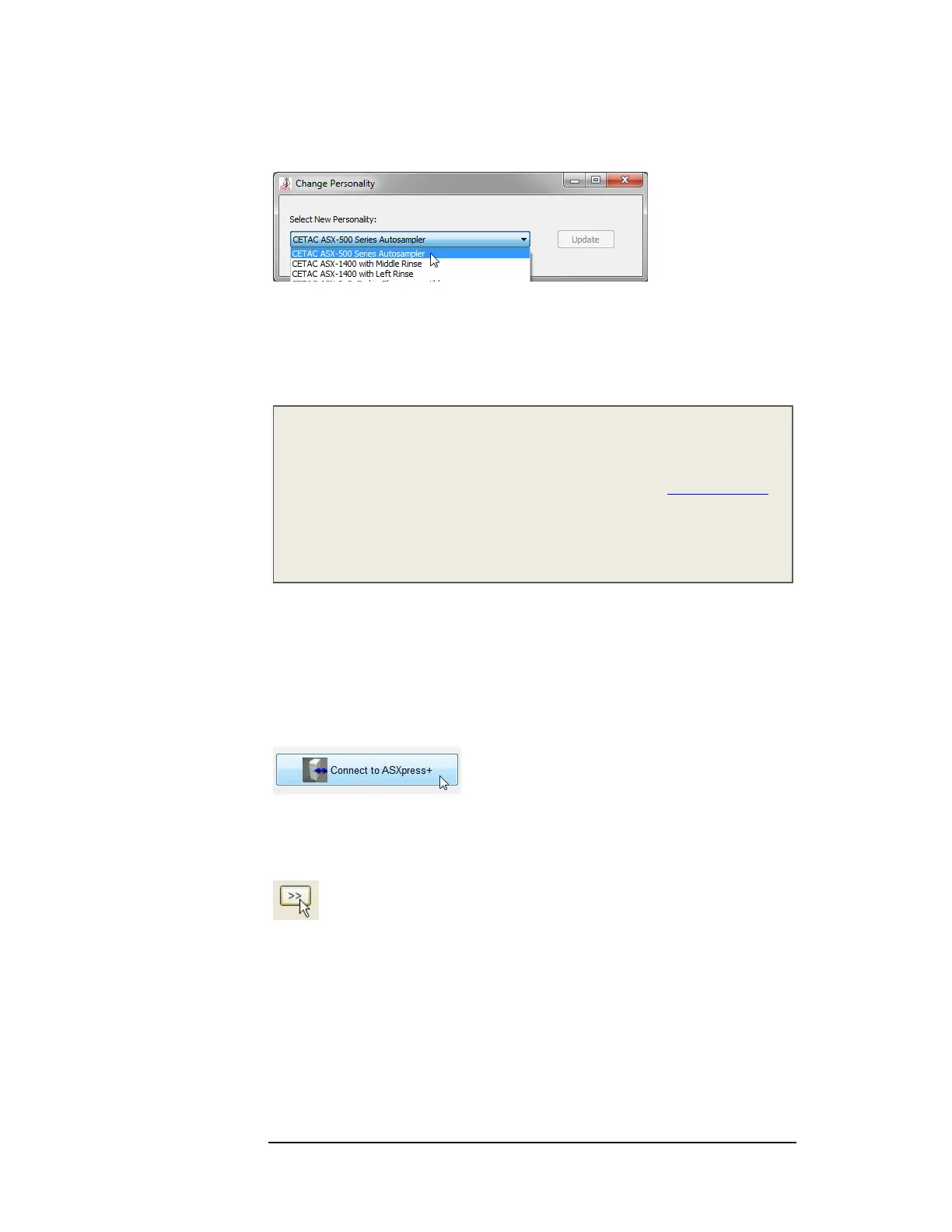
2 Select your autosampler from the list.
3 Click Update.
4 Turn the ASXPRESS PLUS electronics module off then on again. Wait a few
seconds for the BUSY LED on the front of the electronics module to turn off.
5 Restart the Xpress Configuration Tool.
NOTE
The list of available personalities, as well as more detailed instructions, can be
found in the CETAC ASXPRESS PLUS Rapid Sample Introduction System Guide to
Configuring Firmware Personalities available on the CD or at www.cetac.com.
The list of available personalities is updated frequently, so if you do not see the
personality you need in the version on CD, please check the version on the
Web site.
Performing some basic communication tests
Once installation of the ASXPRESS PLUS Rapid Sample Introduction System is
complete, it is important to verify that the system components are
communicating correctly, so that it functions as intended. Attempting to use it
before ensuring that it is installed correctly may result in damage.
1 Click the Connect to ASXpress+ button.
Remember, you need to click the button to reconnect to the ASX
PRESS PLUS
every time you start the Xpress Configuration Tool.
2 Click the expand button to reveal the manual controls.



 To Next Page