ASXPRESS PLUS Rapid Sample Introduction System Operator’s Manual
Chapter 6: Installing the Valve/Pump Module
71
Connect the Autosampler Probe to the Valve/Pump
Module
1 Install the autosampler probe in the autosampler per the instructions included
with the autosampler.
2 Connect the tube from the probe to port #2 of the 6-port valve.
Connect the Valve/Pump Module to the Nebulizer
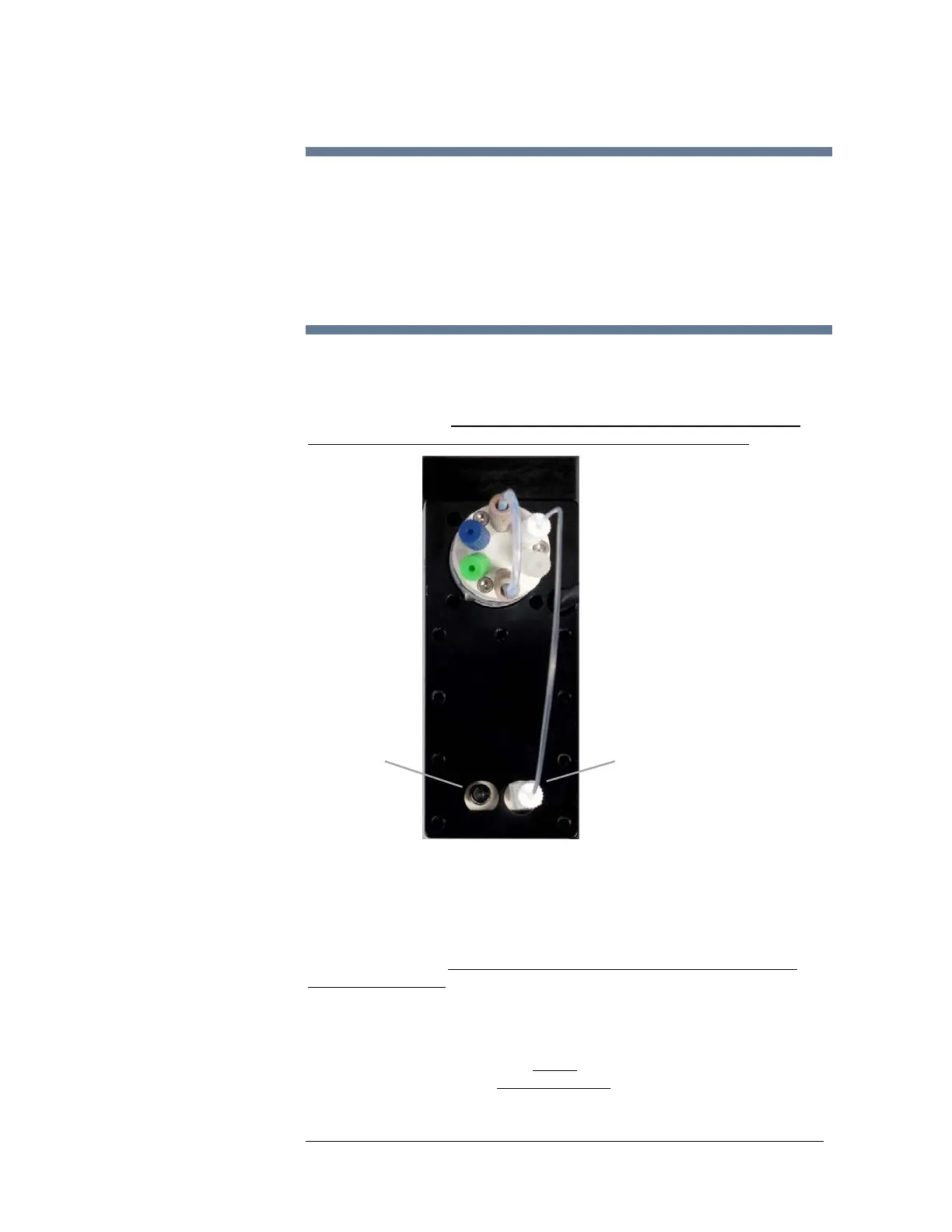
1 Ensure that the 60” length of 1/8” tubing (which is pre-connected to the “out”
port of the vacuum pump) is inserted into a waste container. Cut this length to
fit your specific setup,
ensuring that the discharge end is not placed so that it
may become submerged below the liquid level of the waste container
.
Figure 6-3 Location of Vacuum Ports on the Valve/Pump Module
2 Connect the 14” length of 0.030” x 0.062” tubing (which is pre-installed to the
green connector at port #6 of the 6-port valve) to the ICP / ICP-MS peristaltic
pump. This length of tubing is fitted with a tee on its end which is intended to
be connected to two individual output (discharge) channels of the ICP / ICP-
MS peristaltic pump.
The input (suction) ports of this peristaltic pump are
connected as follows
One channel to carrier/rinse solution
:
The other channel open to air
This plumbing configuration is
crucial to the proper operation of the
ASX
PRESS PLUS system and must be followed. The air bubbles help to clean
the tubing and prevent carryover from one sample to the next.
OUT
to waste container
IN
from valve



 To Next Page