ASXPRESS PLUS Rapid Sample Introduction System Operator’s Manual
Chapter 4: Preparing an ASX-260 or ASX-520 Autosampler
42
Setting the Pump Speed Jumper (ASX-520/ASX-
520HS/EXR-8)
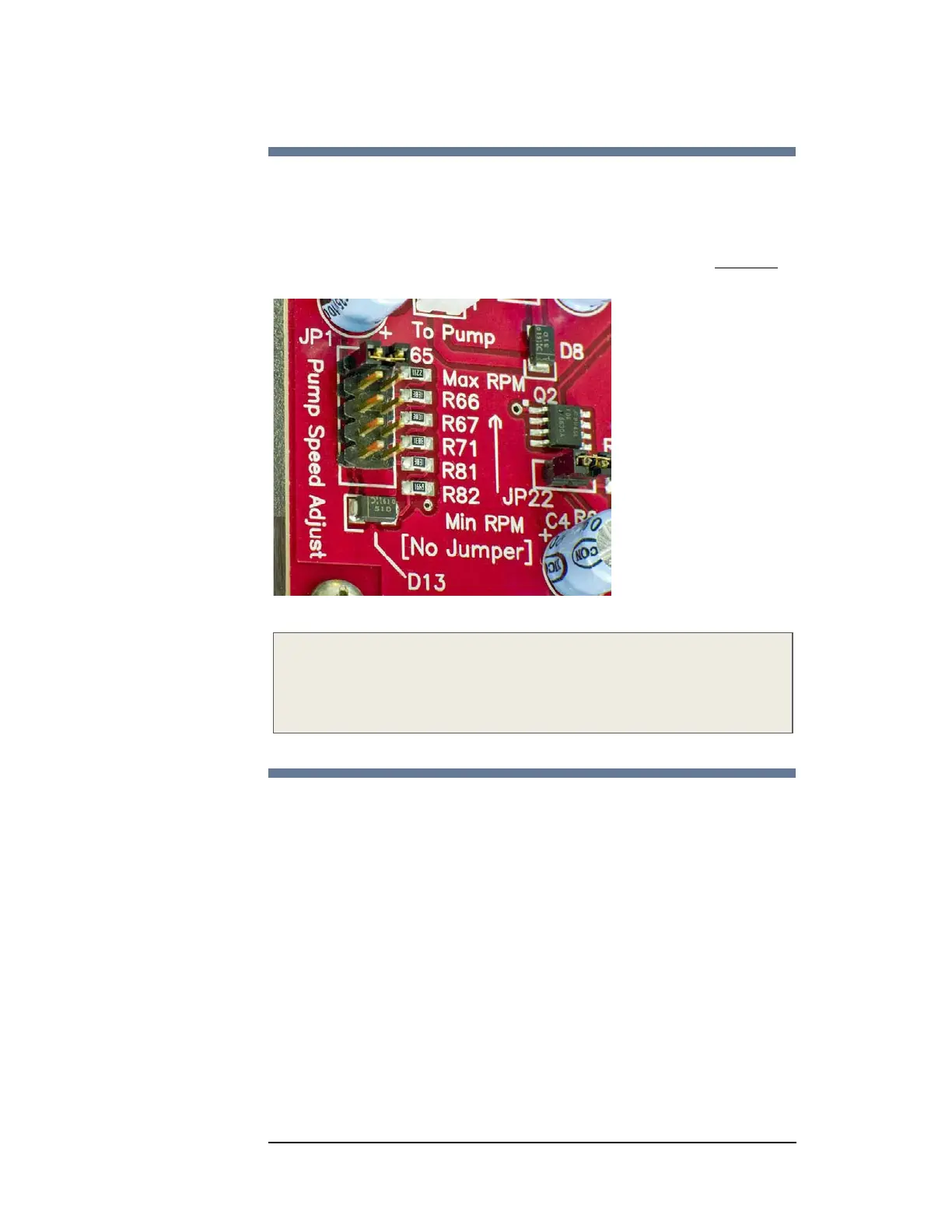
1 Locate the block of pump speed pins on the left side of the main circuit board
2 Move the jumper from its existing position to the position marked “Max RPM
”
(Figure 4-23).
Figure 4-23 Jumper Position Utilized to Increase Pump Speed (ASX-520)
Note:
ASX-520/ASX520HS main boards of differing eras/versions may have varying
orientation of jumper positions. Follow the label on the circuit board for
proper jumper positioning.
Upgrading the Firmware
In most cases, a firmware upgrade is not required. If you do need to upgrade
the autosampler firmware, do it now, before reassembling the autosampler.
The CETAC autosampler requires a firmware version which is compatible with
the ASX
PRESS PLUS system. If an upgrade is necessary, you can purchase a
Rabbit processor module with firmware pre-loaded. This Rabbit processor
module should be installed in the autosampler to be upgraded, replacing the
existing module.
A compatible firmware version and Rabbit Firmware Utility (RFU) Upgrade
program is included on the software CD provided with the ASX
PRESS PLUS
upgrade kit. Complete instructions for loading the firmware are also provided
on the CD. Follow the provided instructions to upgrade the firmware on the
autosampler. See the CETAC Autosampler Operator Manual for any further
instructions on autosampler setup.



 To Next Page