ASXPRESS PLUS Rapid Sample Introduction System Operator’s Manual
Chapter 7: Installing the Electronics Module
78
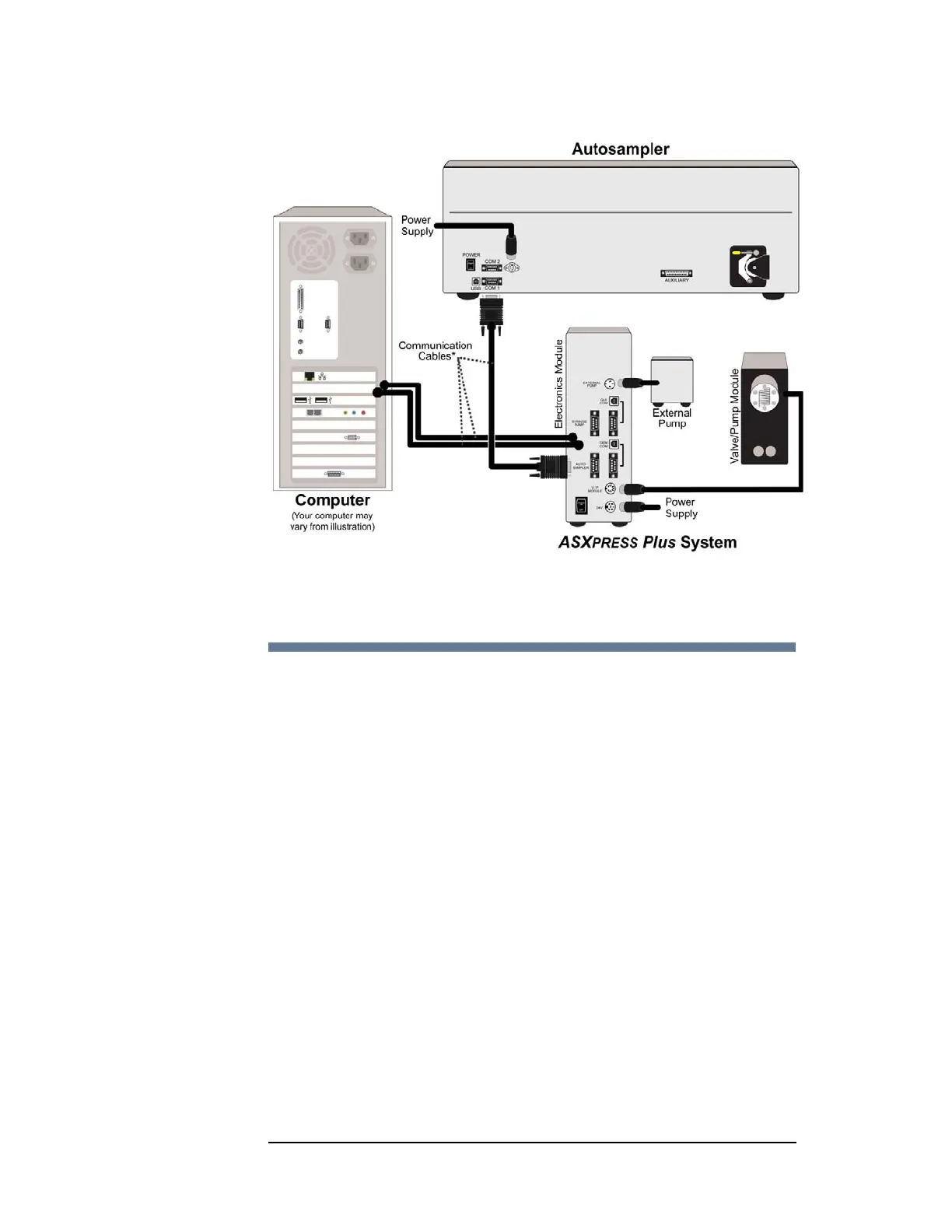
Figure 7-1 Overview of ASX
PRESS PLUS Electrical Connections
Connecting the Electronics Module to the Power
Supply
1 Turn the power switch on the electronics module OFF.
2 Check the plug on the power cord to verify that it is of the correct type for your
country.
3 Plug the power cord into a power outlet.
4 Plug the power cord into the power supply.
5 Plug the power supply into the 24V connector on the electronics module.
It is important to use the appropriate power cord for your country. See
“Power requirements” on page 148.
“Power Cord Set Requirements” on page 150.



 To Next Page