ASXPRESS PLUS Rapid Sample Introduction System Operator’s Manual
Chapter 8: Installing the Software
97
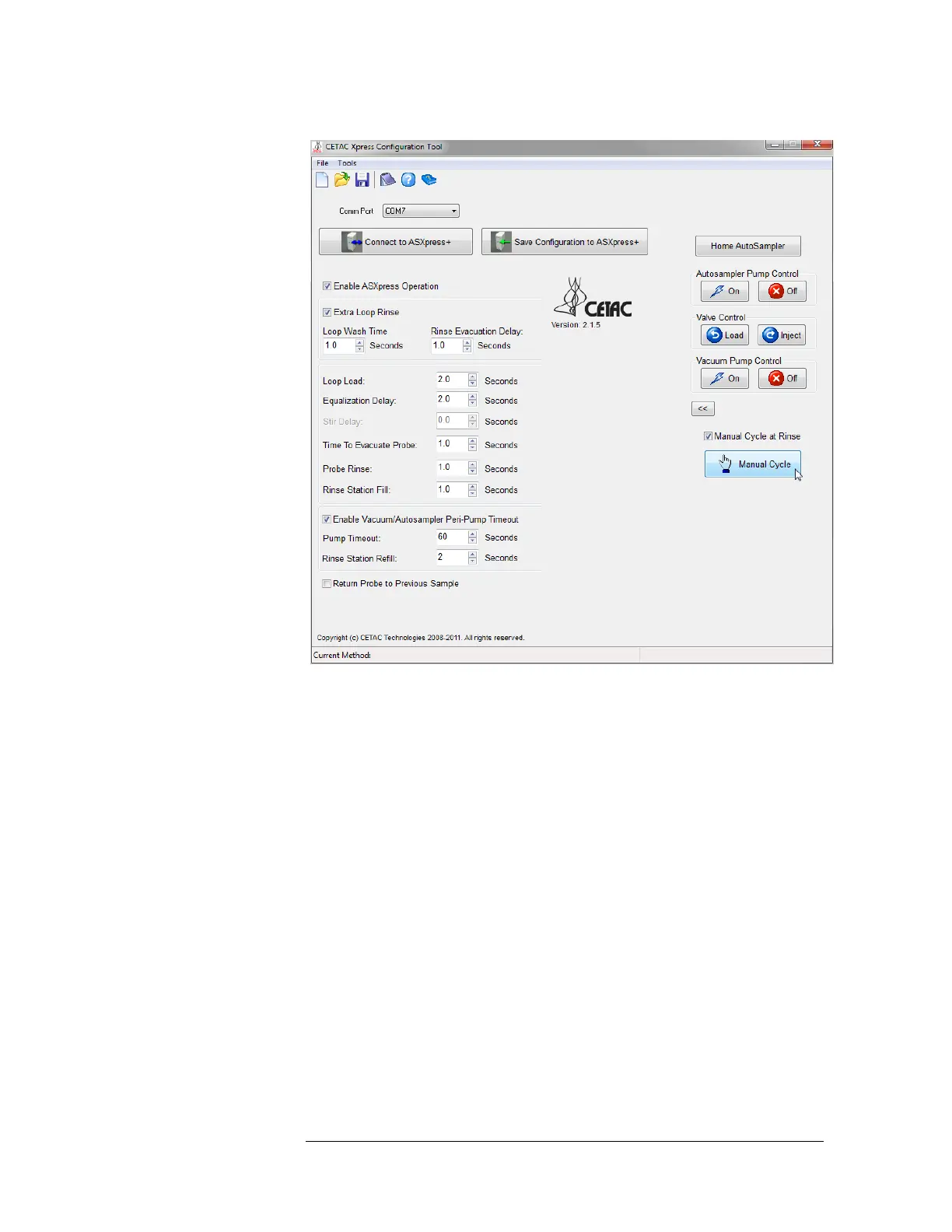
Figure 8-10 Config Tool Software Window--Expanded
First, test communication with the ASX
PRESS PLUS valve/pump module:
3 Click the “Load” button.
This positions the ASX
PRESS PLUS 6-port valve into the mode which loads the
sample loop, and illuminates the “Load” LED on the front panel of the
ASXpress electronics module (no autosampler operation takes place at this
time).
4 Click the “Inject” button.
This positions the ASX
PRESS PLUS 6-port valve into the mode in which sample
injection into the ICP takes place (via the peristaltic pump on the ICP), and
illuminates the “Inject” LED on the front panel of the ASX
PRESS PLUS
electronics module (no autosampler operation takes place at this time).
5 Click the “Save Configuration to ASXpress+” button once.
This will load an initial set of timing parameters into the ASX
PRESS PLUS
electronics module.
6 Click the “Manual Cycle” button.
This performs one complete cycle of system operation, operating each
component on the ASX
PRESS PLUS system and autosampler, using the saved or



 To Next Page