ASXPRESS PLUS Rapid Sample Introduction System Operator’s Manual
Chapter 12: Troubleshooting the Rapid Sample Introduction System
132
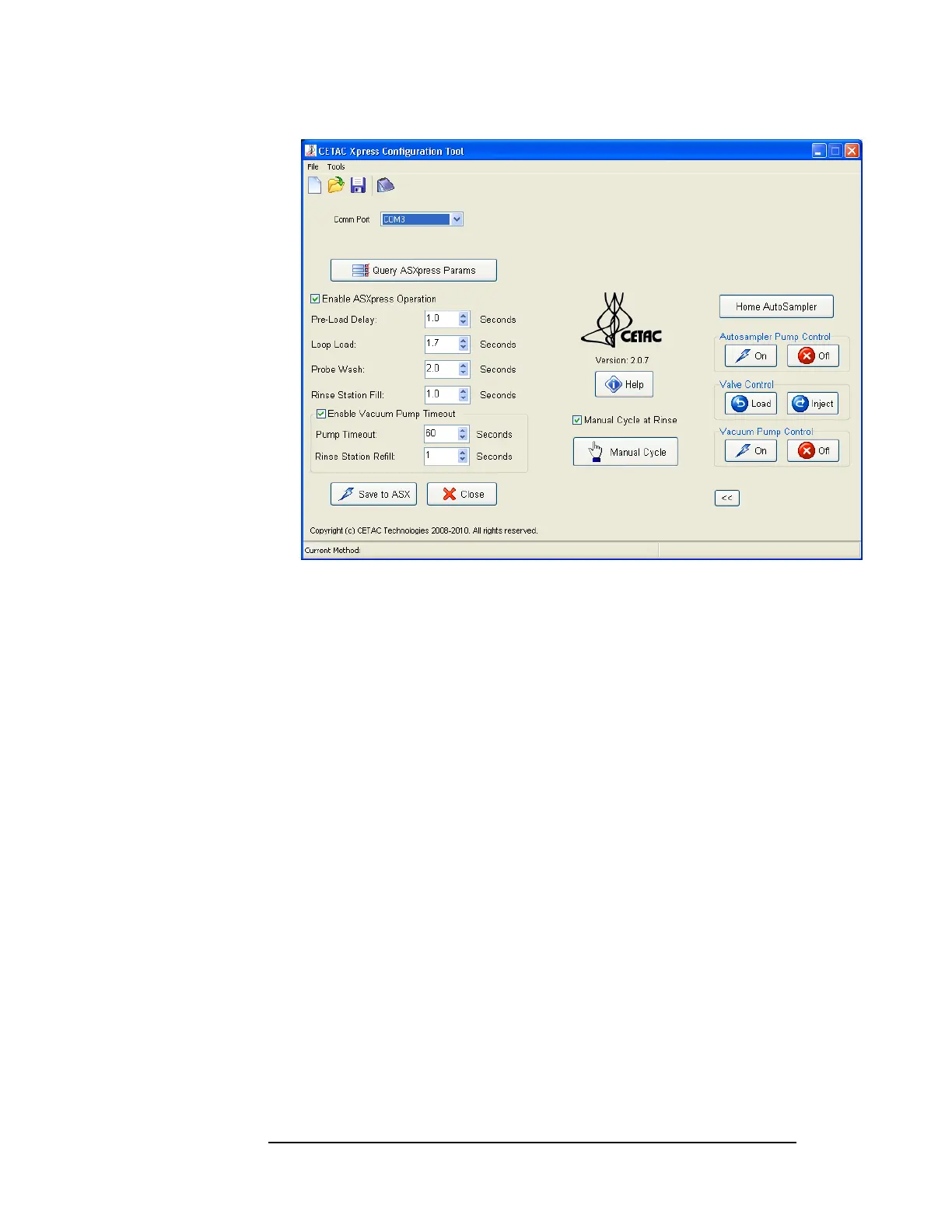
Figure 12-1 Xpress Configuration Tool—Expanded to access
manual functions
2 Check that the “Enable ASXpress Operation” box in the Xpress Configuration
Tool is checked.
Unchecking this box would allow the autosampler to run independently of
the ASX
PRESS PLUS system, as if the autosampler were connected directly to
the host PC. (Note that a different tubing arrangement would be required to
run the autosampler without the ASX
PRESS PLUS system.)
3 Ensure that ICP software is not conflicting with ASXPRESS PLUS system
operation.
Disable ICP software and run the ASX
PRESS PLUS system from host computer.
If conflict is no longer present, troubleshoot ICP software per its own
troubleshooting procedure.



 To Next Page