ASXPRESS PLUS Rapid Sample Introduction System Operator’s Manual
Chapter 13: Operating a CETAC Autosampler Using a Terminal Program
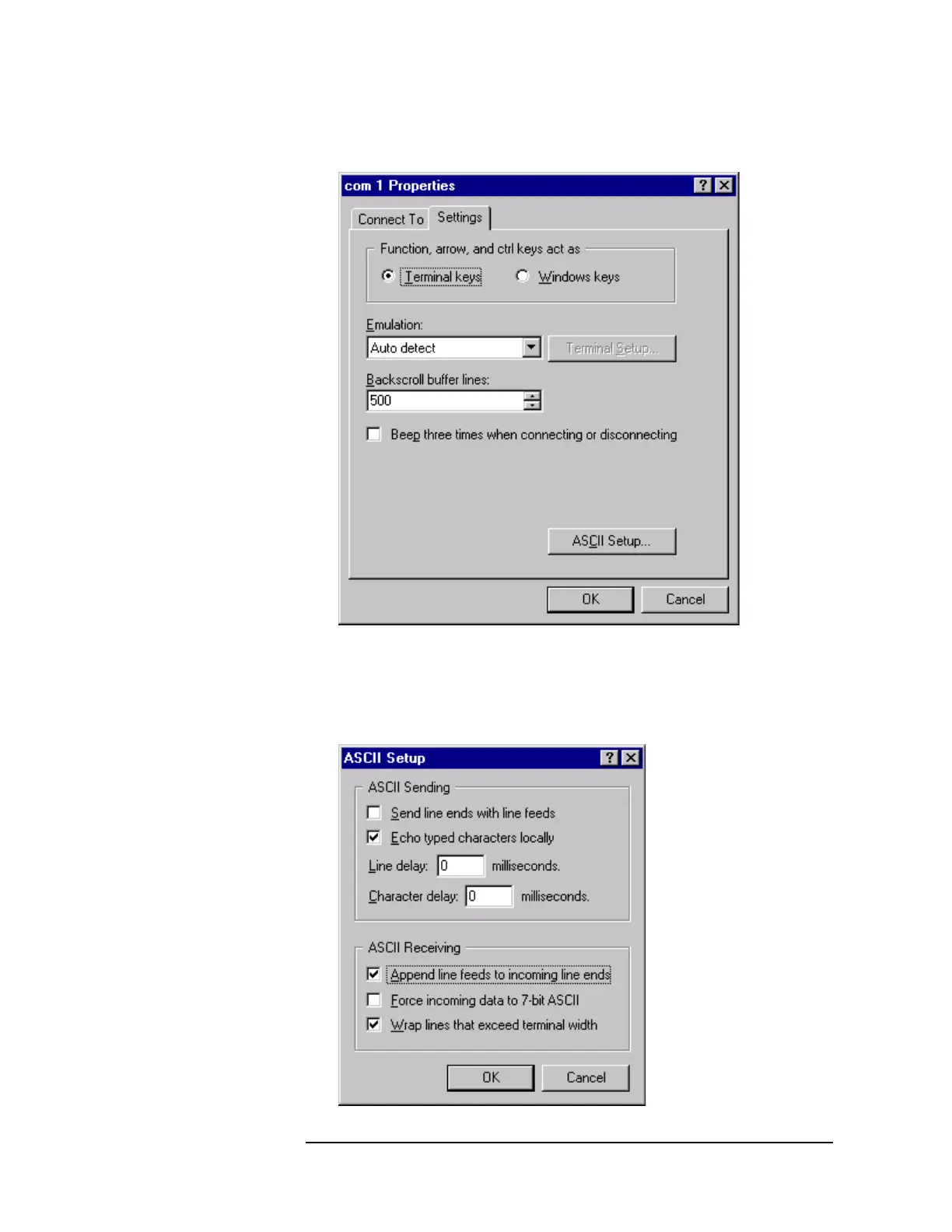
8 On the Settings tab, click ASCII Setup
Figure 13-10 “Com 1 Properties” Window
9 Click ASCII Setup.
10 Enable “Echo typed characters locally” and “Append line feeds to incoming line
ends,” then click OK.



 To Next Page