Setting Up Dialup Modems
146 Check Point UTM-1 Edge User Guide
Setting Up an RS232 Modem
Note: Your RS232 dialup modem and your UTM-1 appliance's Serial port must be
configured for the same speed.
By default, the appliance's Serial port's speed is 57600 bps. For information on
changing the Serial port's speed, refer to the Embedded NGX CLI Reference
Guide.
To set up an RS232 dialup modem
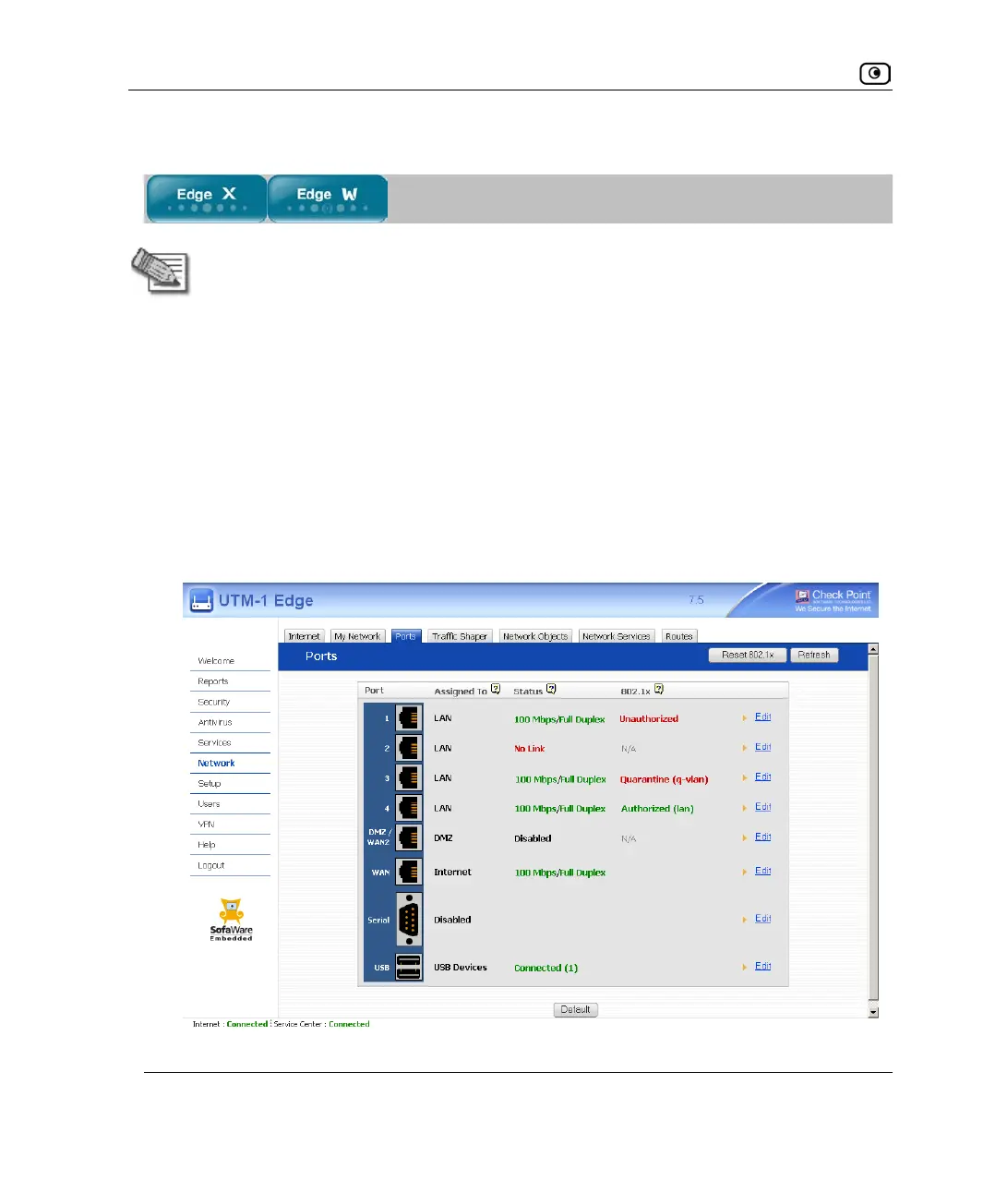
1. Connect an RS232 dialup modem to your UTM-1 appliance's serial port.
For information on locating the serial port, see Introduction on page
1.
2. Click Network in the main menu, and click the Ports tab.
The Ports page appears.















 To Next Page