Viewing Internet Connection Information
152 Check Point UTM-1 Edge User Guide
Viewing Internet Connection Information
You can view information on your Internet connection(s) in terms of status, duration, and
activity.
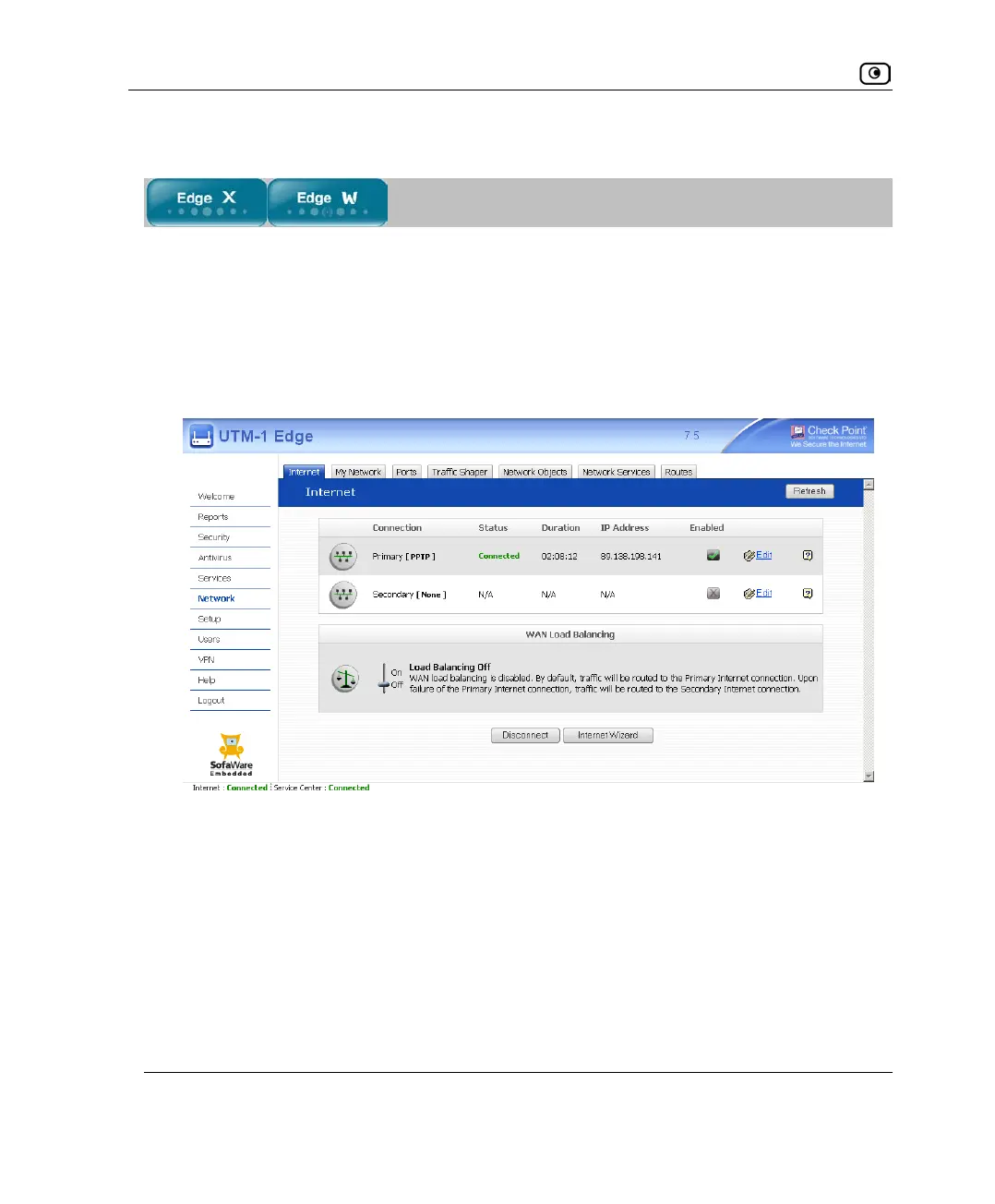
To view Internet connection information
1. Click Network in the main menu, and click the Internet tab.
The Internet page appears.
For an explanation of the fields on this page, see the following table.
2. To view activity information for a connection, mouse-over the information
icon next to the desired connection.
A tooltip displays the number of bytes sent and received bytes through the connection.
3. To refresh the information on this page, click Refresh.















 To Next Page