Using Network Objects
192 Check Point UTM-1 Edge User Guide
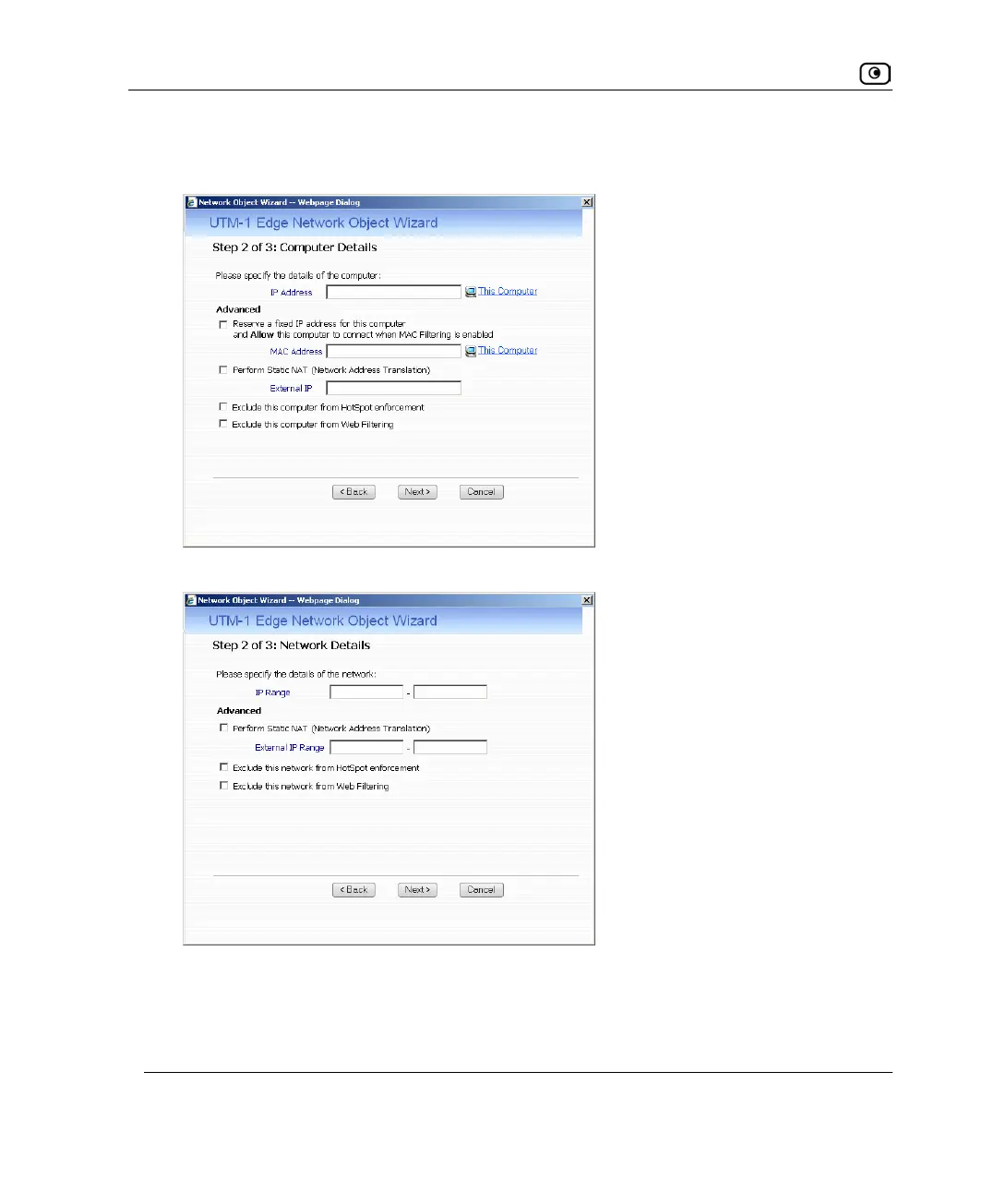
The Step 2: Computer Details dialog box appears. If you chose Single Computer, the
dialog box includes the Reserve a fixed IP address for this computer option.
If you chose Network, the dialog box does not include this option.
5. Complete the fields using the information in the tables below.
6. Click Next.















 To Next Page