Using Web Rules
Chapter 12: Setting Your Security Policy 367
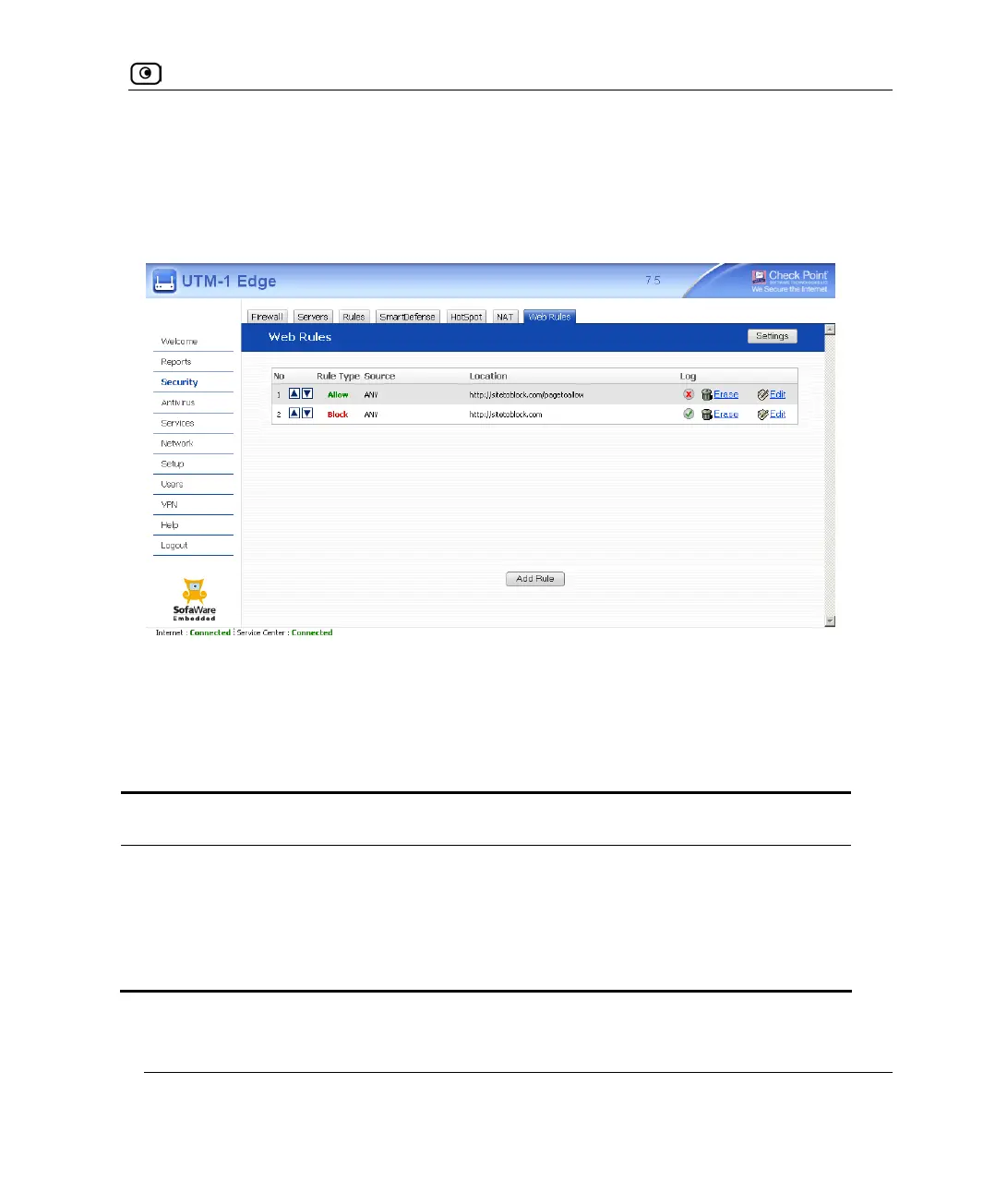
For example, if you want to block all the pages of a particular Web site, except a specific
page, you can create a rule blocking access to all of the Web site's pages and move the rule
down in the Web Rules table. Then create a rule allowing access to the desired page and
move this rule to a higher location in the Web Rules table than the first rule. In the figure
below, the general rule is rule number 2, and the exception is rule number 1.
The UTM-1 appliance will process rule 1 first, allowing access to the desired page, and
only then it will process rule 2, blocking access to the rest of the site.
The following rule types exist:
Table 65: Web Rule Types
Rule Description
Allow This rule type enables you to specify that a specific Web page should be
allowed.
Block This rule type enables you to specify that a specific Web page should be
blocked.















 To Next Page