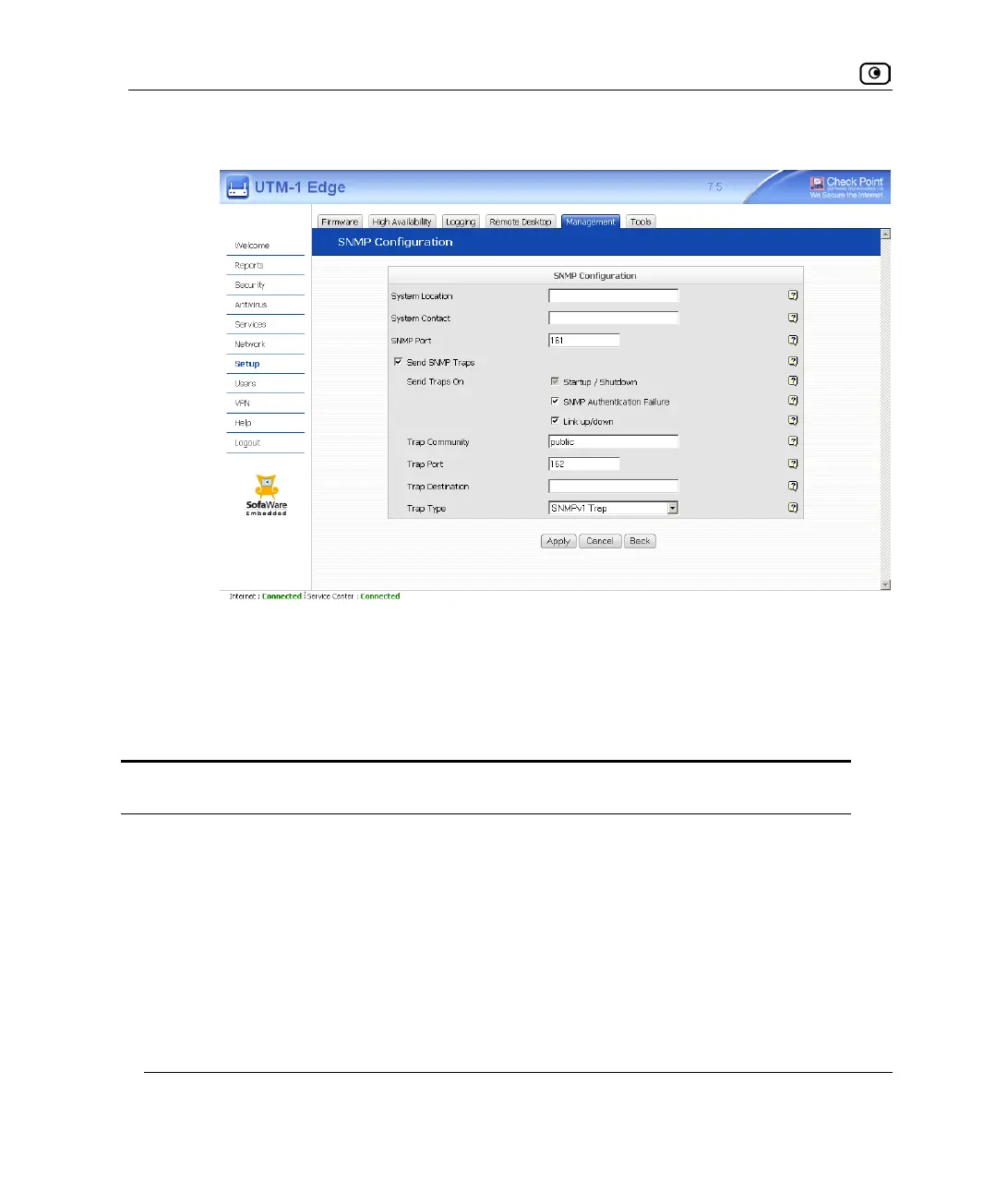
Configuring SNMP
600 Check Point UTM-1 Edge User Guide
If you selected the Send SNMP Traps check box, additional fields appear.
6. Click Apply.
The SNMP configuration is saved.
7. Configure the SNMP clients with the SNMP community string.
Table 122: Advanced SNMP Settings
In this field... Do this…
System Location Type a description of the appliance's location.
This information will be visible to SNMP clients, and is useful for
administrative purposes.
System Contact Type the name of the contact person.
This information will be visible to SNMP clients, and is useful for
administrative purposes.















 To Next Page