UTM-1 Edge X and UTM-1 Edge W Installation
Chapter 3: Installing and Setting Up UTM-1 81
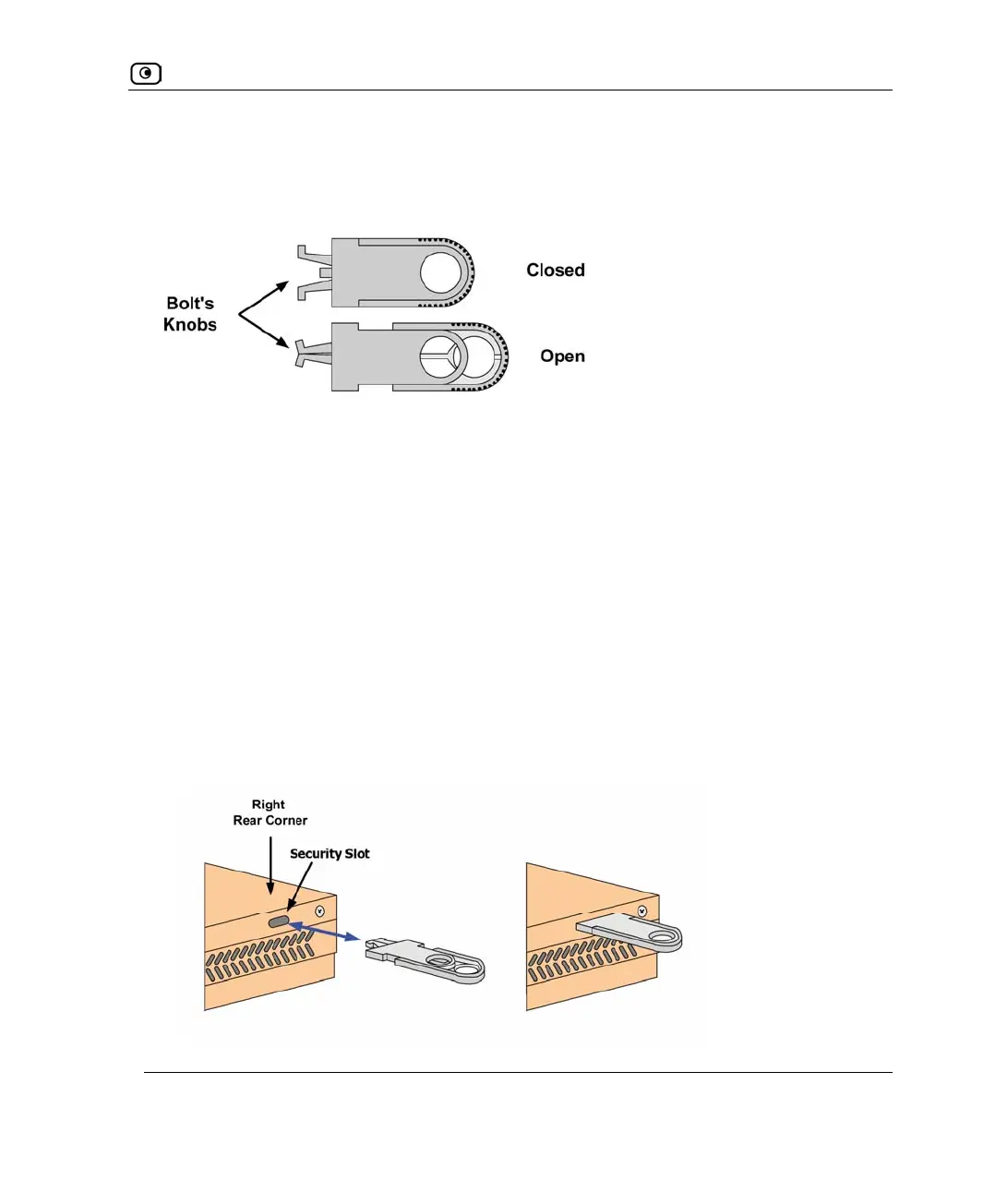
While these parts may differ between devices, all looped security cables include a bolt with
knobs, as shown in the diagram below:
The bolt has two states, Open and Closed, and is used to connect the looped security cable
to the appliance's security slot.
To install an anti-theft device on the UTM-1 Edge appliance
1. If your anti-theft device has a combination lock, set the desired code, as
described in the documentation that came with your device.
2. Connect the anti-theft device's loop to any sturdy mounting point, as described
in the documentation that came with your device.
3. Slide the anti-theft device's bolt to the Open position.
4. Insert the bolt into the UTM-1 Edge appliance's security slot, then slide the
bolt to the Closed position until the bolts holes are aligned.
Figure 18: Looped Security Cable Bolt















 To Next Page