6 - USE AND OPERATION
Schermate display (ME)
ME2000S - User Manual
64 - 133
1) F-01-PROTOCOL-MULTI Fi...
2) F-02-PROTOCOL-CIMSTD ...
3) F-03-PROTOCOL-CIMSTD ...
4) Open Fields: 26
5) Open2 Fields: 26
1234
LCD EDIT
HOME
BACK
A
1
2
3
4
5
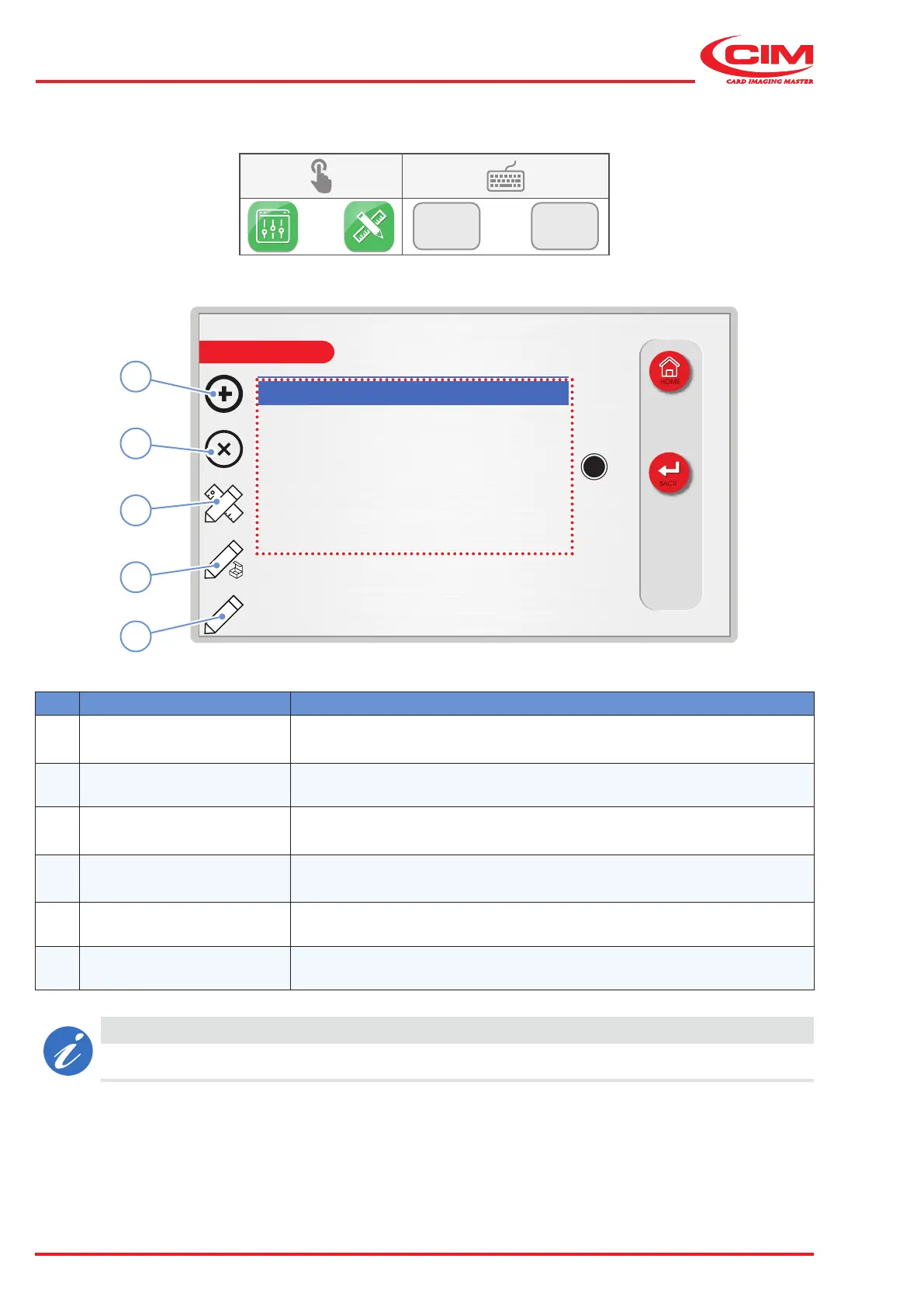
6.9.3 FORMATS
F1
F3
Ref. Function Description
1 [F1] New
Create a new format by entering a name for it and specifying the number
of elds, number of copies and the counter increments.
2 [F2] Delete Delete the selected format from the list.
3
[F3]
Edit format
Edit the name, number of elds, copies and the counter increments of an
existing format.
4 [F4] Edit elds
Allows you to specify the layout of the embossing elds in the selected
format.
5
[F5]
Edit counters Allows you to dene the specications for the counters.
A Formats list List of available formats with the relative number of elds for each format.
CAUTION
Only the rst 14 characters of the format name are displayed in the list.



 To Next Page