EasyManua.ls Logo

Commander Connect Connect V6 - Page 103

Default Icon
138 pages
Print Icon
To Next Page IconTo Next Page
To Previous Page IconTo Previous Page
Loading...
Commander Connect Owners Manual
102
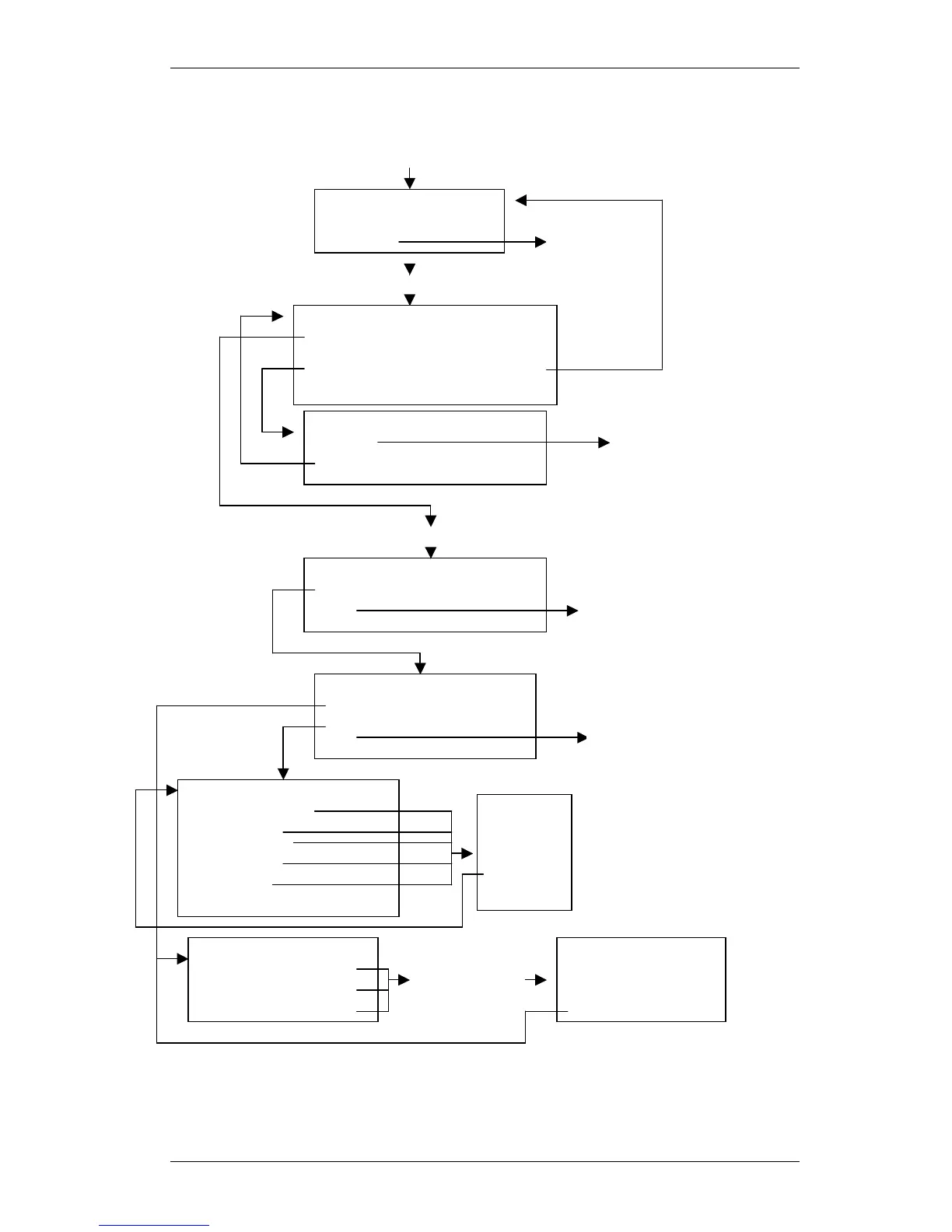
General rules:
If you select Confirm without making an entry, the top line of the display changes to _ _ _ _ _ to
allow the entry to be made.
If you make an invalid entry Invalid shows on the top line of the display.
Enter number length 3-4
-Confirm
-Exit
Key 3 or 4 and select Confirm
20 (start number of existing extns)
-Confirm
-Change
-Delete Exit-
Are you sure?
-Confirm
-Exit
Restores numbering range
to default and exits Flexible
Numbering programming
Input a valid first number of the new numbering range and select Confirm
OK
-Manual adjustment
-Exit
Select option
-Station Numbers
-Other codes
-Exit
Select option
-Misc. stations
-Line access-
-Operator code
-Feature code
-Speed dial
-Exit
1 X
-Confirm
-Change
-Exit
Where X is the current code
for the selected option
(Only available valid codes
can be selected.)
Select No.
-Stn 652 Stn 655-
-Stn 653 Stn 656-
-Stn 654 Stn 657-
Allows individual
Station numbers to
be changed to a
valid number
Dial, or select Station
-Confirm
-Change
-Exit
Key a new
station
number and
select
‘Confirm’
Exit Flexible
numbering
Programming
Exit Flexible
numbering
Programming
Exit Flexible
Numbering
Programming

Table of Contents