Joystick
Controllers
The
joystick controllers have four simple direction switches and one trigger button.
The
direction switches are connected to pins I,
2,
3,
and 4 as FORWARD, BACK, LEFT,
and RIGHT.
The
trigger button is connected to pin
6.
The
normal
state
of each of the switches is open. This places a logic 1 on each of the
input lines. When a switch is closed,
it
is connected to ground (pin 8), placing a
logic
0
on the line.
Reading the joystick input
data
logic states
is
not so simple, however, because the
data
registers for the joysticks are the same as the counters
that
are used for the mouse or
trackball controllers. These are named JOYODAT (port
0)
and JOYIDAT (port 1).
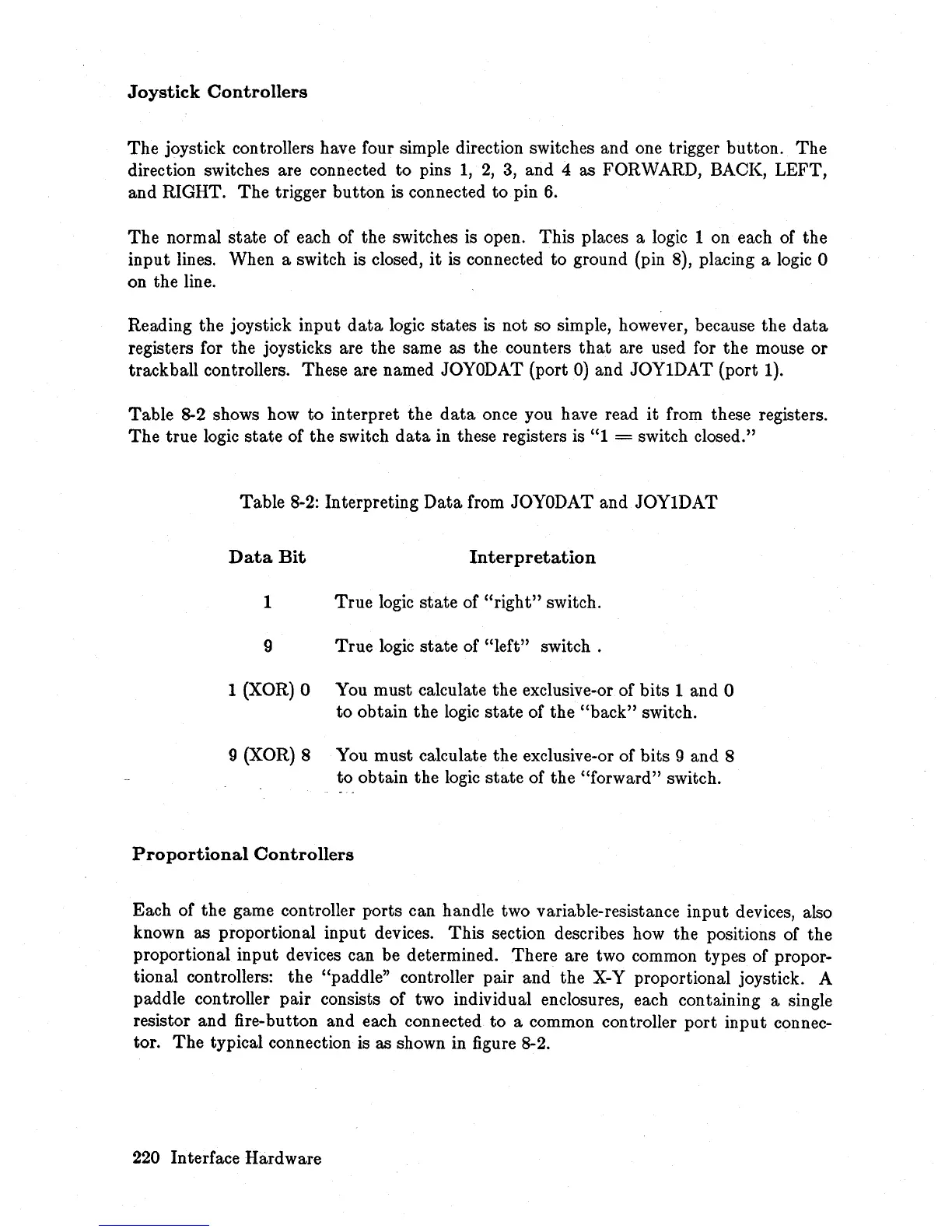
Table 8-2 shows how to interpret the
data
once you have read
it
from these registers.
The
true logic state of the switch
data
in these registers is "1 = switch closed."
Table 8-2: Interpreting
Data
from JOYODAT and JOYIDAT
Data
Bit
Interpretation
1 True logic state of
"right"
switch.
9 True logic
state
of
"left"
switch.
1 (XOR) 0 You must calculate the exclusive-or of bits 1 and 0
to
obtain the logic
state
of the
"back"
switch.
9 (XOR) 8 You must calculate the exclusive-or of bits 9 and 8
to obtain the logic
state
of the "forward" switch.
Proportional
Controllers
Each of the game controller ports can handle two variable-resistance input devices, also
known as proportional input devices. This section describes how the positions of the
proportional input devices can be determined. There are two common types of propor-
tional controllers: the "paddle" controller pair and the X-Y proportional joystick. A
paddle controller pair consists of two individual enclosures, each containing a single
resistor and fire-button and each connected
to
a common controller port input connec-
tor.
The
typical connection is as shown in figure 8-2.
220 Interface Hardware














 To Next Page