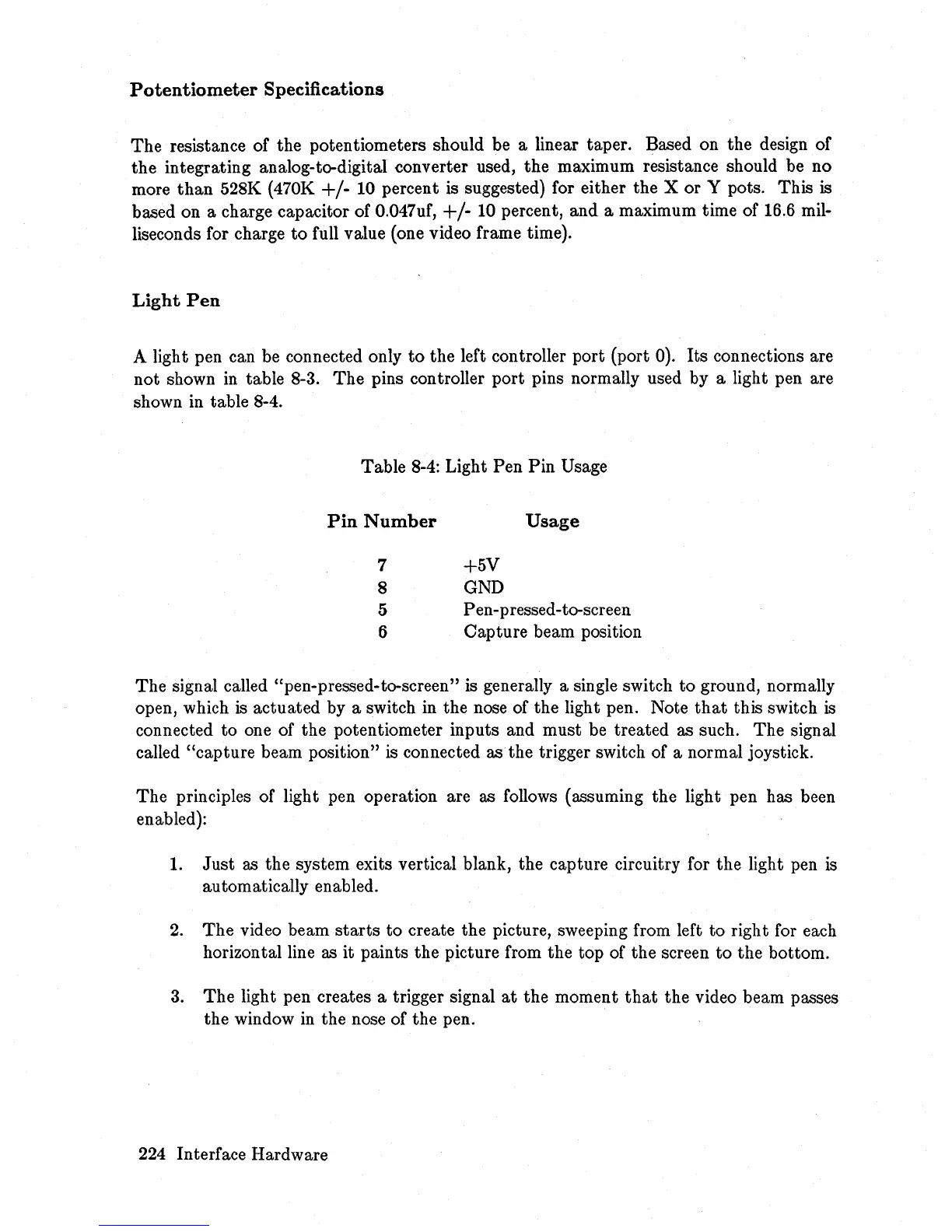
Potentiometer
Specifications
The
resistance of the potentiometers should be a linear taper. Based on the design of
the integrating analog-to-digital converter used, the maximum resistance should be no
more
than
528K (470K +/- 10 percent is suggested) for either the X or Y pots. This is
based on a charge capacitor of 0.047uf,
+/-
10
percent, and a maximum time of 16.6 mil-
liseconds for charge
to
full value (one video frame time).
Light
Pen
A light pen can be connected only
to
the left controller port (port 0).
Its
connections are
not
shown
in
table 8-3.
The
pins controller port pins normally used by a light pen are
shown in table 8-4.
Table
8-4:
Light Pen Pin Usage
Pin
Number
Usage
7 +5V
8
GND
5 Pen-pressed-to-screen
6 Capture beam position
The signal called "pen-pressed-to-screen" is generally a single switch to ground, normally
open, which
is
actuated by a switch in the nose of the light pen. Note
that
this switch
is
connected
to
one of the potentiometer inputs and must be treated as such. The signal
called "capture beam position" is connected as the trigger switch of a normal joystick.
The principles of light pen operation are as follows (assuming the light pen has been
enabled):
1.
Just
as the system exits vertical blank, the capture circuitry for the light pen is
automatically enabled.
2.
The
video beam
starts
to
create the picture, sweeping from left to right for each
horizontal line as it paints the picture from the top of the screen to the bottom.
3.
The
light pen creates a trigger signal
at
the moment
that
the video beam passes
the window
in
the nose of the pen.
224 Interface Hardware














 To Next Page