EasyManua.ls Logo

CPI Paypod Embedded - Page 103

CPI Paypod Embedded
140 pages
Print Icon
To Next Page IconTo Next Page
To Previous Page IconTo Previous Page
Loading...
103
44000-UG-01-01-EN_CPI_Paypod Embedded Pay Station_User Guide_V1.1.pdf
Cleaning
Paypod™ Embedded Pay Station
Published by CPI
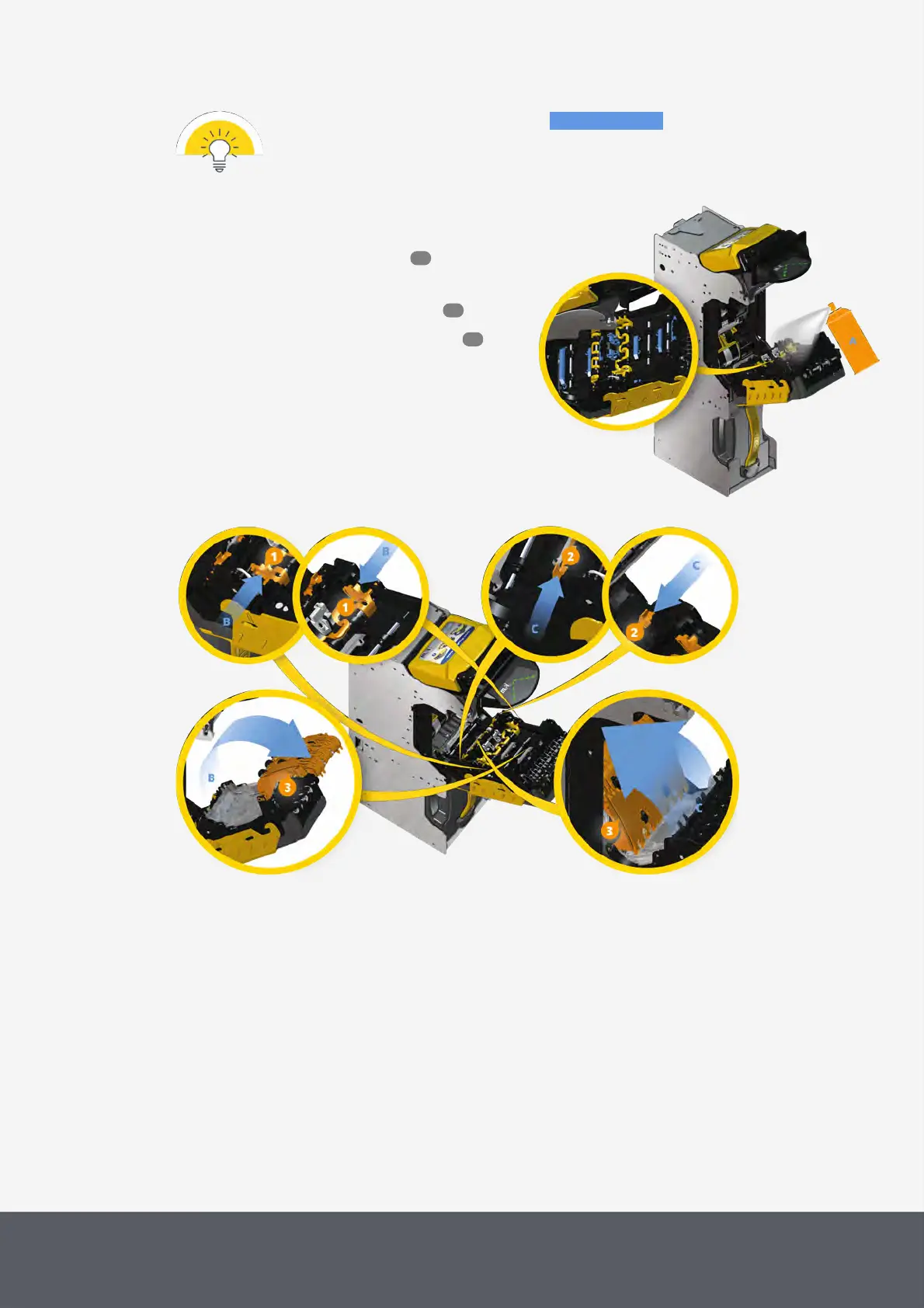
The following cleaning instructions show the parts to be cleaned in blue.
To clean the banknote transporting unit
1 If necessary, wait until a transaction has been fin-
ished, switch the pay station off and disconnect
it from power.
2 Gain access to the banknote recycler .
3 Open the E22 banknote transporting unit .
4 Use compressed air to blow any dust or debris from
all light pipes and prisms (highlighted in blue)[A].
Cleaning E22 Banknote Transporting Unit's Light Pipes and Prisms
Unfolding E22 Banknote Transporting Unit's Banknote Path Covers
46
53
63

Table of Contents