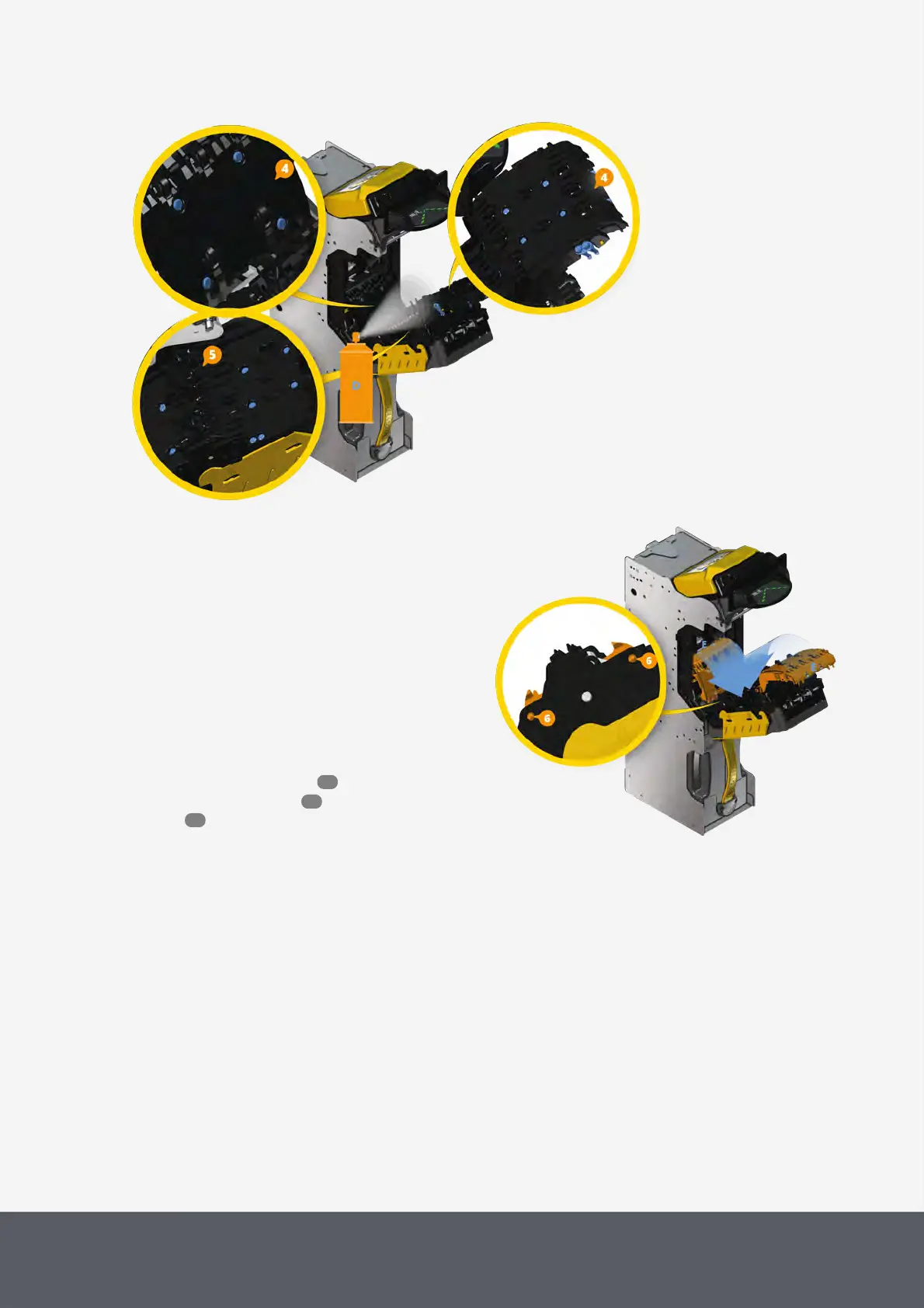
5 Use two fingers to pinch the yellow tabs of the up-
per[1][B] and then of the lower banknote path
cover[2] inward[C] and
6 simultaneously rotate the covers[3] up[B][C].
7 Use compressed air to blow any dust or debris from
both, the light pipes on the note path covers[4] and
on the transporting unit[5][D].
8 Close both covers[E] and let them fully latch by
pinching the tabs again.
The cover axles mate with the housing on both
sides[6].
9 Close transporting unit again, then close the
Paypod™ pay station , reconnect it and switch it
on again.



 To Next Page