87
44000-UG-01-01-EN_CPI_Paypod Embedded Pay Station_User Guide_V1.1.pdf
Handling Cash
Paypod™ Embedded Pay Station
Published by CPI
6 Remove the cash box .
To replace the full cash box with another empty one follow re-installation steps for the cash
box .
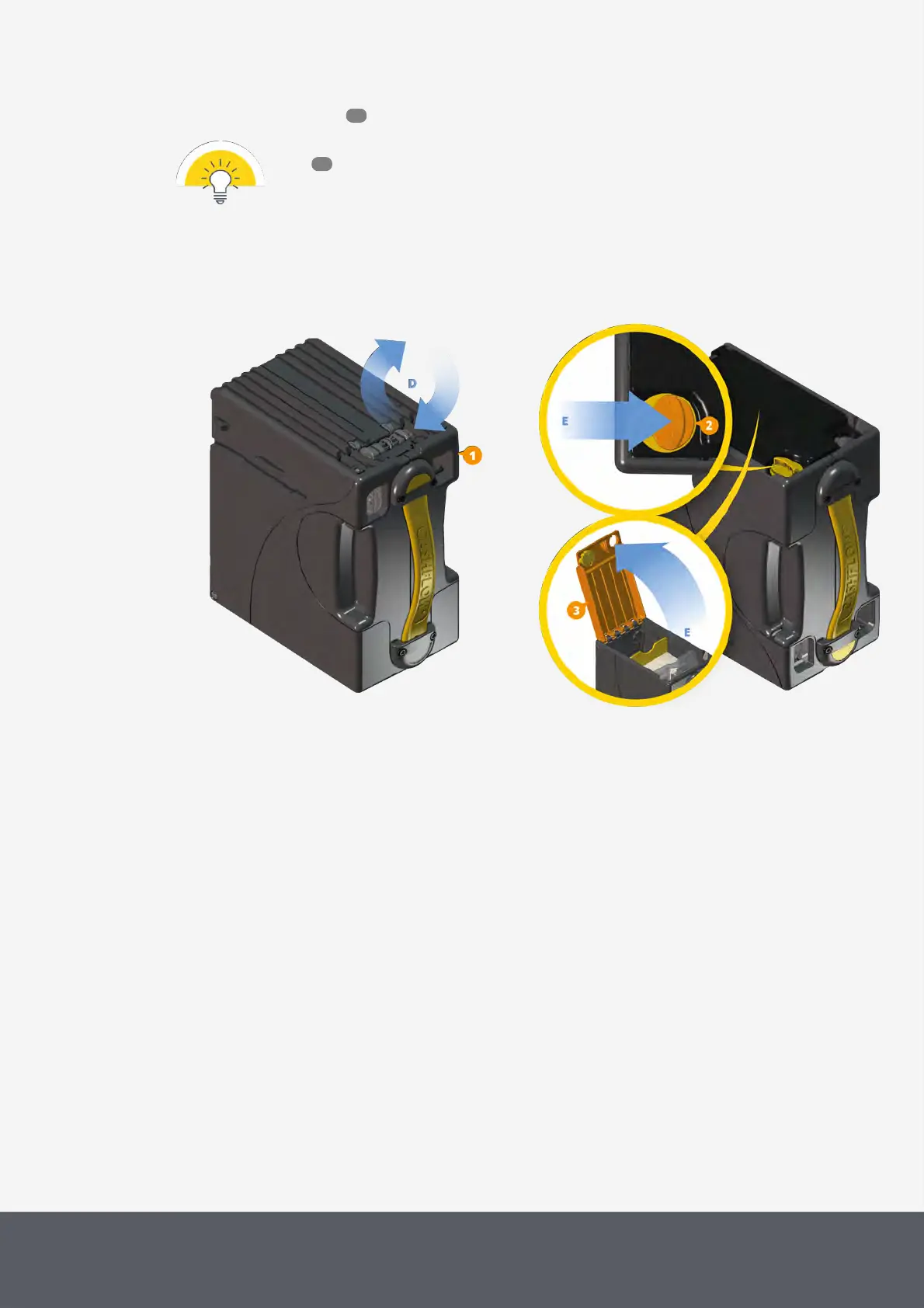
7 Turn the cash box cassette[1] upside down[D].
8 Pinch the yellow slide latch[2] inward[E] and
9 simultaneously unfold the cassette base[3][E].
Turning E22 Banknote Cash Box Upside Down
Opening E22 Banknote Cash Box
64
65



 To Next Page