88
44000-UG-01-01-EN_CPI_Paypod Embedded Pay Station_User Guide_V1.1.pdf
Paypod™ Embedded Pay Station
Handling Cash
Published by CPI
Emptying E22 Banknote Cash Box
Closing E22 Banknote Cash Box
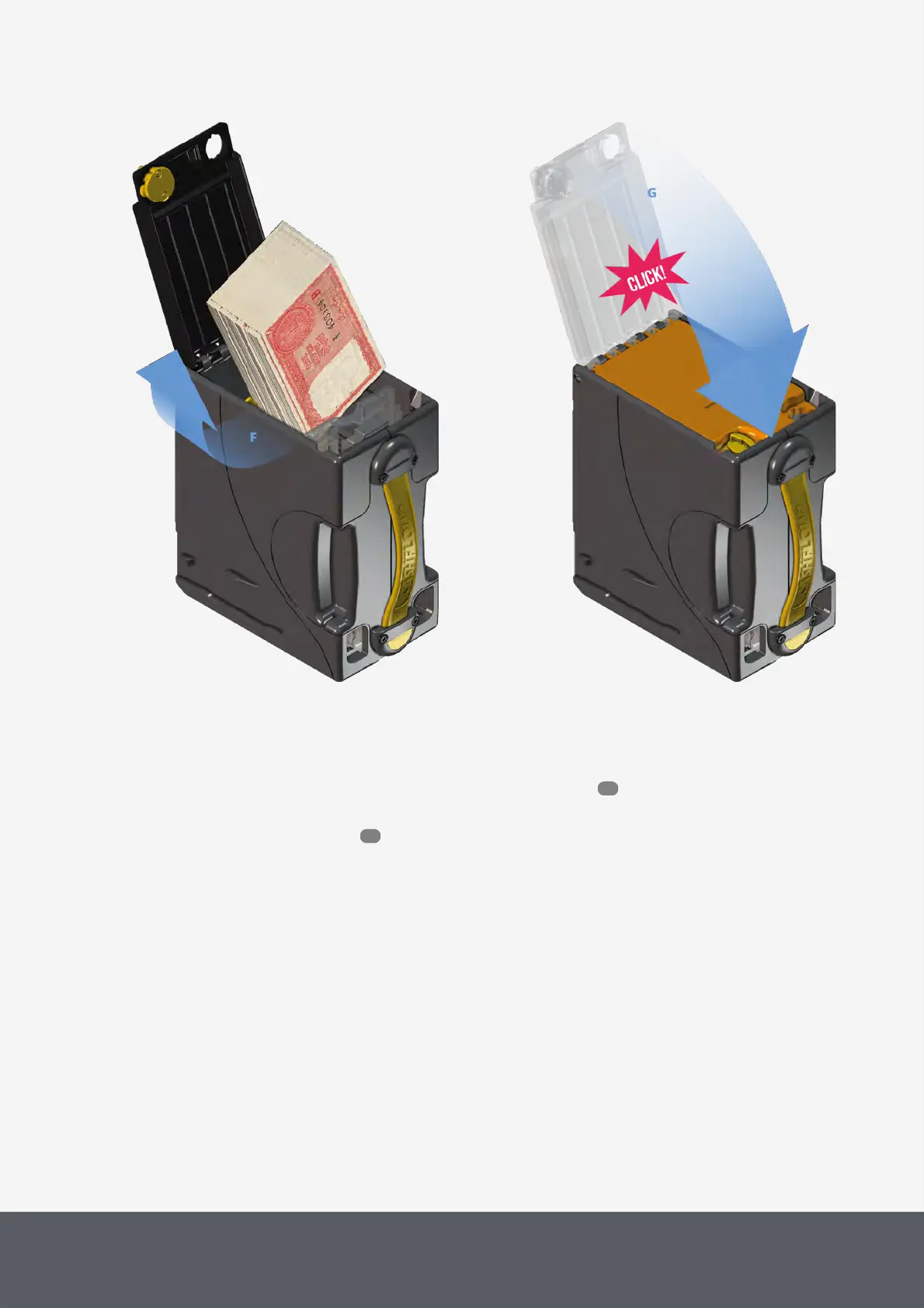
10 Remove all banknotes[F].
The cash box should be completely empty.
11 Close the cassette base again and ensure that it clicks into place[G].
12 Turn the cassette the other way round and reinstall the empty cash box .
The banknote recycler is reset and will execute a reinitialization process.
13 Close the Paypod™ pay station again.
14 Confirm upcoming middleware message with YES[H].
The POSlinq™ middleware returns to the administration screen.
15 Tap the X button to close screen[I].
65
55



 To Next Page