4-4
Fuel System
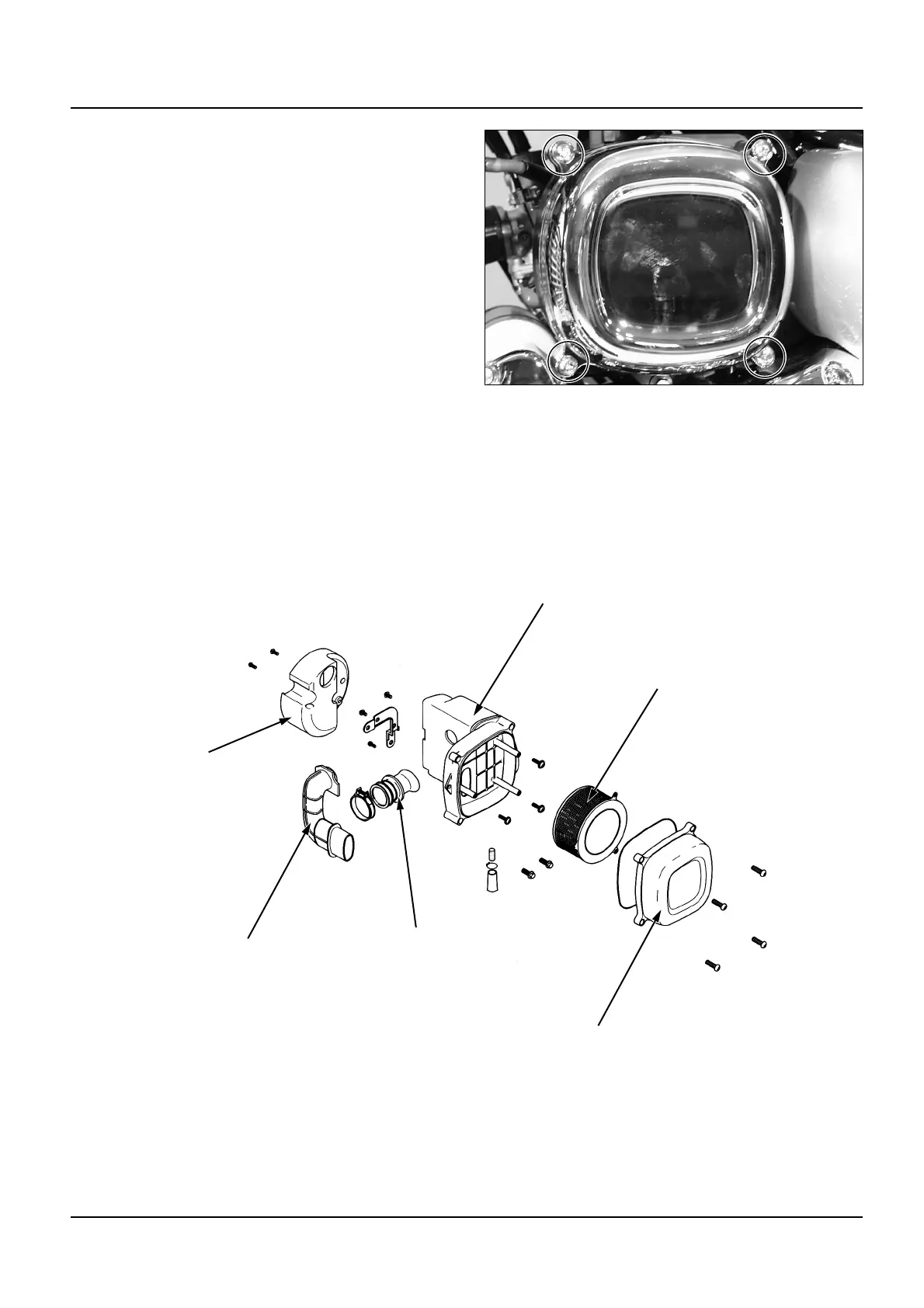
Air Cleaner Case
Removal
Remove the L. side cover.
Remove the air cleaner connecting tube band
out of the air cleaner side. Remove the battery.
Remove the air cleaner mounting bolt.
Remove the air cleaner case.
Installation
Installation is essentially the reverse order of
removal. Install the air cleaner case cover
screw.
Air Cleaner Case Cover
Air Cleaner Inlet Duct
Air Cleaner
Connecting Tube
Air Cleaner Case
Element
Air Cleaner Inlet Cover


 To Next Page
 Loading...