User’s Manual EM11A015B
intelligent Touch Manager
120
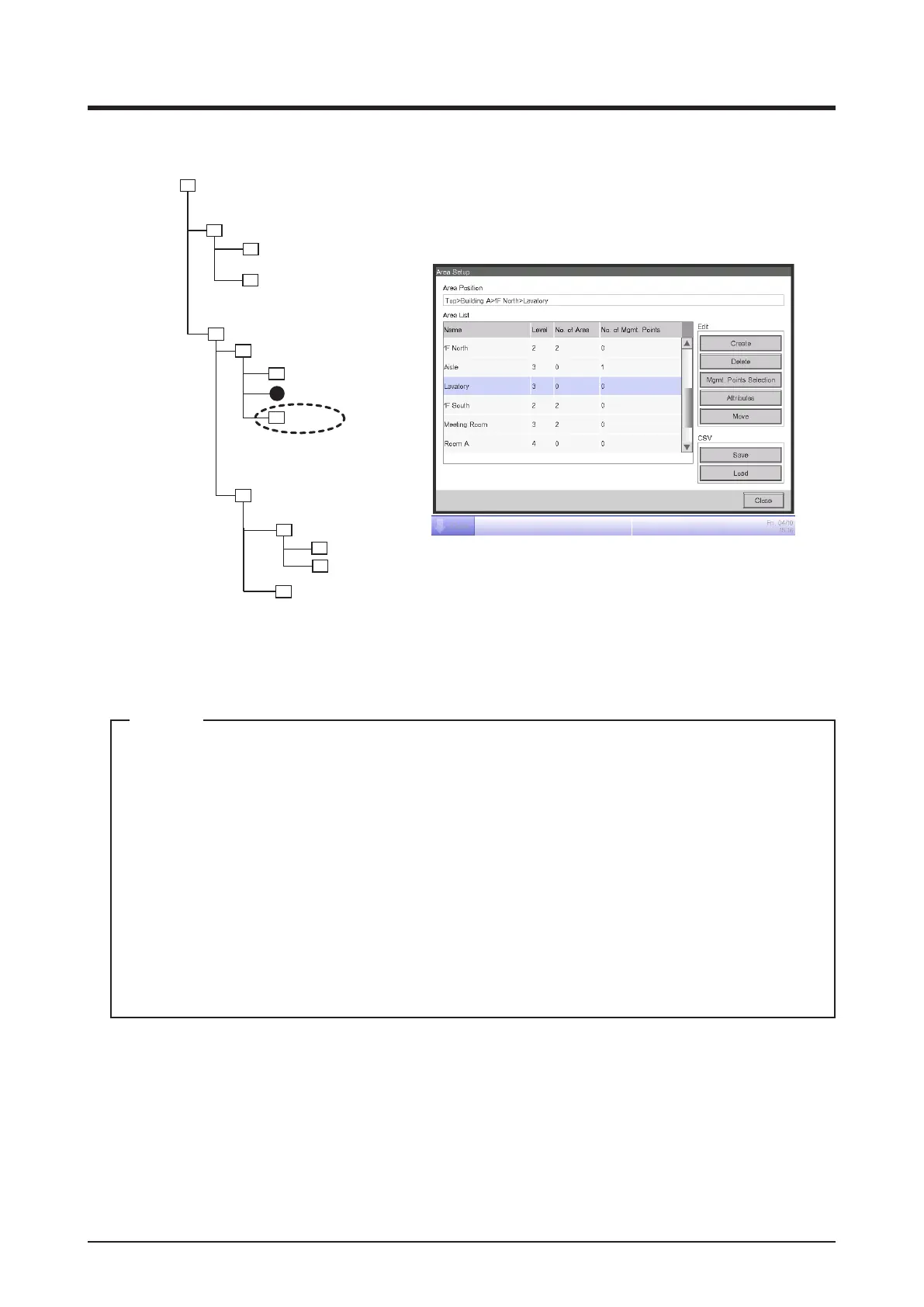
<Area Setup screen>
1F North
1F South
Meeting Room
Aisle
Room A
Room B
Office
Lighting A
Lavatory
Created after existing
members.
Building A
Top
All
Indoor
Ventilator
Fig. 2
4. The area created in step 3 (for example, Lavatory) is added to the area selected in step 2 (for
example, 1F North) as a member (Fig. 2).
A newly created area is created under existing management points and areas.
You will not be able to create new areas in the following cases.
• The number of areas exceeds 650.
• The area selected in the Area List is a 10th hierarchical level area.
• The management points and areas included in the selected area total 650.
• The selected area is All or an area immediately under All.
• The name is the same as that of another area. (However, the name may overlap with that
of an Indoor, Ventilator, Dio, Analog, MultiState, Pulse, Outdoor, or Chiller unit predened
in the All area.)
NOTE



 To Next Page