User’s Manual EM11A015B
intelligent Touch Manager
243
Setting up the Planned Energy Consumption/Setting up the Actual Energy Consumption
• Setting up the Planned Energy Consumption
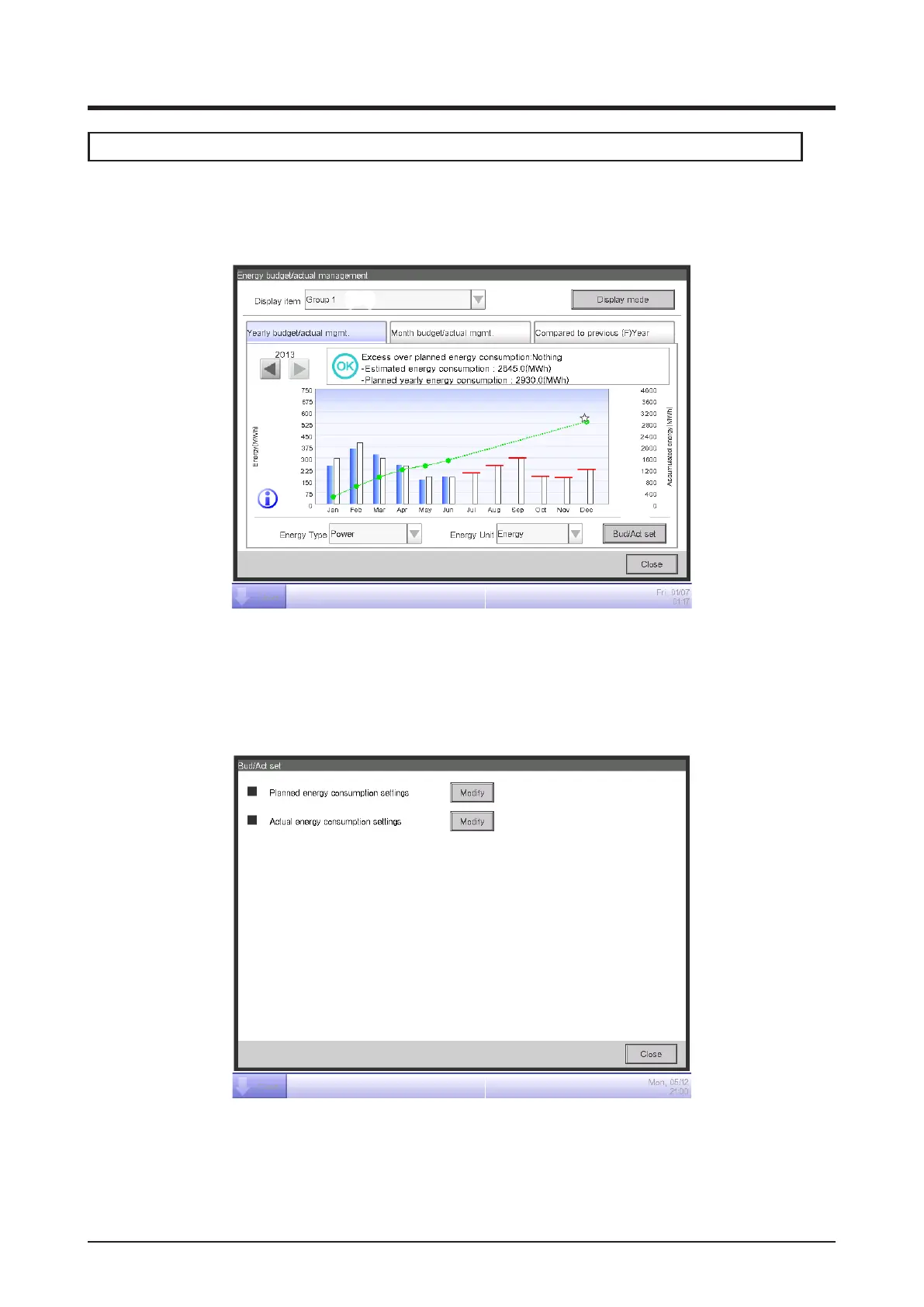
Set up the energy consumption plan (planned value) and actually consumed energy (actual
value).
(24)
(25)
You can select a registered Energy Group using the Display item combo box (24) available on
each tab of the Energy budget/actual management screen.
Select the Energy Group to which to set the energy consumption plan and register the actually
consumed energy, and touch the Bud/Act set button (25) to display the Bud/Act set screen.
(26)
To set up the planned energy consumption, touch the Modify button (26) to display the Planned
Energy Consumption Setup screen.



 To Next Page