User’s Manual EM11A015B
intelligent Touch Manager
171
Detailed screen and button descriptions
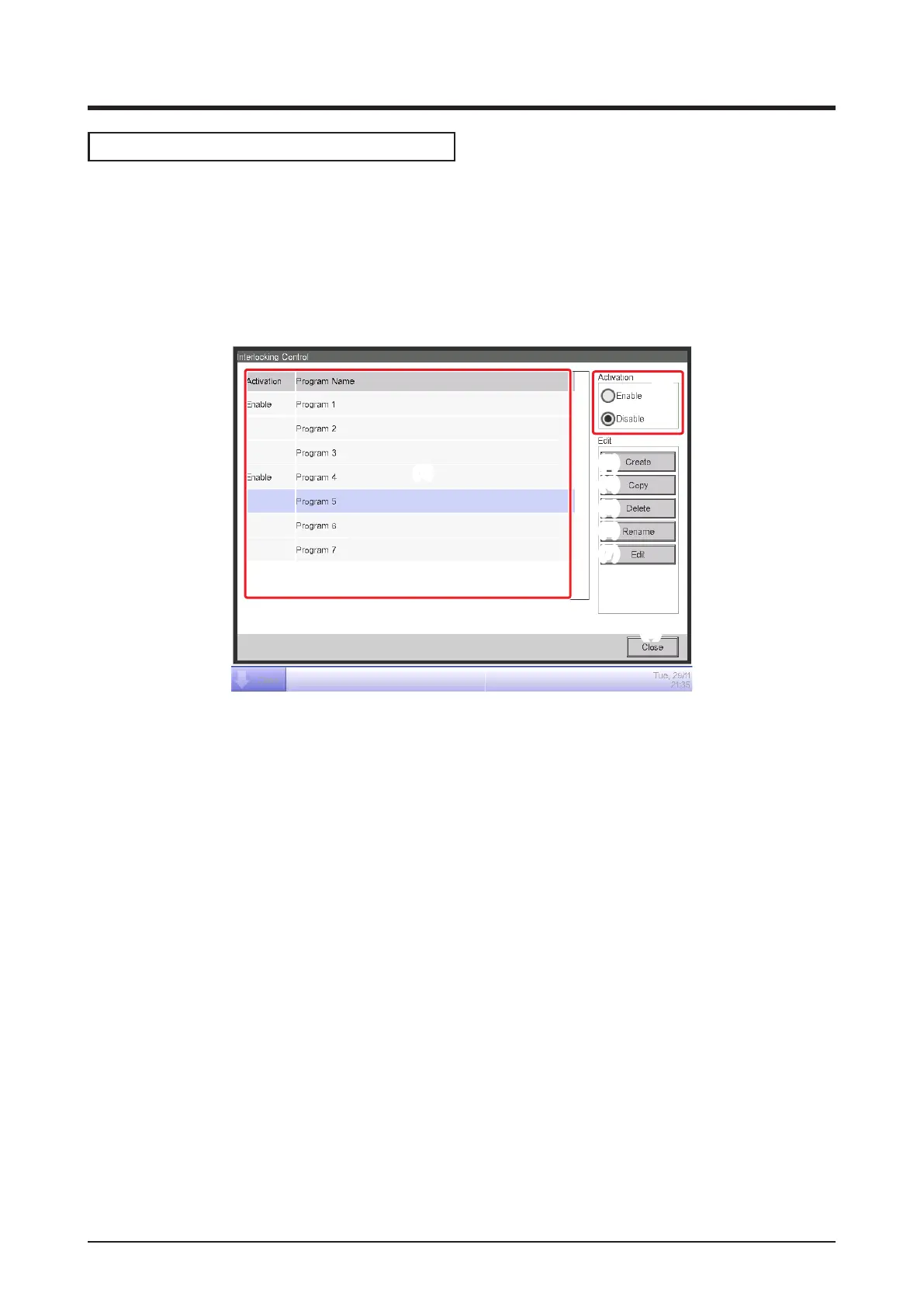
• Main Interlocking Control Screen
This screen is displayed when you touch the Interlocking Control button on the Automatic Ctrl.
tab of the Menu List screen (see “4-5 Menu List Screen: Automatic Ctrl. Tab”).
This screen allows you to create and delete interlocking programs, as well as enable/disable the
interlocking programs.
(8)
(1)
(3)
(4)
(5)
(6)
(7)
(2)
(1) Interlocking program list
Displays registered interlocking programs.
(2) Activation area
Enables and disables an interlocking program.
(3) Create button
Creates a new interlocking program. Touching the button displays the Name Input dialog.
The maximum number of interlocking programs you can create is 500.
Set up a name using 1 to 32 characters, irrespective of single or double byte.
Duplicate names are not permitted.
(4) Copy button
Copies the program selected in the interlocking program list. Touching the button displays the
Name Input dialog.
(5) Delete button
Deletes the program selected in the interlocking program list. Touching the button displays a
deletion conrmation dialog.



 To Next Page