User’s Manual EM11A015B
intelligent Touch Manager
29
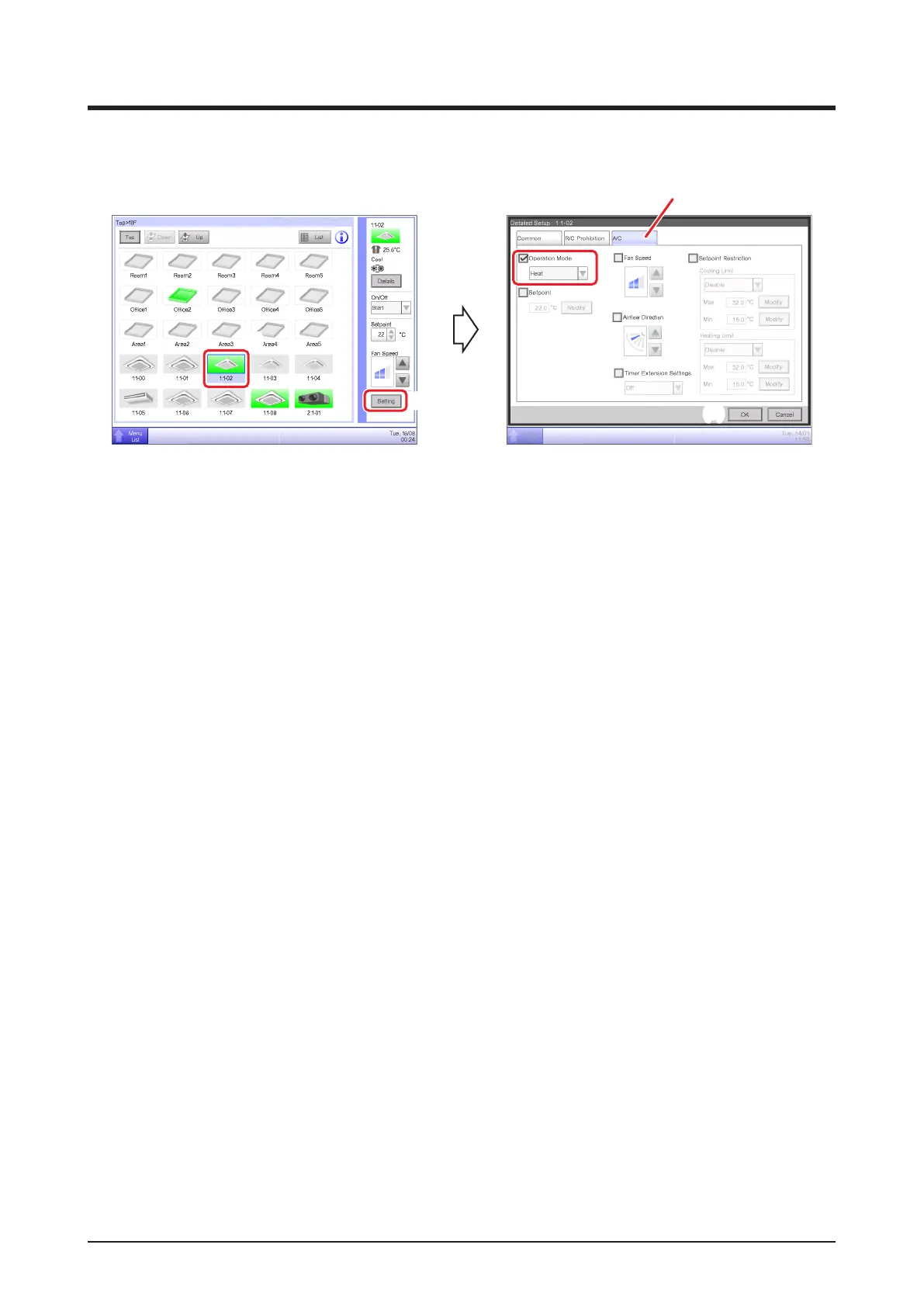
2-4 Setting up the Operation Mode for an Indoor Unit
(1)
(2)
(5)
(3)
(4)
(1) Select the indoor unit for which you want to set up the operation mode.
(2) Touch the Setting button and display the Detailed Setup screen.
(3) Select the A/C tab.
(4) Select the Operation Mode check box and select Fan, Cool, Heat, Dependent, Automatic, or
Dry from the combo box.
(5) Touch the OK button to commit and close the screen.
(For detailed operation, see “4-2 Detailed Setup Screen : A/C Tab”.)



 To Next Page