User’s Manual EM11A015B
intelligent Touch Manager
34
Checking the schedule
(1)
(2)
(4)
(3)
(5)
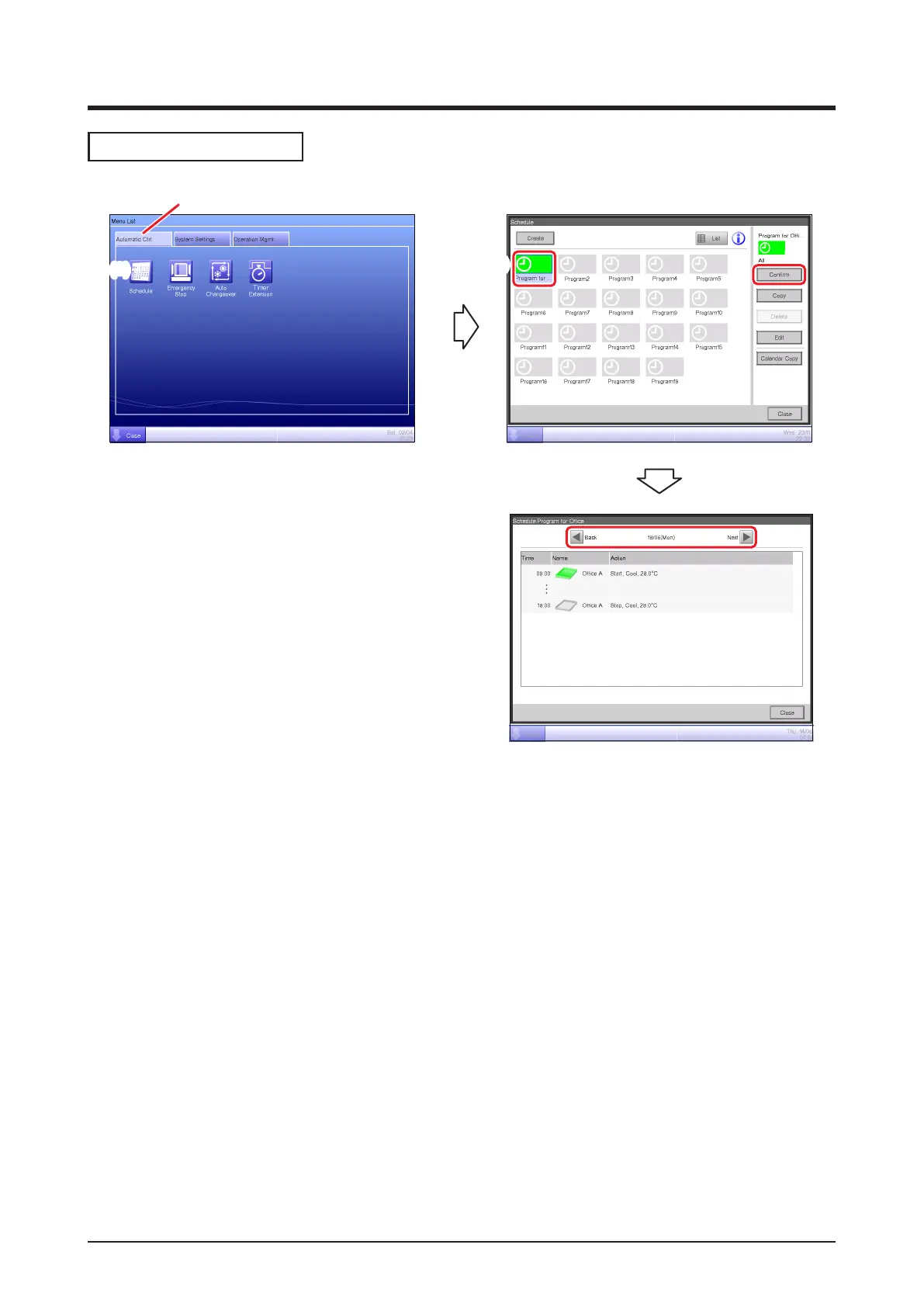
(1) Select the Automatic Ctrl. tab on the Menu List screen.
(2) Touch the Schedule button and display the Schedule screen.
(3) Select the schedule program to check.
(4) Touch the Conrm button on the Schedule screen and display the Conrm screen.
(5) Select the date for which you want to check the schedule.
(For detailed operation, see “5-1 Detailed screen and button descriptions”.)



 To Next Page