User’s Manual EM11A015B
intelligent Touch Manager
52
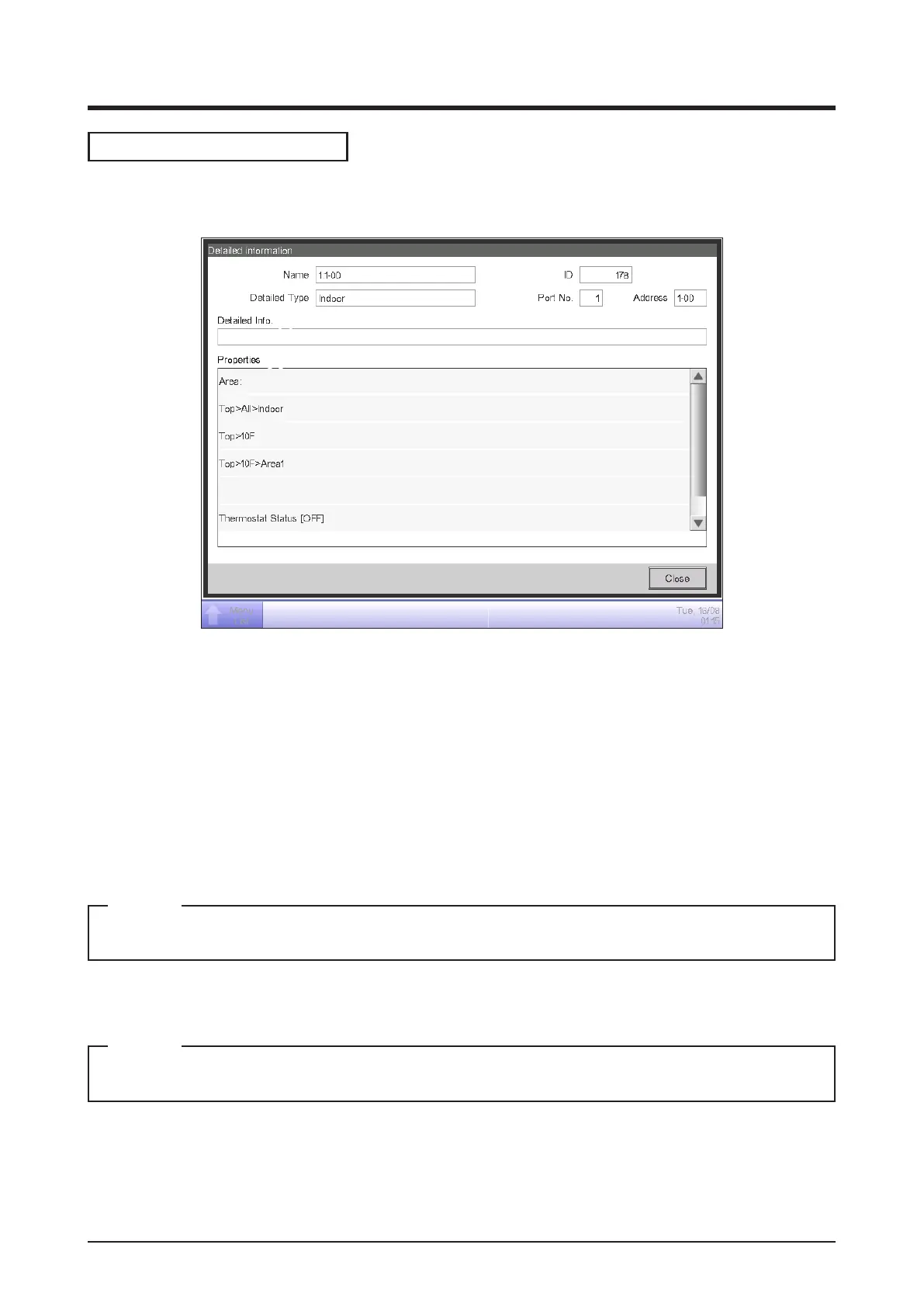
Detailed Information Screen
The Detailed Information screen appears when you touch the Details button (14) (see “4-2
Standard View (Icon) Screen” and “4-3 Standard View (List) Screen”) on the Standard View screen.
(1)
(3)
(6)
(7)
(2)
(4)
(5)
(1) Name eld
Displays the name of the area or management point.
(2) ID eld
Displays the ID of the area or management point.
(3) Detailed Type eld
Displays the type of the area or management point.
(4) Port No. eld
Displays the port number to which the management point is connected.
Not displayed for areas.
NOTE
(5) Address eld
Displays the address of the management point.
Not displayed for areas.
NOTE
(6) Detailed Info. eld
Displays detailed information of the area or management point.
(7) Properties eld
Displays information such as attributes, status, and setting details of the area or management point.



 To Next Page