User’s Manual EM11A015B
intelligent Touch Manager
79
Detailed screen and button descriptions
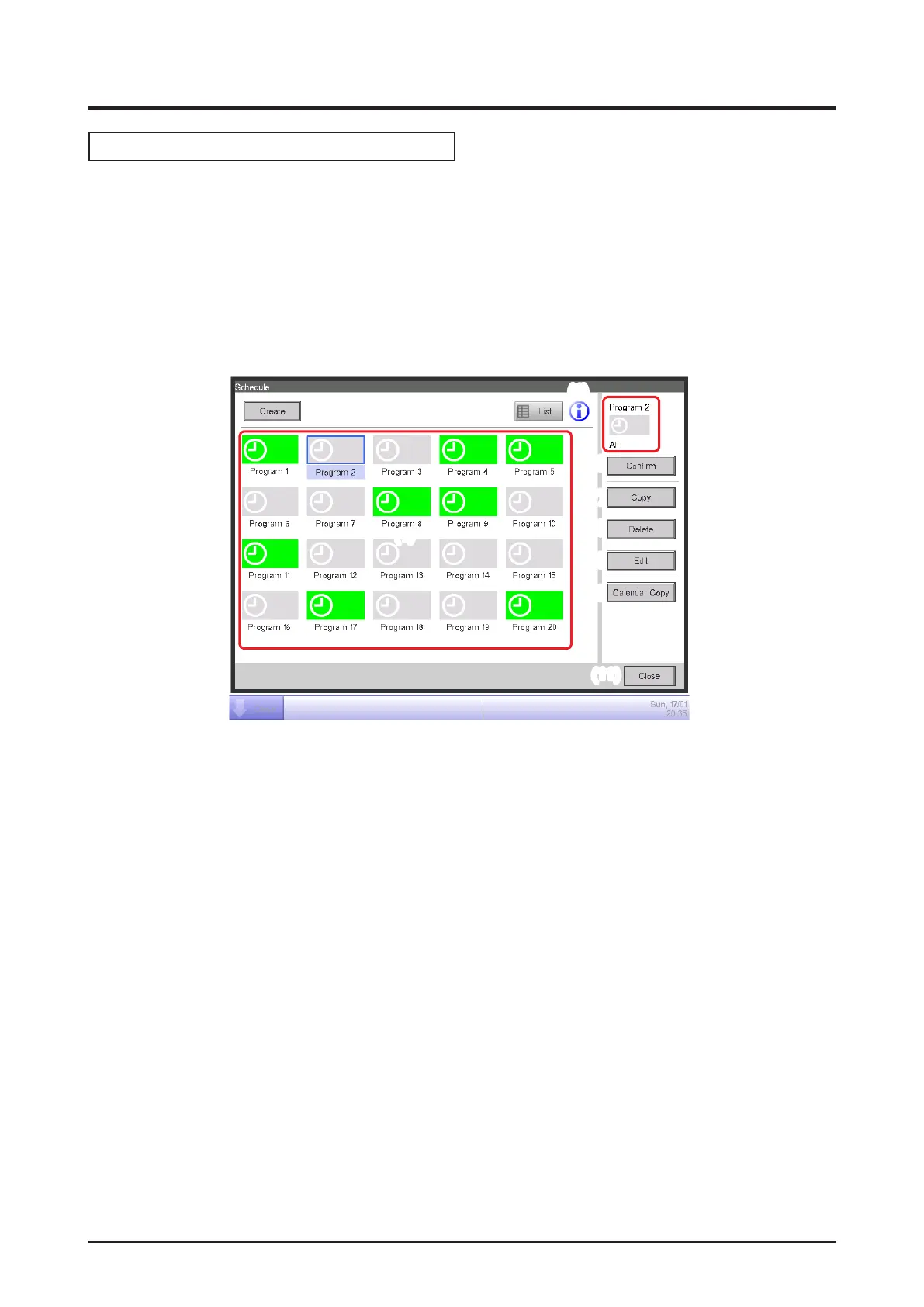
• Schedule Screen (Icon view)
This screen is displayed when you touch the Schedule button on the Automatic Ctrl. tab of the
Menu List screen.
It is also displayed when you touch the Icon button on the Schedule screen (List view).
This screen allows you to check, create, edit, and delete schedule programs as well as copy a
calendar.
(5)
(1)
(3)
(4)
(2)
(6)
(7)
(8)
(9)
(10)
(11)
(1) Schedule Info view area
Displays registered schedule programs.
(2) Selected schedule view area
Displays information of the program selected in the Schedule Info view area.
(3) List button
Switches the screen to the List view.
(4) Information button
Displays the Legend screen.
(5) Create button
Displays the Schedule Edit screen for creating a new schedule program.
You can create a maximum of 100 schedule programs.
(6) Conrm button
Displays the Schedule Confirmation screen that allows you to check the setting details of the
program selected in the Schedule Info view area.



 To Next Page