User’s Manual EM11A015B
intelligent Touch Manager
37
Checking the history
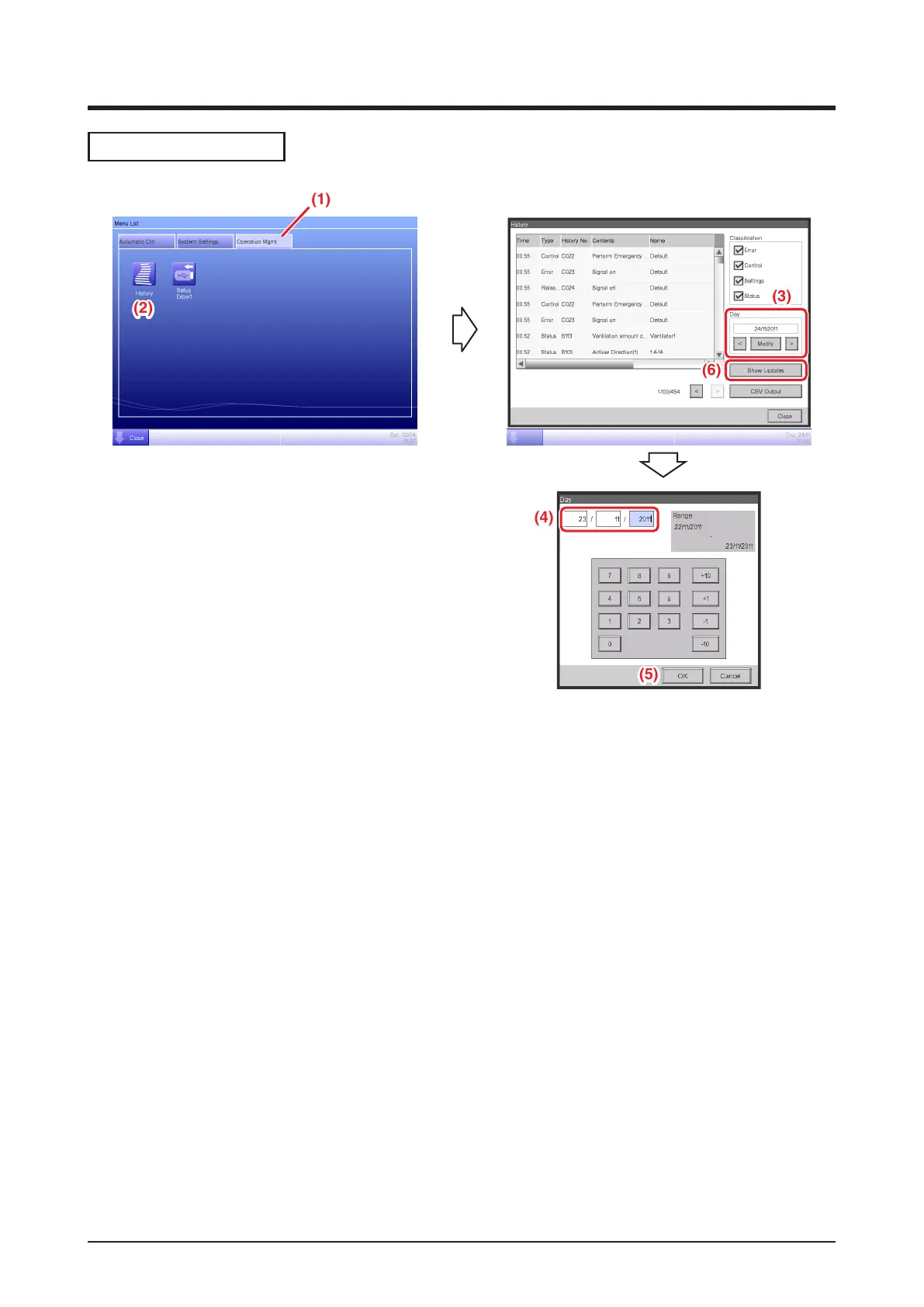
(1) Select the Operation Mgmt. tab on the Menu List screen.
(2) Touch the History button and display the History screen.
(3) You can use the < and > buttons to specify the date for which you want to check the history.
Alternatively, you can display the Time Setup dialog by touching the Modify button and specify the
date there.
(4) Enter the time in the Time Setup dialog.
(5) Touch the OK button.
(6) Touching the Show Updates button displays the list of setup execution dates and time.
(For detailed operation, such as outputting to CSV, see “7-1 Checking and Outputting History”.)



 To Next Page