User’s Manual EM11A015B
intelligent Touch Manager
134
6-4 Setting up Maintenance and Checking
You can set a specic management point to “maintenance” or release it from “maintenance”.
A management point set to “maintenance” cannot be controlled from the iTM, that is, it cannot
receive input signals such as orders of operation, automatic control, status monitoring, etc.
However, emergency stop is possible.
The following describes how to set this function up.
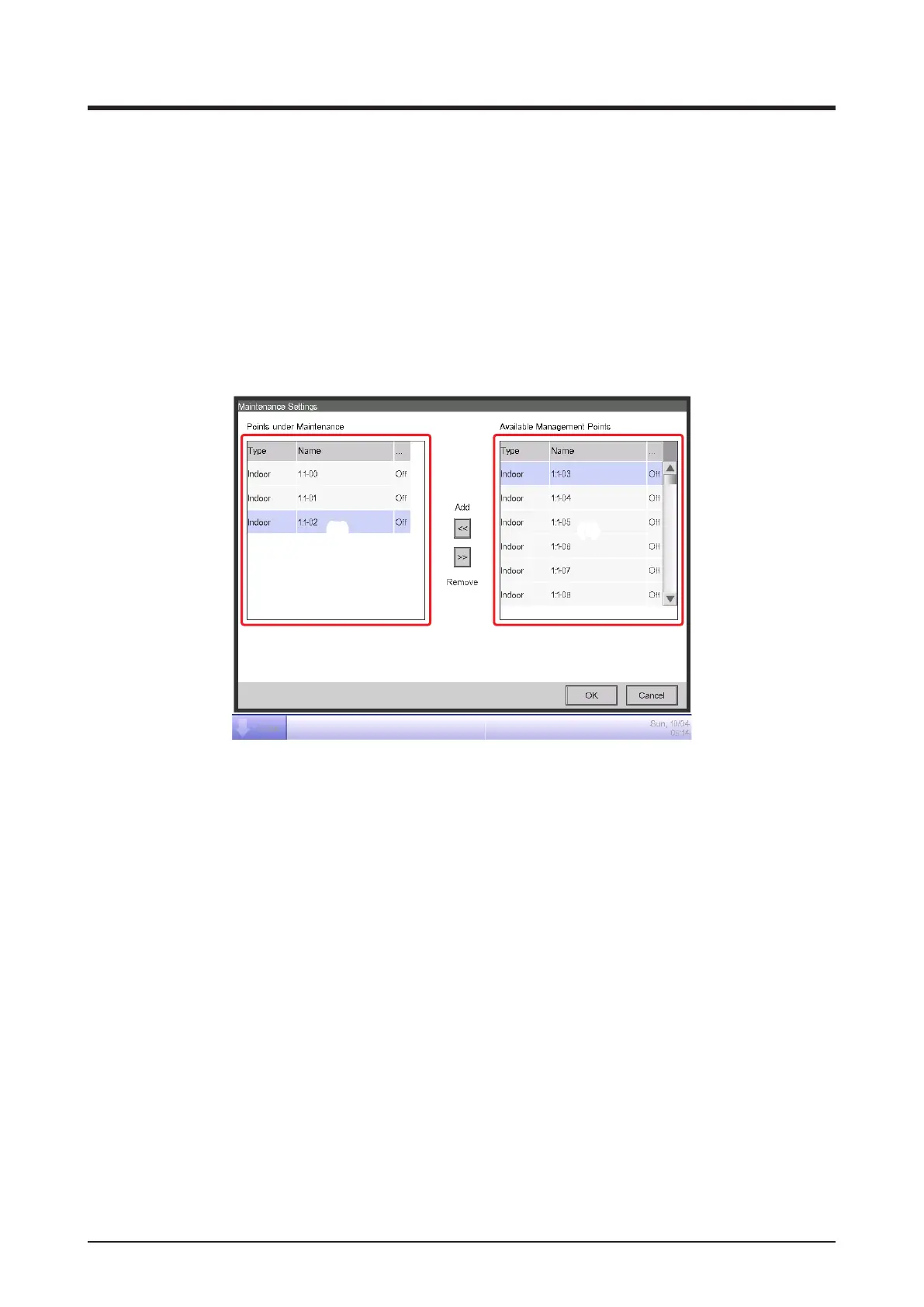
1. Touch the Maintenance button on the System Settings tab of the Menu List screen and display
the Maintenance Settings screen (see “4-5 Menu List Screen: System Settings Tab”).
(2) (1)
2. To set to maintenance, select it from the list of Available Management Points displayed in (1)
and touch the Add button to move it to (2). The management point is set to maintenance. Touch
the OK button to close the screen.
3. To release from maintenance, select a points under maintenance from (2) and touch the
Remove button to move it to (1). The management point is released from maintenance.
When nished, touch the OK button to close the screen.



 To Next Page